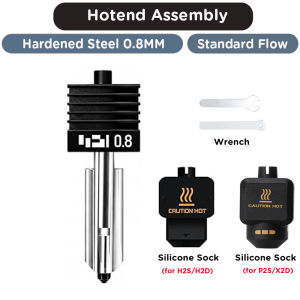
Hardened Steel P2S X2D Hotend Kit For Bambu Lab P2S Removable Nozzle 0.2/0.4/0.6/0.8 Silicone Sock Tool Set For Carbon Fiber
Hardened Steel P2S X2D Hotend Kit For Bambu Lab P2S Removable Nozzle 0.2/0.4/0.6/0.8 Silicone Sock Tool Set For Carbon FiberNote: there have 2 silicone socks for your choose, one is compatible for P2S/X2D, another one is compatible for H2S/H2D, so please choose the correct one for your 3D printer, thank you.Features:* High-Performance Heating Element: This hotend kit is compatible with the Bambu Lab P2S/X2D/H2S/H2D 3D printer, equipped with an advanced heating element that rapidly reaches the desired temperature, ensuring a stable and efficient printing process.* Quick Disassembly & Installation: Allows 30-second nozzle replacement for convenient maintenance. Ensure hotend is cooled before replacement to prevent burns.*Easy to Replace: The Bambu Lab combo extruder hotend is detachable and comes with a replacement guide. Preheat the nozzle to 250°C (or printing temperature) when installing/removing. A 5.0mm hex wrench and 3.0mm socket wrench (non-slip recommended) are suggested for safe operation. Detailed Photos:**Q1: Which printers is this hotend compatible with? What is the difference between silicone socks?A: Fits Bambu Lab P2S, X2D, H2S, H2D. Two kinds of silicone socks are available for selection: one for P2S/X2D, another for H2S/H2D. Please pick the correct one for your printer, wrong sock will cause poor fitting. **Q2: What nozzle sizes are available? What is nozzle material? Can it print carbon‑fiber filament?A: Nozzle sizes: 0.2mm, 0.4mm, 0.6mm, 0.8mm. Made of hardened steel, high wear‑resistance, works great for carbon‑fiber and glass‑fiber filled filaments. **Q3: What is max temperature and heating performance?A: Max temperature up to 350℃. Excellent thermal conductivity, reaches target temperature within 40 seconds for stable printing. **Q4: What tools & temperature do I need for nozzle replacement?A: Prepare 5.0mm wrench and 3.0mm wrench. Heat hotend to 250℃ for hot swap and hot‑tightening to avoid leakage. Beware of high‑temperature burns, do not touch metal parts by bare hands. **Q5: Printer fails to detect nozzle size after changing nozzle?A: For H2D printer, different nozzle diameters may not be auto‑detected. You need to manually set the correct nozzle size on printer screen. Always hot‑tighten nozzle to prevent material leakage. **Q6: Important tips for installation & usage?A: 1. Always perform hot‑swap and hot‑tightening. 2. Confirm silicone sock matches your printer model. 3. Avoid burns during high‑temperature operation. 4. Use included cleaning needles to clear clogs. 5. Double‑check for no leakage before starting printing.

GlobalTechMart
Review

You May Also Like
Potdemiel | Grey Urban Camo For Case For iPhone 17 16 15 14 Plus 13 Pro Max Shockproof Hard Cover CaseChic

For iPhone 15 Pro Max Case with RFID Blocking Card Holder Build-in Military Grade Drop Protection Cover Phone Case-Black

TV Rack With Wheels Tv Rack Shelf TV Mount Floor Movable Integrated Household Skyworth 70/95 Inch
C41N1541 Battery for ASUS ROG Strix GL702VS GL702VM GL702VT GL702ZC 15.2V 76WH
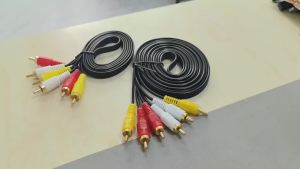
1.5m 3m 3 RCA to 3 RCA Composite AV Cable Male to Male Audio Video Cable for TV/DVD/Home Theater (Wholesale Available)
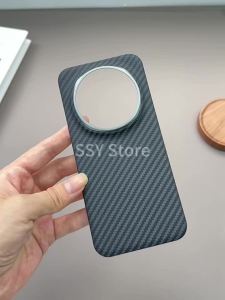
1500D Real Carbon Fiber Case for Honor Magic 8 Pro Aramid Fiber Slim Design Anti-Fall Magnetic Magic 8Pro Phone Shell
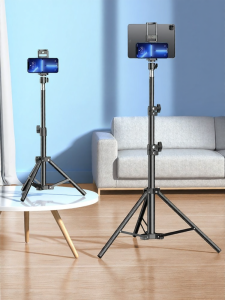
CRENOV | Adjustable Universal Floor Tripod for Tablets Phones and Computers

Magnetic Case For Samsung Galaxy Tab S8 Ultra S8 Plus S8 S7 FE S7 Plus S7 S10 Ultra S9 Ultra S10 Plus S9 PlusS9 FE+ S9 11inch S9 FE S10 FE 10.9inch S10 Lite 10.9inch PU Leather Cover With Pencil Holder
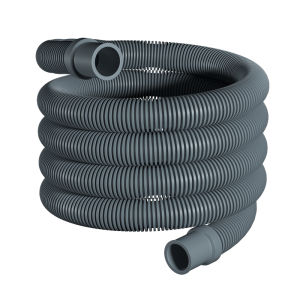
SUNINLIFE | Universal Extended Washing Machine Hose Connector
white damask For Samsung Galaxy S26 S25 S24 A56 A36 Dual Layer Luxury Fashion Full Lens Protective Case
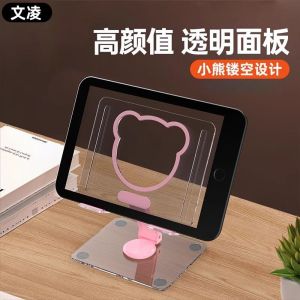
Cute Bear Acrylic Metal Foldable Tablet Stand Portable Lazy Rotation Desktop Support Holder for Samsung Tablet Accessories