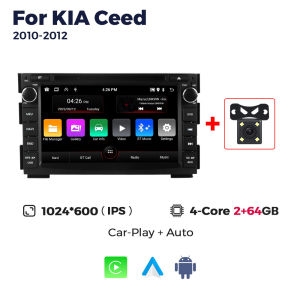
7Inch Car Audio Radio For KIA CEED 2007 2008 2009 Autoradio Android Auto Stereo GPS WIFI BT CarPlay 2 Din Multimídia Automotivo
>>7Inch Car Audio Radio For KIA CEED 2007 2008 2009 Autoradio Android Auto Stereo GPS WIFI BT CarPlay 2 Din Multimídia Automotivo>>Why choose Navifans?1.As a supplier of major global brand,our goal is to keep working hard to make innovative hardware & software of the Car Multimedia player radio to give you that personalized experience. We provide updates for Firmware, Software, UI, GPS Navigation maps for FREE.2.All products have been passed strict quality test before shipment, make sure high quality.3.If the product has a problem within 365 DAYS after receipt confirmation, support for free return and refund within 15 days, or we will replace the new machine directly for you, but please contact us first to communicate.4.Our products have a 1-year warranty period. If we have new software, we will update it at any time to bring you a better experience. If you give 5-star praise, and share the installation photos, after feedback to us Warranty can be extended to 2 years.Accessories:1 x Android Player1 x GPS Antenna1 x Power Harness2 x USB Cable1 x RCA cable1 x Radio Antenna1 x Camera (Optional)If you have any questions, Please feel free to contact us.Please note:if your original car screen is big,need additional canbus cable,please contact with us to buy1.If the steering wheel cannot be used ,Please follow connect well key wire ,and find setting,steering learn these buttons2. Correct connection method for the rear camera. If there is no signal when the rear camera is connected correctly and the screen cannot be displayed normally, please follow the instructions below (factory password is 1234, select the correct resolution in the factory settings to work normally)3. When receiving the product, the screen cannot be touched or has abnormal touch. Please open the cover on the back of our screen and check if the internal wiring has been bumped or detached during transportation. Reinstall the cable and turn on the machine. Use five fingers to press the screen for 5 seconds. After 5 seconds, the touch calibration mode will pop up. Click on the instructions one by one to complete the calibration, and it will work normally after calibration.4.When receiving the product, it does not turn on. Please check the voltage. Our product can be turned on normally by connecting a voltage of 7V-12V. Please connect the black cable to the negative pole -12V, and connect the red and yellow cables together to the positive pole+12Vbuilt in carplay and android autosupport steering wheel controlsupport split screenSupport 1080p video decoder,ture color 24 HD-DisplayPhonebook with name search function and caller name display directly.Incoming calls, dialed calls, missed calls with caller ID.Support BT music streaming.Maps are pre-installed and free permanent updates are providedsupport multiple languagesit supports automatic search and manual search,you can dragthe icon of target station and replace it into channel list.(EU DAB+ is not included)During the driving process, it is found that the car is too close tothe front car or the car will deviate from the lane and will emit anearly warning tone to reduce the occurrence of traffic accidents and make driving safer.When the car in Reverse Gear, this car DVD will automatically switch to the back-up camera image view with park.Real-time monitor vehicle,display the diagnosticvalues of various vehicle. (Database has more than3000 code definitions)(Need to buy separately)Real-time displays 4 tires' pressure and temperature, once the tirepressure or temperature limit is exceeded, alarm will be triggered(Need to buy separately)How to connect rear camera cablePlease do not give us bad reviews and disputes before contacting us. If there are any problems with the product, please contact us first, we will help you solve the problem with 5-star service!FAQ1. Why can't the car radio turn on?① Check the car radio voltage: 12V② When testing this car radio, you can combine the red and yellow wires and connect them to the positive side of the power supply. Black line to negative power supply.③ replaces the same type of insurance to test the car radio.Note: You need to use our power cables to connect our car radio, it is not possible to insert the original car plug directly into our machine.2. Why does the car radio show "no signal" when reversing?Please check if the camera line is properly connected to the car radio.Note: the video port of the rear camera must insert the "CAMIN" port of the car radio.3. Why does the camera show "!" and "I can't see video while driving" when using USB to watch videos?Please turn off the "video warning" function in settings, then it will be ok.4. Why can't I search for FM?① no radio antenna inserted;② Please check if the radio antenna is plugged in. Insert more antennas several times so that it is well contacted.③ the signal of your location is not good. Head to a better place to try again.④ The car radio antenna is broken / no effect; Replace the radio antenna and test again.5. Why can't you connect the Bluetooth of the car radio?① Open the phone settings interface, open the Bluetooth into the Bluetooth function, search for Bluetooth devices, find the Bluetooth model of the player to pair; If you need a pairing code, enter 0000; if not, try 1234 or 123456.② Please try to use another mobile phone to test this function.All the methods are correct and still can't use the Bluetooth. Unplug the plug from the back of the player and plug it in after 3 minutes.

Prime Supply_Play Life
Review

You May Also Like
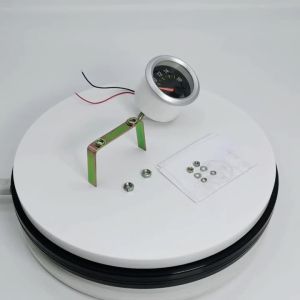
RYSJM | 52mm Turbo Boost Gauge -30~30 PSI 12V Universal Car Boost Pointer Meter Voltage Water Temp Gauge with Sensor 10mm
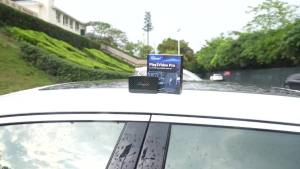
ottocast | Ottocast Play2video Pro AI Box Wireless Carplay Android Auto Adapter Netflix Dongle Video Playback 1080p Screen Mirror for Audi
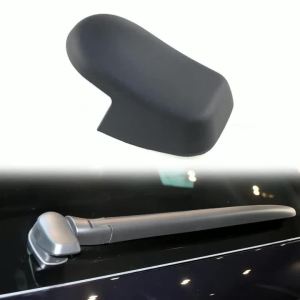
Yitong 1/2/5PCS Rear Windshield Wiper Nut Cap Replacement 95562832002 95562832000 Compatible With Porsche Cayenne Mk1 2003-2010

OEM Screen Upgrade Decoder Box CarPlay Android auto Retrofit Kit for Mercedes Benz A/B/C/E/CLA/GLK/ML/SLD with NTG 4.5 System
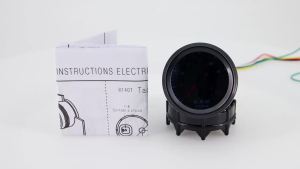
RYSJM | 2“52mm Digital pointer Gauge Smoke Lens Auto Tachometer White LED 0-8000 RPM Meter Car Gauge 1-8 Cylinders
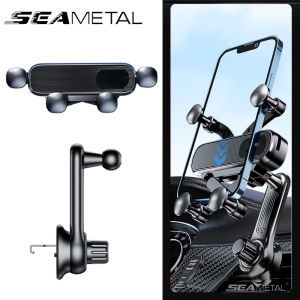
SEAMETAL Car Mobile Phone Holder Car Air Outlet Clip Holder Navigation Bracket Hook Type
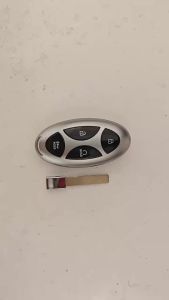
Jingyuqin 5BTN Car Remote Key Shell For Hyundai Tucson IONIQ 6 Grand Prix Kona GN7 Santa Fe Sonata Staria Elantra 2024 2025 Fob
Bluetooth-Compatible 4.0 5.0 Android/IOS General Auto Security Alarm Tire Pressure Sensor Monitor System
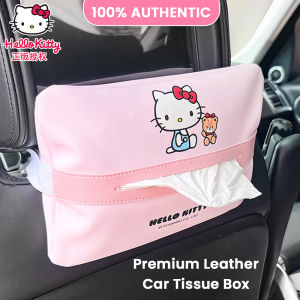
Sanrio Hello Kitty Car Tissue Box PU Leather Sun Visor Hanging Organizer LFB273
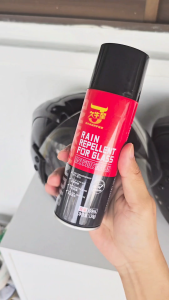
T2P 300ml Anti-Rain Coating Spray/ Anti Fogging Coating Car Windscreen Side Mirror Rain Repellent
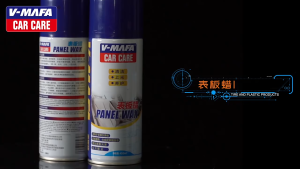
🔥SG Ready Stocks🔥Car interior plastic parts cleaner car leather care cleaner watch dial plastic refurbisherv