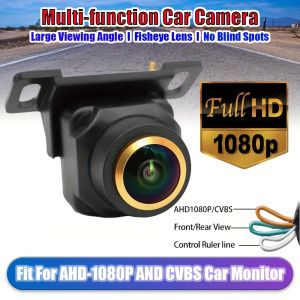
AHD 1080P/CVBS Fisheye Rear View Backup Camera Parking Guide Lines for SUV Pickup Camper Tractor Van Truck RV
It is important to note that the AHD signal format works exclusively with AHD monitors. Check whether your vehicle's monitor is compatible with the AHD signal. If it isn't, you will have to change to the CVBS signal. If your car's monitor cannot support an AHD camera, the AHD signal will not function. To change to the CVBS signal, please cut the orange loop. The three functions controlled by cables are as follows: Orange wire indicates AHD signal (default), to switch to CVBS signal (cut). Green wire represents Mirror (default), to switch to Front (cut). White wire signifies Guideline ON (default), to switch to Guideline OFF (cut). What actions should I follow if the backup camera is linked but the screen displays no signal, a dark screen, and no visuals? A) Check the type of your signal (AHD/CVBS) and choose the right one to use the camera. B) Make sure your connections are accurate; the red trigger wire must be connected to your reverse light and the reverse-in cable of the monitor. C) Should your monitor have an AUX-IN option, you can make the connection there. D) Selecting the wrong signal standard (such as PAL/NTSC) will lead to a display in shades of gray and white. Ensure you pick the right signal standard to use the camera and then restart its power. The CVBS camera adheres to the NTSC standard, whereas AHD1080P is supported.

GlobalTechMart
Review

You May Also Like

Vyvylabs Car Safety Hammer Auto Emergency Glass Window Breaker Seat Belt Cutter Life-Saving Escape Car Emergency Tool
1/4PCS 9800210677 PDC Parking Assist Sensor For Peugeot 308 407 RCZ Citroen Berlingo C4 C5 2008-2014
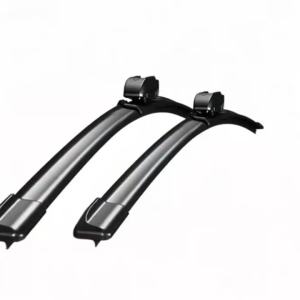
2Pcs Car Front Wiper Blades For Fiat Albea 2002-2012 Crystal Clear Visibility & Enhanced Driving Safety

[SG Stock] Smart Car Perfume Diffuser | Air Vent Aroma Mist Spray | Air Refresher | Car Fragrance | Electronic Control

LANLIANGMAIRUICHI | UV Protection Car Windshield Sunshade

deli | Strong Adhesive Remover Cleaner
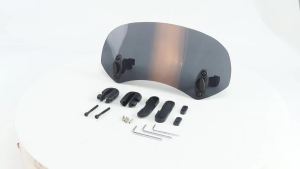
Universal Motorcycle Windshield Extension Adjustable Spoiler Clamp-On Windscreen Deflector Dark-gray For Harley

T13 t15 lta compliant bulbs amber clear white signal reverse
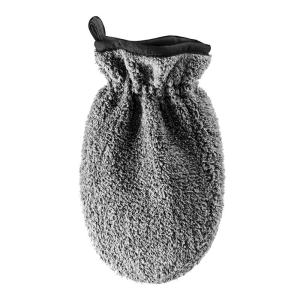
LUTIAN | Thickened Interior Cleaning Car Wash Gloves
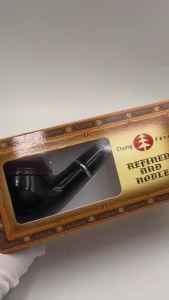
Classic Smoking Pipe Metal Tube Smoke Pipe Red Black Pipe
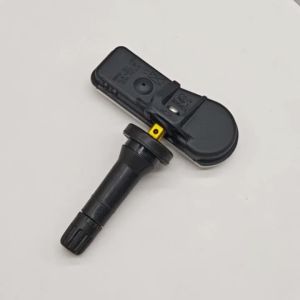
4PCS 433Mhz TPMS Tire Pressure Sensor Fit For Kia Soul 2013-2019 Sedona 52933-B2100 52933B2100