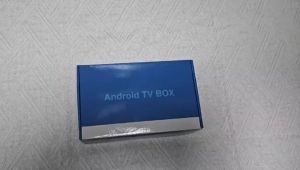
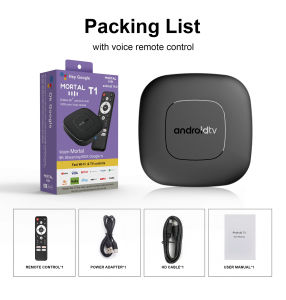
Smart TV Android Media Player 8GB+128GB 4G 5G WiFi BT5.4 Voice Remote 4K 8K HD Video Home Theater Set Top Box
*Please turn to the end for answers to common usage questionsThrough voice assistants, users can easily search for content, control playback, query information, and more. You can say open Youtube..Android 16 is a newer operating system version that supports more applications. It offers smoother performance and reduces lagSupports technologies such as HDR hardware decoding for more detailed image qualityMovie Experience: Enjoy vibrant 4K Ultra HD viewing, providing users with clear, detailed, and vividly colored images, allowing you to enjoy a cinematic visual experience at homeWi-Fi 6 + 10/100M LAN: The TV box supports Wi-Fi 6 and standard Ethernet, supporting multiple network connection methods and providing fast and stable network connectivityEquipped with the latest RK3518 processor, a quad-core Cortex-A53 CPU and Mali-450 GPU, it offers stable operation, enhanced image processing capabilities, and smooth loadingEasily share the small screen to the large screen. You can play games and watch You canplay games and watchSupports plug-and-play USB 3.0 devices, can connect to large-capacity hard drives to play high-definition content, and offers faster transfer speedsSmall interface big effect, can meet various entertainment needsFrequently Asked Questions:Note: Please use the cables we provide, do not change the cables at will, so as to avoid the machine being unable to bootIf the TV box restarts repeatedly after a few seconds or minutes, or the red light on the front panel is on and the TV screen stops at the boot screen, the problem is that the output voltage and current of your power adapter are not 5V/2A. You can use a 5V/2A adapter to power the TV box, and it can be used normally.Special Notes1.Please ensure that you use a 5V 2A power supply to power the machine to avoid insufficient voltage causing the machine to fail to power on.2. Due to strict regional restrictions, Disney applications are not compatible. Our developers are constantly developing more Disney-compatible versions.Once a new version is available, we are willing to send it to customers as soon as possible.Currently Disney is not available. If users mind, please do not purchase it.3. If some applications fail to load when users download them, it is because the downloaded application version is incompatible with the Android system of the machine, not a machine quality issue. Please try again to find a more suitable program version for download.How to use Google Voice Assistant,? How to use Bluetooth voice remote, microphone?Step 1: Tap the voice button and release it.Step 2: Wait until the voice input pop-up box appears in the lower right corner of the TV, then long press the voice button and input voice commands at the same time (press and hold the voice button and speak into the microphone).Step 3: After the voice command is input, release the voice button (release the voice button after speaking).Step 4: The machine will automatically perform corresponding actions based on the voice command.How to install T1 TV box? T1 TV box installation stepsStep 1: Connect one end of our standard HDMI cable to the HDMI interface of the set-top box , and the other end to the HDMI interface of the TVStep 2:Using our standard USB power cord, with a 5V2A power supply (the suggestion given by the power supply is to use 5V2A specifications. If it is not this specification, it may cause the machine's power supply voltage Unable to run)and the set -top box indicator turns from the blue light to the red light)Step 3: The blue indicator of the box box is on, indicating that the machine is running normally. Users need to use a TV remote control to switch to the set -top box to access the corresponding signal source of the corresponding HDMI port. Only when the signal source is switched to the corresponding signal source, the set -top box screen will access the TV.Step 4: Open the network settings, connect to the network, and you can surf the Internet normallyNetflix usage tutorial:1. After connecting to WiFi, open the APP, find the black Netflix software, and click to open(2) After clicking to open Netflix, the login interface will appear. Click the mouse switch button on the remote control to switch the remote control to mouse mode, and click the login button of the software(3) Click the mouse button again to switch the remote control to remote control mode, enter the account password to log in(4) Use the mouse mode of the remote control to click the video to be played2. Disney NETFLIX and other software cannot solve the problem. Disney software may not be compatible and cannot be used for a long time. If you need to use Disney software, please choose your purchase carefully to avoid unnecessary disputes. Based on the actual product!3.Machine startup problem(1) Product startup: It is normal for the product to start up slowly for the first time. Each product has different configurations, so the startup time is also different.If the startup is slow, please wait patiently and do not unplug the power supply. For customers who have high requirements for startup time, please choose products with high prices and configurations in our store.(2) If there is no signal when starting up, it is because the user has used an HDMl cable and power cable that don't match the product. Please be sure to use the accessories provided by us and do not replace the cables at will .lf there is no signal when the machine is turned on, it may be that the user's TV has multiple HDMl interfaces. The user can use the TV remote control to switch to the correct signal source, and the TV will display the picture normally.Because the T1 machine will regularly update the software system to ensure that users receive the latest and best system, the Android system of the T1 machine has been gradually upgraded to Android 16. If the user receives an Android 16 system, they can use it with confidence. Our front-end developers have updated the T1 machine to the latest Android system version, which can be better compatible with more suitable applications.

GlobalTechMart
Review

You May Also Like
Smart HY300 Projector 1080P HDR10 4K Supported Portable Mini WiFi Bluetooth Projector with Screen Mirroring Outdoor Movie Theate
MAGCUBIC | Magcubic HY300PRO Projector 8K Android 14 Dual Wifi6 290ANSI Allwinner H726 BT5.4 HD Projector for Home Cinema Outdoor Projetor
![[New] [Pre-Order] LG OLED evo AI OLED97G6 97" 4K Smart TV | α11 AI Processor Gen3 | Dolby Vision | webOS 26](https://img.lazcdn.com/g/ff/kf/S1a1a733efe5c4026af2ca2ee13289173D.png_300x300q80.png)
[New] [Pre-Order] LG OLED evo AI OLED97G6 97" 4K Smart TV | α11 AI Processor Gen3 | Dolby Vision | webOS 26
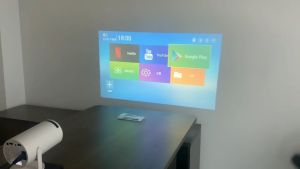
【Local SELLER】HY300 Projector 8000Lumens Portable LED Projector Android 11.0 Full HD 1080P 120 ANSI Support 2.4G&5G WIFI Wireless Connection BT5.0
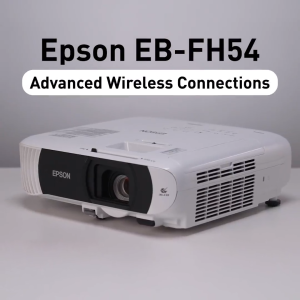
Epson EB-FH54 Business Projector 4100 Lumens 1080p HD Business Projector with Built-In Speaker
Smart TV Box 2026 Android 14 R69-1 RK3518 Dual Wifi 5G Wifi6 Google Assistant 8K Video BT5.0 Netflix 8GB 128GB Media Player
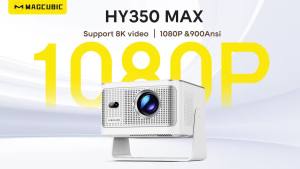
MAGCUBIC | Magcubic LED Projector HY350Max 900ANSI Android Projector Auto Focus 8K Native 1080P Wifi6 BT5.4 16G Allwinner H726

Q1 8K Smart TV Box Android 16 Media Player Google Assistant Dual Wifi 5G Bluetooth 6.0 Voice Remote 4K 8GB Ram 256GB Set Top Box
Wall Mounted CD Player Portable Music Player Desktop HD DVD Player with Remote Control USB Music Player LED Display Speaker Surround Sound FM Radio Built-in Bluetooth Speaker
Portable DVD Player CD EVD Player 9.8 Inch Digital Desktop Smart TV Player with Remote Control 270°
WEMAX VOGUEPro 1080P FHD Projector Home Cinema Projector 1600 ANSI Lumens 4K Supported Projector DOLBY AUDIO & dts-HD Auto Focus