Android 14.0 TV Box R69-1 2026 Global 4K Support Bluetooth 5.0 WIFI 6 8GB RAM 128GB ROM Multi Language Smart TV Media Player
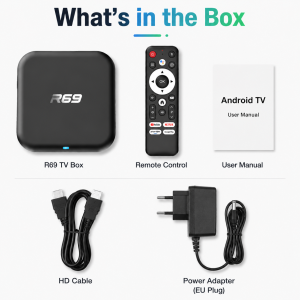
Feature CPU: RK3518 Quad-Core 64bit Cortex-A53 GPU: Mali 450 MP2 FLASH:128GB SDRAM:8GB Power Supply: DC 5V/2A OS: Android 14.0 WIFI: WiFi 6 + BT5.0 Support: 100M EthernetHigh performance socAndroid 14Why should we choose Android 14 ?1.Android 14.0 has comprehensively optimized the system, reducing startup latency and shortening the cold start time of the launcher, thereby improving the operational efficiency of the set-top box. 2.The Android 14.0 system has also optimized storage space management, reducing the usage of storage space and enabling set-top boxes to store more applications and data. 3.The Android 14.0 system has added color correction mode, enhanced text options, and better navigation options, improving accessibility and enabling visually impaired individuals to better use set-top boxes. These advantages make Android 14.0 set-top boxes an important choice for home entertainment.WiFi 6Ensure stronger and more stable WiFi signal with faster transmission speed. Never worry about disconnect from WIFI.Smart voice control1.Click the voice button to display the pairing prompt interface. 2. Press and hold the button according to the prompt interface until the TV screen. automatically exits the pairing prompt interface before releasing the button. At this time, the Google Assistant is paired successfully. 3. Click the voice button. At this time, a voice bar prompt will appear on the screen below the TV.Then long press the voice button and say what you want to say to the remote control. You can release your hand until the TV displays the command you want to say. After releasing your hand the Google Assistant will execute your command.Support 4K Video DecodingIncredibly clear and smooth playback of videos and images.Bluetooth 5.0This is a multi-functional host which can be connected to Bluetooth speakers, keyboard and mouse, handles, to enjoy multimedia life.Wonderful Multi-ScreenSupport cell phones, tablets and other devices to play on the big TV screen.High Dynamic Range 10Make the picture display more vivid and beautiful.3D Visual EffectsPowerful 3D display brings you a smooth and shocking experience.What can this box do?Watch movies, TV dramas, popular programs,children's educational programs, and play games. Committed to building a smart living room, life is therefore beautiful.Interface & DimensionVarious interfaces such as HD, LAN, USB, etc. To meet your different needs at the same time.Android TV Box comes with all accessories:Android TV box , power adapter, Remote control, HDMI cable, User manual.Multi-angle display of productsQuality production environmentStrictly control the quality of products Strictly control the production processTV BOX Connection SettingsKind tipsHow to use netflix?1. After connecting to WiFi, open the APP, find the black Netflix software, and click to open 2. After clicking to open Netflix, the login interface will appear. Click the mouse switch button on the remote control to switch the remote control to mouse mode, and click the login button of the software 3. Click the mouse button again to switch the remote control to remote control mode, enter the account password to log in 4. Use the mouse mode of the remote control to click the video to be playedIf you are experiencing slow WiFi speedplease check whether your router is WiFi 6 and if it is compatible with WiFi 5. Our box supports WiFi 5, and some WiFi 6 routers only operate in the ax mode on the 5GHz frequency, without supporting the compatible WiFi 5 AC mode. This may result in slower speeds.Remote can't navigate on some AppsIt is a common issue for most of android tv box that hard to navigate on some Apps with the remote, as these Apps are mainly provided for tablets and phones that have touch screen settings or mouse. You can connect a mouse or a wireless keyboard to control it.Or click the mouse button on the remote control to switch the remote control mode to the mouse mode.If your TV box needs to be restarted after a period of usingit may be that some apps you installed are not compatible or some data is damaged. It is recommended that you “factory data recovery” in the settings.Our product service purpose is:To provide users with convenient and practical multimedia functions, so that everyone can easily watch online videos in the home environment, play simple games, network social, etc., enrich the user's TV entertainment experience.If you are satisfied with our products, please give us a five-star rating.

Prime Supply_Play Life
Review

You May Also Like
SG【Ready Stock】Office Pro Wireless Projector Wi-Fi 6 USB-C & Portable Design for Business Presentations Portable high-definition projector

Wall mounted CD player multifunctional all in one home stereo system Bluetooth FM radio remote control support CD
MAGCUBIC | Magcubic HY310 Projector Auto Focus 4K Native 1080P 330ANSI Android11 5W Speaker Air Mouse Voice Assistant Upgrated HY300
MXQ Pro Android 10.1 Smart TV Box 4K Media Player Set-top 8G+128G 2.4G&5G Wifi Chip Inligent Android TV
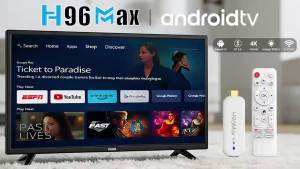
H96 MAX M20 Android TV Stick Amlogic S905L Quad Core 4K Video WiFi BT Voice Assistant Remote Control 2G8G 2G16G Smart TV Box
BIGSHINE Slow Retraction Manual Projector Screen
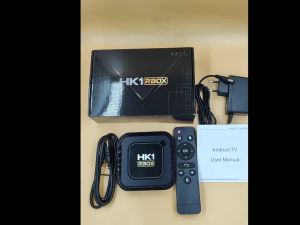
Novo HK1 K8 Android 13 TV Box RK3528 128GB/64GB/32GB WIFI6 BT5.0 8K/4K Media Player Smart Android TV Live APP
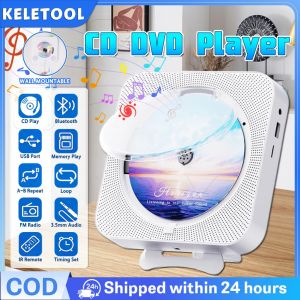
Bluetooth Portable CD Player Wall Mountable CD Music Players Home Desktop CD Player IR Remote Control Built-in Dual Speakers LED Display with Radio
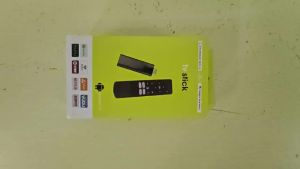
2026 Q12 Mini TV Stick Android 16 8K 8GB 32GB 128GB 256GB Google Assistant Voice Remote BT6.0 Android16 Media Player Set Top Box
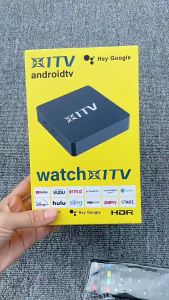
SG【READY STOCK】 Android 14.0 Smart TV Box 4K Smart Media Player Set-top Box2.4G&5.0G Wifi 4GB+64GB 4K Chip Intelligent TV-Set Box UK
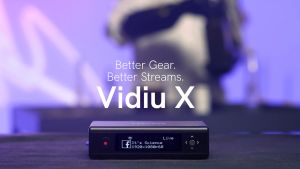
Teradek VidiU X HD Video Streaming System for creating a high-definition video live stream anywhere