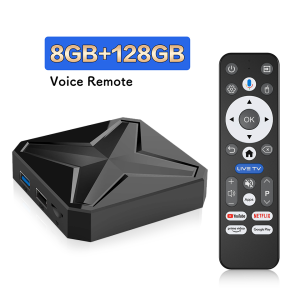
2026 New Q1MINI+ Smart TV Box Dual UI Android 14 RK3518 Google Assistant HD 8K Video Media Player Set-Top-Box New
Pain Points of Traditional Set-Top Boxes Next-Generation Solutions✅1.Slow response and lag → WiFi 6 + Bluetooth 5.4 high-speedtransmission✅2.Complex interface difficult to operate → Dual UI interface + voiceremote control✅3.Poor expandability → USB 3.0 high-speed port✅4.Monotonous visual experience → 8K dynamic video wallpapers✅5.Outdated system unable to update → OTA lifetime online upgrades【Say Goodbye to Lag and Delays · Redefining the Traditional Experience】The all-new generation smart set-top box features six major technological upgrades, completely eliminating the four major pain points of outdated set-top boxes: slow response, cumbersome operation, poor expandability, and outdated functionality!Product Information➧Product name: Q1MINI+ TV box➧Operating system: Android 16➧Processor chip: RK3518 Quad Core ARM Cortex A53➧Graphics processor: Mali-450➧Running memory: 4GB➧Storage space:128GB➧WiFi support: WIFI 6➧Bluetooth version: 5.4➧HDMI version: HDMI 2.0➧Power supply: DC 5V/2A➧Support local media playback, support HDD, USB flash drive, TF card.➧Application: Support Hulu, YouTube, Google and other applications➧Supported languages: Chinese, English, German, Japanese, Korean, Russian, French, Spanish and other languagesProduct Selling Points ShowcaseSay goodbye to cookie-cutter designs—dual UI design gives everyfamily member their own personalized portal.Supports custom dynamic video wallpapers in 8K ultra-highdefinition.Say goodbye to monotonous interfaces and instantly elevate yourliving room with a touch of sophistication!One-click setup for desktop shortcuts to your frequently used apps.Launch software and tools instantly—as easy as using your phone!Upgrade your box like a smartphone—always enjoy the experienceof a “new” box. Smart voice controlOne-touch voice remote control—just say what you want to play, and it happens instantly. Easy for seniors and kids alike, helping you find content faster than ever!1.Click the voice button to display the pairing prompt interface.2. Press and hold the button according to the prompt interface until the TV screen. automatically exits the pairing prompt interface before releasing the button. At this time, the Google Assistant is paired successfully.3. Click the voice button. At this time, a voice bar prompt will appear on the screen below the TV. Then long press the voice button and say what you want to say to the remote control. You can release your hand until the TV displays the command you want to say. After releasing your hand the Google Assistant will execute your command.Wonderful Multi-ScreenSupport cell phones, tablets and other devices to play on the big TV screen.WIFI 6Ensure stronger and more stable WiFi signal with faster transmission speed.Never worry about disconnect from WIFI.Bluetooth 5.4This is a multi-functional host which can be connected to Bluetooth speakers, keyboard and mouse, handles, to enjoy multimedia life.High Dynamic Range 10Make the picture display more vivid and beautiful.RK 3518Strong performance, providing you with the best experienceSupport 8K Video DecodingIncredibly clear and smooth playback of videos and images.3D Visual EffectsPowerful 3D display brings you a smooth and shocking experience.USB 3.0Transfer 1G songs, movies or files in just 4sSUPER HEAT DISSIPATIONMultiple vents help to dissipate the heat of machine, which is safer and more practical.Rich interface simple connectionSmall interface big effect, can meet various entertainment needs.

Prime Supply_Play Life
Review

You May Also Like
![[Top1 Seller for Projectors] Dangbei Mars Pro 2 1st Google TV 4K Laser Projector with Official Netflix c/w Free Tall Stand or Gimbal Stand Local 3Pin Plug - 1 Year Warranty](https://img.lazcdn.com/collect/social-img/b8ce619a37954c30901d698d9cb8e216_5246348906B84712B3FF0144439DBB30.jpg_300x300q80.jpg)
[Top1 Seller for Projectors] Dangbei Mars Pro 2 1st Google TV 4K Laser Projector with Official Netflix c/w Free Tall Stand or Gimbal Stand Local 3Pin Plug - 1 Year Warranty
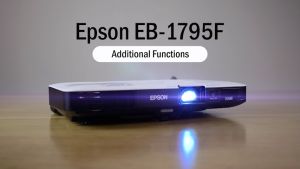
Epson EB-1795F 3LCD Full HD (1080p) Ultra-Portable Business Projector
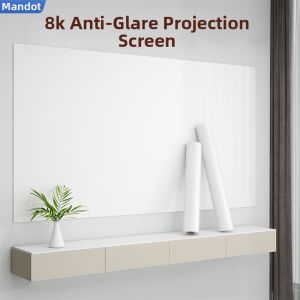
AOMADUN | 8K Ultra-clear Static Portable Adhesive HD Projector Screen

T1 Android 16 Smart TV Box Allwinner H313 8K UHD Streaming Player WiFi 6 Bluetooth 6.0 Google Voice Assistant Set Top Box 2026
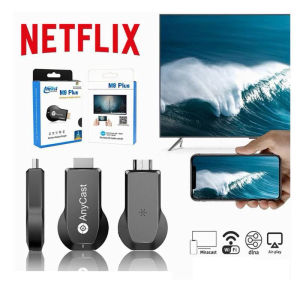
Anycast M9 Plus Dongle Netflix Screen Like Chromecast Mirascreen Wireless 1080P Wifi Display
![[New] [Pre-Order] LG OLED evo AI OLED97G6 97" 4K Smart TV | α11 AI Processor Gen3 | Dolby Vision | webOS 26](https://img.lazcdn.com/g/ff/kf/S1a1a733efe5c4026af2ca2ee13289173D.png_300x300q80.png)
[New] [Pre-Order] LG OLED evo AI OLED97G6 97" 4K Smart TV | α11 AI Processor Gen3 | Dolby Vision | webOS 26

Smart Android 16 TV Box Q18 RK3518 Chip 8GB+256GB 8K Media Player Google Voice Assistant Dual WiFi BT 6.0 Very Fast Set Top Box
![[Top1 Seller for Projectors] XGIMI Elfin Flip RGB Triple Laser Full HD1080p c/w Free 70” Screen worth $299](https://img.lazcdn.com/collect/social-img/37682a6e14a04e24a18c16400d361724_1_1784193521.110171.jpg_300x300q80.jpg)
[Top1 Seller for Projectors] XGIMI Elfin Flip RGB Triple Laser Full HD1080p c/w Free 70” Screen worth $299
MAGCUBIC | Magcubic HY310X 4K Mini Projector With Full HD 1080P 420ANSI Android 11 Auto Focus Keystone for Outdoor Theater Stand Projector
K6 Mini Projector Portable 4K 1080P FHD With 5G WiFi and Bluetooth Home Theater smart Projector
Hisense | Touch Screen 4K Dual-System Conference TV 65inch