2026 New Smart TV Box X5S RK3518 Android 14 WiFi 6 BT 5.4 Dual UI Interface 8K Ultra HD 2GB RAM 16GB ROM Smart Media Player
📺What can this box do?Watch movies, TV dramas, popular programs,children's educational programs, and play games. Committed to building a smart living room, life is therefore beautiful.Dual UI interface, giving every family member their own personalized TV experienceWhen the child cries out for cartoons, parents fumble with complex menus, and you just want to dive back into that unfinished thriller – the daily battle for the remote control in the family living room. Traditional set-top boxes treat all users with a uniform, convoluted interface, forgetting that each family member's needs are inherently different.RK3518 chipset, a performance powerhouse.The all-new RK3518 quad-core processor delivers a 50% performance boost, enabling smoother multitasking and faster app loading.📺Android 14📺WiFi 6Ensure stronger and more stable WiFi signal with faster transmission speed.Never worry about disconnect from WIFI.📺 Smart voice control1.Click the voice button to display the pairing prompt interface.2. Press and hold the button according to the prompt interface until the TV screen. automatically exits the pairing prompt interface before releasing the button. At this time, the Google Assistant is paired successfully.3. Click the voice button. At this time, a voice bar prompt will appear on the screen below the TV.Then long press the voice button and say what you want to say to the remote control. You can release your hand until the TV displays the command you want to say. After releasing your hand the Google Assistant will execute your command.📺Support 8K Video DecodingIncredibly clear and smooth playback of videos and images.USB 3.0 lightning-fast transfer—instantly share large files without waiting.Equipped with USB 3.0, offering transfer speeds 10 times faster than USB 2.0, enabling effortless backup and playback of large 4K video files.High-efficiency heat dissipation, goodbye to lagBuilt-in high-efficiency cooling system prevents overheating during extended streaming or gaming sessions, eliminating lag and crashes caused by excessive heat.📺Wonderful Multi-ScreenSupport cell phones, tablets and other devices to play on the big TV screen.📺Interface & DimensionVarious interfaces such as HD, LAN, USB, etc. To meet your different needs at the same time.📺Android TV Box comes with all accessories:2GB+16GB📺TV BOX Connection Settings📺Kind tipsHow to use netflix?1. After connecting to WiFi, open the APP, find the black Netflix software, and click to open2. After clicking to open Netflix, the login interface will appear. Click the mouse switch button on the remote control to switch the remote control to mouse mode, and click the login button of the software3. Click the mouse button again to switch the remote control to remote control mode, enter the account password to log in4. Use the mouse mode of the remote control to click the video to be playedIf you are experiencing slow WiFi speedplease check whether your router is WiFi 6 and if it is compatible with WiFi 5. Our box supports WiFi 5, and some WiFi 6 routers only operate in the ax mode on the 5GHz frequency, without supporting the compatible WiFi 5 AC mode. This may result in slower speeds.Remote can't navigate on some AppsIt is a common issue for most of android tv box that hard to navigate on some Apps with the remote, as these Apps are mainly provided for tablets and phones that have touch screen settings or mouse. You can connect a mouse or a wireless keyboard to control it.Or click the mouse button on the remote control to switch the remote control mode to the mouse mode.If your TV box needs to be restarted after a period of usingit may be that some apps you installed are not compatible or some data is damaged. It is recommended that you “factory data recovery” in the settings.Our product service purpose is:To provide users with convenient and practical multimedia functions, so that everyone can easily watch online videos in the home environment, play simple games, network social, etc., enrich the user's TV entertainment experience.If you are satisfied with our products, please give us a five-star rating.

Prime Supply_Play Life
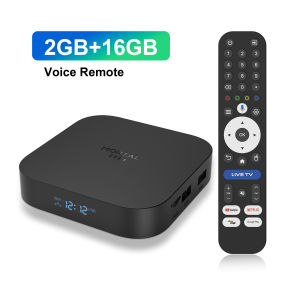
Review

You May Also Like
![SG [READY STOCK] Portable Mini Projector With 1080p Resolution Smartphone Screen Sync](https://img.lazcdn.com/g/ff/kf/S9eed54224b144ee38f7b3d166db7b47dH.jpg_300x300q80.jpg)
SG [READY STOCK] Portable Mini Projector With 1080p Resolution Smartphone Screen Sync
![[New] LG OLED AI B6 4K Smart TV | α8 AI Processor Gen3 | Dolby Vision | webOS 26](https://img.lazcdn.com/g/ff/kf/S1a1a733efe5c4026af2ca2ee13289173D.png_300x300q80.png)
[New] LG OLED AI B6 4K Smart TV | α8 AI Processor Gen3 | Dolby Vision | webOS 26
MAGCUBIC | Magcubic HY350Max Voice Control Projector Auto Focus 900ANSI Support 8K Native 1080P With Wifi6 BT5.4 Portable Movie Outdoor

MAGCUBIC | Magcubic Android 14 Projector HY450C Auto Focus Projector 900ANSI Full HD 1080P 8K 4K for Video Movie Home Theater
Portable Projector Screen Outdoor Projector Screen For Travel Home 4K Ultra HD Daytime Anti-Light Living Room Bedroom Removable Free Punch Wall Portable Projector Curtain

T1 Android 16 Smart Home Theater TV Box Support Dual Band Wifi BT 6.0 8K HD Google Assistant Streaming 8GB 128GB Media Player
![[Free Setup] QLED Smart TV 32 43 inch Google TV Apple AirPlay Digital TV Netflix YouTube Dual WiFi Google Play](https://img.lazcdn.com/g/ff/kf/S993c19713b634ea6a0942d1b778aab30t.png_300x300q80.png)
[Free Setup] QLED Smart TV 32 43 inch Google TV Apple AirPlay Digital TV Netflix YouTube Dual WiFi Google Play
K6 Mini Projector Portable 4K 1080P FHD With 5G WiFi and Bluetooth Home Theater smart Projector

Hisense PT1 Ultra Short Throw Laser Projector 2500 ANSI Lumens 4K Trichroma Laser + 100" Premium Fixed Screen Bundle Deal Limited Stock Available
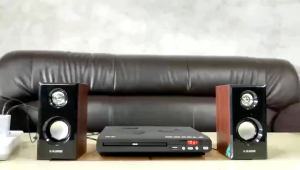
1080P Full HD DVD Player Mini Home CD EVD VCD Player HDMI AV Output All Region Free CD DVD Players for TV
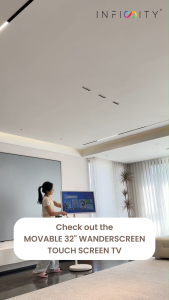
【SG】Infinity WanderScreen 32" Lifestyle Touch Screen | Movable Wi-Fi 6 Smart Android TV 6H Battery