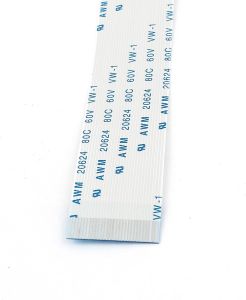
20PC XP600 TX800 Printhead Cable 29Pin FFC Flat Data Cable For Epson DTF UV Eco Solvent Printer
10PC 29Pins print head cable For Epson Mimaki jv300 Roland VS6 XP600 TX800 TX700 Solvent UV flatbed printer flat data cable1. Perfect Compatibility: Standard 29Pin FFC design with ZIF connector, 100% compatible with Epson XP600 and TX800 printheads, suitable for DTF printers, UV flatbed printers, eco-solvent inkjet printers, photo printers and other printing equipment.2. Stable Signal Transmission: Adopts high-purity copper core conductor, precise impedance matching, effectively reduces signal crosstalk and jitter, ensures millisecond-level accurate ink control of the printhead, eliminates problems such as ink breakage, color deviation, missing codes and blurred printing.3. Durable & Flexible Material: Made of high-quality FFC flexible flat cable material, high temperature resistance, bending resistance, wear resistance and aging resistance. Gold-plated connector contacts, anti-oxidation, low contact resistance, long service life even under long-term high-frequency printing work.4. Two Length Options: Provide 30cm 40cm and 50cm 60cm length specifications, meet the internal wiring needs of different printer models, easy to install and arrange, avoid signal attenuation or cable damage caused by improper length.5. Reliable After-Sales Service: 24 hours online technical support to solve your installation and use problems.Installation Guide1. Power Off First: Turn off the printer power and unplug the power cord to avoid electric shock or damage to the printhead and motherboard.2. Remove the Cover: Disassemble the printer cover and printhead side cover to expose the printhead and motherboard cable interface.3. Take Out Old Cable: Gently lift the ZIF connector buckle, slowly pull out the old printhead cable, do not pull hard to prevent interface damage.4. Install New Cable: Align the new cable with the interface slot, ensure the pin direction is correct, insert it in place, and press the ZIF buckle to fix it firmly.5. Test Printing: Reinstall the printer cover, plug in the power cord, turn on the printer, perform printhead calibration and test printing, check for ink breakage or color deviation to confirm successful installation.

GlobalTechMart
Review

You May Also Like
Logitech | Logitech M650 Wireless Bluetooth Silent Mouse Ergonomic Mice Long Lasting Battery For Notebook Desktop Work

Bandai | Mouse Pad XXL Jolteon Anime Kawaii Gamer Cabinet Deskmat P-pokemon Eevee Keyboard Rug Laptop PC Gaming Rubber Extended Tablepad
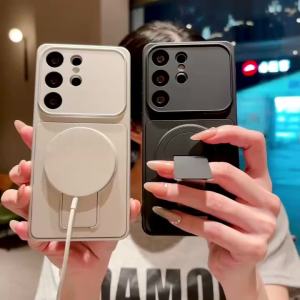
Luxury Fold Holder Stand Matte Magnetic Case for Samsung Galaxy S26 S25 Edge S23 S22 S21 FE S24 Ultra Plus Shockproof Hard Cover

Magnetic Leather Phone Case For Honor Play 60 Plus 7A 8X 9x 20 200 400 Lite 200 Smart 200 Pro 5G View 20 Flip Cover Wallet Case
Logitech | Logitech Signature M650 Ergonomic Wireless Office Mouse SmartWheel Precision Scroll Silent Click Technology 5 Custom Keys For Sm
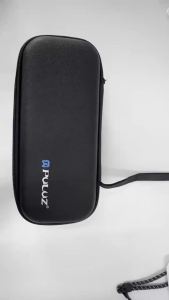
PULUZ | PULUZ PU Fabric Shockproof Camera Storage Bag Portable Handbag For DJI Osmo Pocket 4 Bag

North Bayou NB F160 Dual Monitor Arm Bracket 17" - 27" Monitor VESA Compatible 2 Monitor Setup Gas Strut Desk Mount
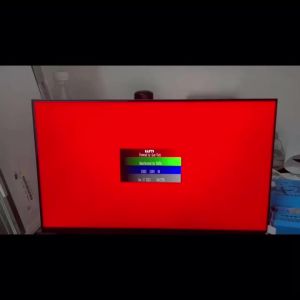
N140HCE-EN2 REV C2 C3 C4 C5 N140HCE-GP2 N140HCE-GN2 laptop lcd screen panel Display 1920*1080 FHD IPS NEW NO-Touch

Logitech | Logitech Signature M750 Reliable Connection Mouse Silent Clicks Mice For Office Worker Light Gamer Mac Laptop

3.7V NCR 18650/NCR 21700/NCR 26650 Lithium Rechargeable Battery With YAMZI Charger

No Gaps Stainless Steel Strap For Samsung Galaxy Watch Ultra 47mm 6/4 Classic 43mm 47mm 46/42mm Wrist Band Curved end Metal Bracelet for samsung watch 7/6/5/4 44mm 40mm Watch 5 pro 45mm Strap