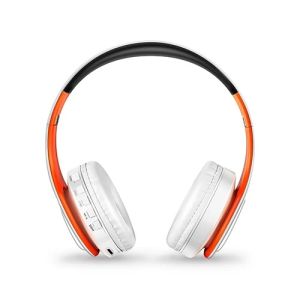
2026 Colorfuls Music Earphones Wireless Stereo Headphones Bluetooth Headset with Mic Support TF Card Phone Calls2026
Free Shipping Colorfuls Shinning Wireless Headsets Stere Bluetooth Headphoneswith Mic Support TF Card for iPhone Samsung Calls1.Bluetooth V5.3 + MP3 function support stereo music playing, phone calling...2. Support all audio devices that have Bluetooth capability, such as, cell phone ,tablet PC,laptop,computer etc.3. 3.5mm audio jack, provides a simple wired connection of a variety of devices without Bluetooth.4. Allow you to answer or reject phone calls anytime and anywhere.5. Charged via USB, rechargeable battery, convenient and practical.6.Playing time up to 20 hours, and continue talk time up to 15hours, standby time up to 360 hours.7. Good quality, foldable design and adjustable length hinges, very comfortable to wear and easy to carry.8. Best choice for listening music, watching movie, chatting online etc.9. with SD card insert,without any bluetooth device,can still enjoy music any time any where.10.Cool shinning look adds the popular feel.1>Bluetooth Version: V5.32>Frequency:2.40Ghz-2.48Ghz3>Power: ≤ 4 dBm, class 24>Effective range: 10 meters5>Frequency response: 20 Hz - 20 KHz6>Bluetooth mode support:A2DP 1.2, AVRCP 1.0, HSP, HSF 1.57>Voltage:3.7VDC (built-in 400MAH rechargeable battery)8>S/N rate: 70 dB9>Play time: 20Hours, Charge time: 2.5Hours, Standby time: 360Hours10> Charge port:5-pin USB charging interface11>operate temperature:-4 ~ +131°F(-20 ~ +55°C)1.How to charge this headset?Connect your computer and headphone with the USB cable.2.How to start the headset and listen the music on the computer?Please be sure your computer have a bluetooth function and turn on the bluetooth, then press headphone’s ON/OFF key and you will see the blue light blinking and get ready to pair, search and pair until connected. Use your computer to start music and enjoy it with the headset.3. How to operate the bluetooth headphone with mobile phone?a.Turn on bluetooth on mobile phone,press headphone’s ON/OFF key and you will see the blue light blinking and get ready to pair, search and pair until connected.b. If someone call you, you just need press the Hang up/Pause button, and you can chat with your friend on the phone. Finished your talking, you just need press the Hang up/Pause button, and you can continue your music.4.How to use the FM function?Just press the MEQ button on the headset it will change to FM mode, press the "PAUSE" button to scan radio automatically, and short press "Volume+" and "Volume-" to choose scanned radio. 5.How to use the MP3 function?Justinsert the TF card into the slot, music will play directly.(we don't provide TF card)1 x the colorful bluetooth headset (Please choose color)1 x micro USB charge cable1 x instruction guide

XXNGHT STORE
Review

You May Also Like
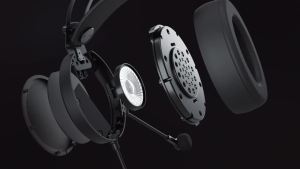
Nubwo | NUBWO N7 Gaming Headsets for PS4/PS5/Switch/Xbox One Wired Gaming Headphones with Noise Canceling Mic Over Ear Gaming Headphones
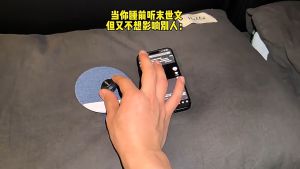
【SG】Ultra-thin Bluetooth 5.4 under-pillow sleep aid speaker with high sound quality Timed white noise for sleep
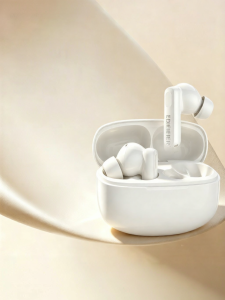
Edifier | Noise Cancelling True Wireless In-Ear Headphones
![[NEW] Jabra Evolve3 65 Flex MS Stereo Wireless Professional Bluetooth Foldable Headset Office Headphones](https://img.lazcdn.com/g/ff/kf/Sdc641e1eedeb4750befdd1a9825c2cdfQ.png_300x300q80.png)
[NEW] Jabra Evolve3 65 Flex MS Stereo Wireless Professional Bluetooth Foldable Headset Office Headphones

Sanag | Bone Conduction Waterproof Bluetooth Headphones
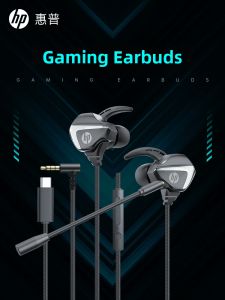
HP | Gaming Earbuds Wired In-ear Headset

Sleep Sound Speaker Wireless MiniPillow Speaker Ultra Thin Under The Pillow Private Bedside Listening for Side Light Sleepers
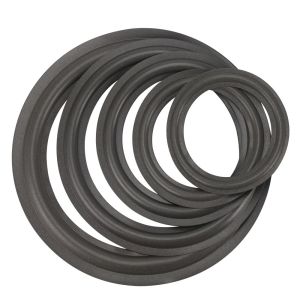
LOVELY HUT Surround Universal Repair Parts Rubber Edge Subwoofer Folding Ring Speaker Folding Edge Ring Speaker Repair Accessories Suspension Edge Ring
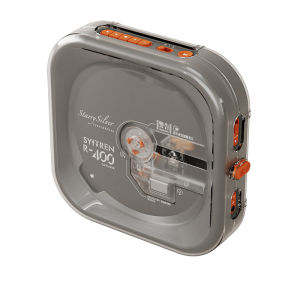
Syitren | Retro Bluetooth CD Player
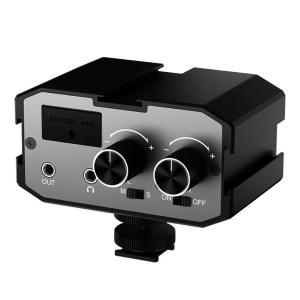
Comica CVM-AX1 DSLR Audio Adapter Microphone Audio Mixer Adapter with Real-time Monitoring Dual Channels 3.5mm Port Camera Mixer for Canon Nikon So-ny Panasonic DSLR Camera Camcorders
Bluetooth Open Ear Earhook Earbuds Wireless Headphones with Smart LED Display Comfort Fit Built-in Microphone for Clear Audio