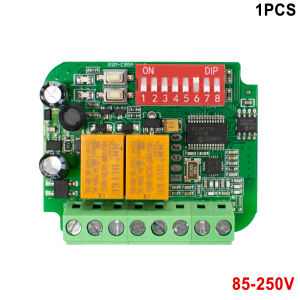
Garage Door Opener Switch Module AC/DC 9V-30V 12V 24V 85-250V 2CH Door Receiver Controller 300MHz to 868MHz 433MHz
Universal Receiver Switch Multi Frequency 300MHz to 900MHzDescription:1)Name: Garage Door Receiver .2)Operating Voltage: AC/DC 9V-30V or AC 85-250V3)Channel: 2.4)Frequency: 300MHz - 900MHz.5)Compatible with: Rolling Code and Fixed Code & Learning code.6)Size: 5.3cm X 4.5cm X1.6cmWorking frequency: 300-900MHz(Rolling code & Fixed code)300MHz310MHz315MHz318MHz390MHz433.4MHz433MHz433.92MHz868MHz868.3MHz868.8MHzCan identify ALL Fixed code (2262, 2260, 2264, 5326, M1E, M5E and so on). All Learning code (1527, 2240, 6P20B, 6P20D and so on), Rolling code (HCS301, HCS300,HCS200, HCS201, HCS100, HCS101),Wide range of use:Garage doors, Gate Doors, Automatic barrier,Electronic gates,motorcycles, car alarm products, home security products, short-range wireless remote control products, industrial control products, Electrical appliances/Home automation,Alarm Systems etc.Feature1) Distance: 30-50 meters.2) Compatible with 95% of garage door brands on the market.3) One receiver can work with 400 codes.4) It don’t interference other remotes and receivers.5) Brand selector: With 8 dip switches user can make different combination for different remote brands.Include* Receiver* Small Antenna* English ManualHow to program - It is easy!1) Select the correct brand for remote to be programmed by moving dip switches UP or DOWN. For example 433,92Mhz Marantec remote controls, just move Dip-switch 7 UP. 2) Press the learn button. The will LED turn on. 3) Press the button on the remote, the LED flashes 4 times. It means that remote control was programmed successfully. 4) Repeat step 2 for another button.5)The 2-nd channel programming procedure is the same. Erase all data from the memory card: Press and hold either learn button. The LED will start flash. Keep this button pressed, until the LED will turn off. All saved data in the memory card will be erased permanently and can not be recoveredBrand selector: With 8 dip switches user can make different combination for different remote brands.ProgrammingProgram to Gate / Garage Door Openers the same way as original DOORHAN Transmitter 4 remotes, please refer to your receiver's user manual. For a typical DOORHAN Garage Control Panel, the programming procedure is as follows:1. Press and release the button R on the receiver.2. The left side of display panel will show 0 then disappears immediately.3. Press any button twice, coding is completed.4. Press the transmitter button to test operation.Note: To remove a single transmitter's code or all transmitter codes from the receiver memory please refer to your receiver manual.

Prime Supply_Play Life
Review

You May Also Like
2025 Smart Watch Kids LBS Location SOS Phone Call SIM Card Camera Photo Alarm Clock Children Electronic Watch Gift For Boy Girls
New 2026 Model Fashionable Round Smartwatch Full-Touch HD Screen Wireless Calling Multiple Sports Modes Music Control
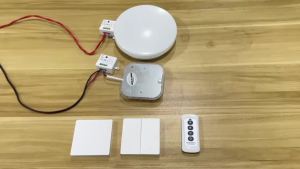
Wireless Smart RF 433Mhz 100-220V Wall Panel with Remote Control Mini Relay Receiver Home Led Light Lamp Switch
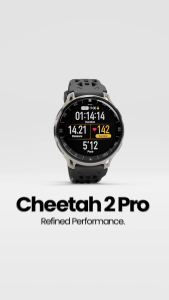
Amazfit Cheetah 2 Pro Smartwatch | 1.32" AMOLED Display Sapphire Glass | 5 ATM
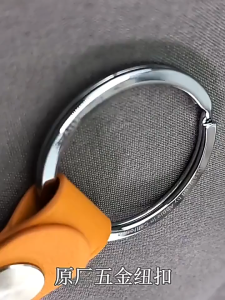
Premium Leather Keychain Case for Smart TrackersProtective Cover for Trackers
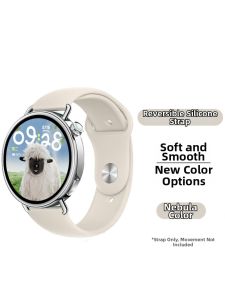
YOURSTAR | Advanced Compatibility OPPO Watch X3/X2 Mini Silicone Strap
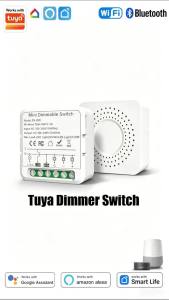
Tuya WiFi Hidden Dimmer Switch In-wall Junction Box Light Breaker 1-100% Stepless Dimming APP Voice Timing Control
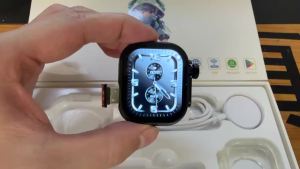
Global Version S12 Ultra MAX Android 12.0 Smart Watch 2.29‘’ Amoed Smart Watch With 200° Rotary Camera GPS WIFI Multi-sport Mode
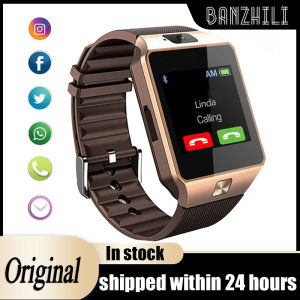
Smart Watch DZ09 Smart Clock Support TF SIM Camera Men Women Sport Bluetooth-compatible Wristwatch for Samsung Huawei Xiaomi
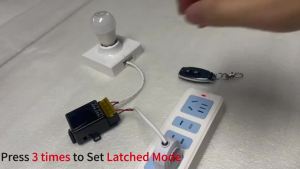
AC220V Hign Power 433Mhz Remote Control Switch On off Remote Control Transmitter for Water Pump Motor LED/Electric Appliance
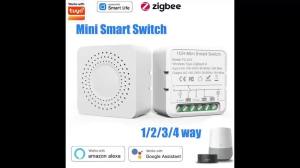
ZigBee 3.0 Tuya Smart Switch Smart Life App Intelligent Remote Relay AC100-240V 16A/10A/5A 1/2/3CH Breaker Alexa Google Home