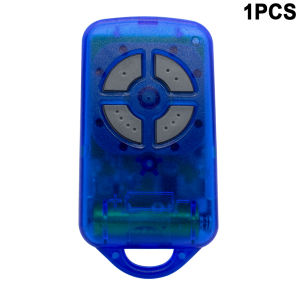
1/2/3/5/10pcs ATA PTX4 PTX-4 SecuraCode 433mhz Garage Door Remote Control
Specifications1. Type : Programming with the receiver2. Frequency : 433.92MHz3. Code: Rolling Code4. Battery : Include Battery5. Buttons : 4NOTEIf your original remote control is not an ATA PTX4, please do not buy it.FeaturesWhen your ATA PTX-4 remote control is lost, you can buy our remote control and pair it with your receiver, after the remote control is programmed successfully, you will get a new remote controlCompatibility:ATA PTX4 (remote control)ATA PTX4 Pink (remote control)ATA PTX4 Blue (remote control)CRX-1 (Receiver)CRX-2 (Receiver)GDO-2v5 (SecuraLift)GDO-2v6 (SecuraLift)GDO-2v7 (SecuraLift)GDO-4v3 (EasyRoller)GDO-4v4 (EasyRoller)GDO-4v5 (EasyRoller)GDO-4v6 (EasyRoller)GDO-6v1 (Slim-Drive EasyRoller)GDO-6v2 (Slim-Drive EasyRoller)GDO-7v1 (SecuraLift)GDO-8v1 (EasyRoller II)GDO-8v2 (EasyRoller II)GDO-9v1 (SecuraLift)AM receiver SecuraCode CRX-1 CRX-2 UHF stand-along receivers. And we make the PTX-4 replacement remote which can replace PTX-4BR,PTX-4BG,PTX-4PP.and for HERCULIFT Replaces: Hc101 Hc102 Hc103 Hc104 Hc105 , Compatible with Herculift Motors: 1000N 800N, 600N, SDO V8, SDOV8E, SDOV10E, RDO, RDO V10, RDO V12, SGO 500 ect,dominator cobra /ptx-4Note: Not compatible with PTX5 remotesAccess to receiver required. Please make sure you got access to your receiver/opener before purchase.Disclaimer: Your remote control must be the same as the picture and your model must be in the list, we will not be responsible for wrong purchaseInclude* Compatible Remote Control* Manual* Battery* KeychainHow to program?To open a door or gate using the transmitter simply press one of the programmed channel buttons for two seconds. Each press of the button will cycle through an open, stop or close action.STOR ING TR ANSMITTER CODEMake sure to install the battery in the transmitter correctly.1. Press and hold the blue Door Code button on the opener or SW1 or SW2 on the receiver board.2. Press the transmitter button you would like to use to control the door for two seconds.3. Release and pause for two seconds. Press the same button again for two seconds.4. Release the Door Code or SW button.5. Press the transmitter button to test operation of the door/gate etc.Note: To remove a transmitter's code from the device repeat steps 1-5 above .DELETING ALL STORED TRANSMITTER CODES1. Turn the power off to the opener.2. Press and hold Door Code or SW 1 button.3. Turn the power on again, while holding the button. The Coding LED will illuminate to indicate that the receivers memory has been deleted.4. Release the button. All the stored codes including the courtesy light codes should now be deleted. Confirm this by pressing the transmitters previously used to operate the device.There should be no response.

GlobalTechMart
Review

You May Also Like
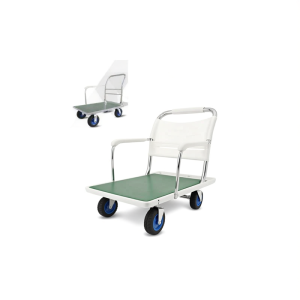
AYIJIE | Heavy Duty Foldable Silent Wheel Hand Truck
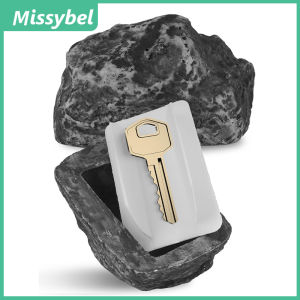
Outdoor Courtyard Key Hider Hidden Door Key Box Artificial Rock Appearance and Feeling Like Real Stone Spare Key Hider Key Lock Box
2M 3M 5M Tape Measure Metric Steel Measuring Ruler Distance Measuring Tool Meter Ruler Steel Tape Length Metal Measuring Tools
TAOSHI | High Pressure Large Shower Head
UK Standard Plug 1.5m Extension Cord With 4 USB Mini Portable Travel Power Strip Multi-Purpose Smart Home Socket Extension

3M | 3M 2166 Waterproof Mastic Special for Sewer Pipe Leak Repair Sealing Replacement of Insulation Mastic Electrical Tape
Rubine Bologna BO 3168 CH Concealed Shower Mixer Tap (Rose Gold/Chrome/Black)
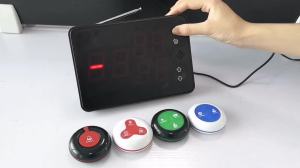
Ycall | Wireless Call Bell Number System Restaurant Waiter Pager Machine SET 1 Receiver Monitor with 25 Vibration Bell Button Service

Soundproof Soft Peel-and-Stick Seamless Wallpaper

DIXRY Insulated Cotton Leather Flame Retardant Heat Resistant Grill Welding Gloves Safety Glove BBQ Glove Long Sleeve

Hole Drilling Chisel Concrete Scabbler