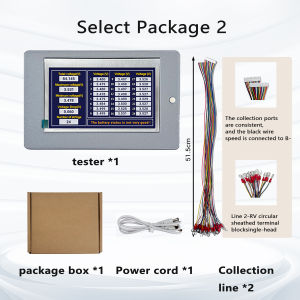
heltecbms | Heltec Digital Battery Voltage Meter 1-24S for NCM/LFP/LTO with PH2.0 Connector Real time display Battery Voltage checker
Usage instructions:First, the DC5-12V power supplyButton: Short press to power on, short press to power off; after powering onLong press (about 10 seconds) to switch between Chinese and English display.Introduction The 24-string battery voltage acquisition display screen is an electronic device or module thatintegrates the functions of voltage signal acquisition, processing, analysis and visual display. Thevoltage acquisition chip is used to collect the voltage of a single string and the entire battery packin real time. The range of a single string is 0.1V to 9V, with high precision and real-time update, which is convenient for checking the battery usage status. It can effectively protect the circuit andimprove the safety and reliability of the product. The core purpose is to monitor and measure oneor more voltage signals in real time or near real time, and present the measurement results to usersin intuitive and easy-to-read digital or graphical formFeaturesHigh reliability. It is insulating, moisture-proof, leak-proof, shock-proof, dust-proof, corrosion-resistant, anti-aging and shock-resistant. It is applicable to ternary lithium batteries, lithium iron phosphate batteries and lithiumtitanate batteries. The layout is reasonable. The installation is simple and easy to handle.Pin DefinitionPincable colorFunction descriptionB0BlackThe total negative terminal of the batteryB1RedSample the positive electrode of the 1 batteryB2YellowSample the positive electrode of the 2 batteryB3GreenSample the positive electrode of the 3 batteryB4WhiteSample the positive electrode of the 4 batteryB5BlueSample the positive electrode of the 5 batteryB6RedSample the positive electrode of the 6 batteryB7YellowSample the positive electrode of the 7 batteryB8GreenSample the positive electrode of the 8 batteryB9WhiteSample the positive electrode of the 9 batteryB10BlueSample the positive electrode of the 10 batteryB11RedSample the positive electrode of the 11 batteryB12RedSample the positive electrode of the 12 batteryB13YellowSample the positive electrode of the 13 batteryB14GreenSample the positive electrode of the 14 batteryB15WhiteSample the positive electrode of the 15 batteryB16BlueSample the positive electrode of the 16 batteryB17RedSample the positive electrode of the 17 batteryB18YellowSample the positive electrode of the 18 batteryB19GreenSample the positive electrode of the 19 batteryB20WhiteSample the positive electrode of the 20 batteryB21BlueSample the positive electrode of the 21 batteryB22RedSample the positive electrode of the 22 batteryB23YellowSample the positive electrode of the 23 batteryB24GreenSample the positive electrode of the 24 battery1) The screen control switch interface is used for external switches to control the opening and closing of thescreen.2) The battery interlace is used to connect to the battery pack. Pay attention to the positive and negative poleswhen connectingWiring diagram of 24 series batteriesConnect the battery string to the battery interface according to the wiring diagram, connect the screen switch to thescreen control switch to the serial port, and pay attention to the positive and negative pole directions of the batterywhen wiring.. After the wiring is completed, the battery voltage will be automatically collected. The screen will light upautomatically. The screen control switch can control the screen to go off or remain on constantly.Product actual photos

Prime Supply_Play Life
Review

You May Also Like

LANLIANGMAIRUICHI | Breathable Cool Car Seat Pad
1/2pcs 102W Car Work Light 12V 24V Square Round LED Light Bar For Jeep Truck Boat Tractor ATV Offroad 6000K White Super Bright
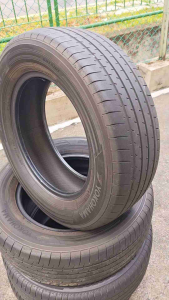
Bridgestone Alenza BluEarth XR AE61 2 piece and Bridgestone Alenza 2 piece 215/65R16 for sale Date code 2221

BAIRUITE | Heavy Duty 304/316 Stainless Steel Washer Spring Washers Thickened

NPC | Nano Spray-on Car Coating

CarlinKit | CarlinKit Android 12 Ai Box Wireless Adapter CarPlay Android Auto Wireless CarPlay Smart Box For YouTube Car Intelligent Systems
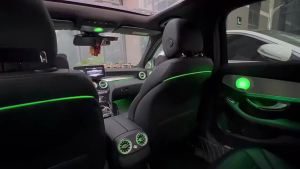
12/64 Colors LED Seat Back Lamp Backrest Ambient Light For Mercedes Benz C-Class W205 X253 E-Class W213 Decoration Lamp
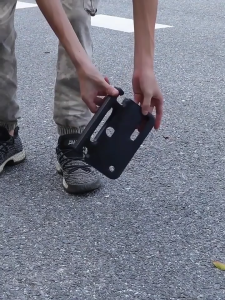
【🔥SG🔥】RICHMENTMALL Car Seat Headrest Hook Hanger Storage Organizers for Purse Coat Grocery Handbag Back Seat Headrest Grab Handle
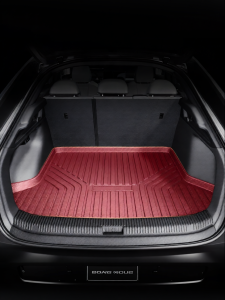
CO | TPE Car Trunk Mat for Mercedes-Benz E300L C260L GLC300 GLB220 200
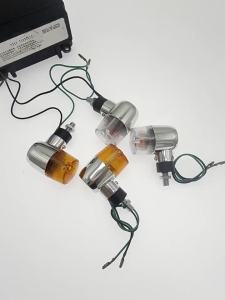
Mini Universal Retro Harley Compatible Turn Signal Light
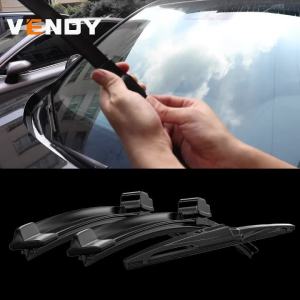
Front Rear Wiper Blades Set For BMW 5 Series Touring Estate F11 2010-2016 Windshield Windscreen Window Rain Brushes 26"+18"+14"