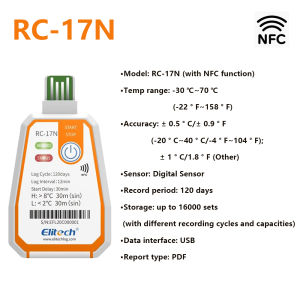
-30℃~70℃ USB Temperature Recorder Single-use Temperature Data Logger Cold-chain Refrigerated Warehouse Logger RC-17N with NFC
-30℃~70℃ USB Temperature Recorder Single-use Temperature Data Logger Cold-chain Refrigerated Warehouse Logger RC-17N with NFCThe RC-17/RC-17N is a compact, portable disposable data logger.Standard configuration includes a built-in single-temperature sensor and USB-A interface for convenient data retrieval. It automatically generates PDF reports or exports them via data centre software. Featuring IP67 protection, it supports up to 16,000 data sets. Widely used in food and pharmaceutical storage and transportation, such as refrigerated containers, refrigerated trucks, and shipping containers.Product Specifications:1. Measuring Temperature Range: -30°C to 70°C / -22°F to 158°F2. Storage Temperature Range: -30°C to 70°C / -22°F to 158°F3. Temperature Accuracy: ±0.5°C/±0.9°F (-20°C to 40°C / -4°F to 104°F); ±1°C/±1.8°F (other ranges)4. Sensor Type: Digital sensor5. Recording Interval: 120 hours (alternative intervals available upon customer service enquiry)5. Alarm Type: Single (Sin), Cumulative (Cum)6. Alarm Threshold: Factory default7. Data Interface: USB 2.0 | NFC8. Report Format: PDF data report9. Power Supply: CR2450 battery10. Shelf Life: 2 years11. Protection Rating: IP6712. Dimensions: 93 × 58 × 8 mm13. Unit Weight: 20 g*Store at room temperature prior to initialising the recorder.NFC Operation Guide (RC-17N only)1. Install and Log into the AppScan the QR code using your mobile browser or download and install “Elitech” via your app store. Open the app and follow prompts to register a new account and log in.2. Parameter SettingsTap the navigation key in the top-left corner of the app, select NFC Temperature Tag, then bring your device close to the unit to view data (ensure your phone's NFC function is enabled).Tap the top-right corner to configure parameters. Once settings are complete, bring your phone close to the device and press the “Confirm” button to save parameters (parameter adjustment is only permitted when the device has no recorded data).3. Viewing and Exporting DataAfter bringing your phone close to the device to retrieve data, tap the top-right icon to select your preferred report format and export the data report.

GlobalTechMart
Review

You May Also Like

KEKESHANGJIA | High Adhesion Invisible Double-sided Tape
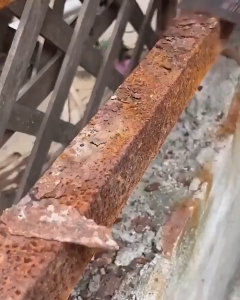
No Need to Polish Anti-Rust Paint Rust Converter Anti Rust Paint for Metal Rust converter Rust Remover Metal Rust Conversion Agent primer paint for metal 5 color available Waterproof prevent rust and mildew
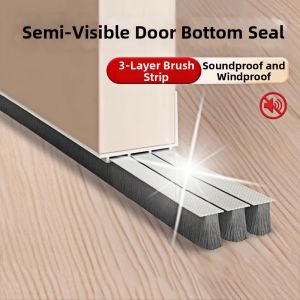
Dustproof Soundproof Door Seal Strip

DXD | Pressure Boosting Massage Waist Shower Head Set
![[SG Stock]Glass cleaner Bathroom cleaner Window cleaning liquid spray Glass stain removal and disinfection watermark remover](https://img.lazcdn.com/g/ff/kf/Se81b375df85b459081d2857c78272a4fl.png_300x300q80.png)
[SG Stock]Glass cleaner Bathroom cleaner Window cleaning liquid spray Glass stain removal and disinfection watermark remover
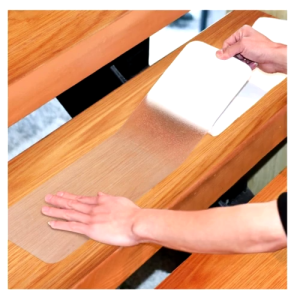
Large Size PEVA Transparent Anti Slip Bath Grip Stickers Non-slip Safety Stairs Steps Floor Shower Strips 1 Pc
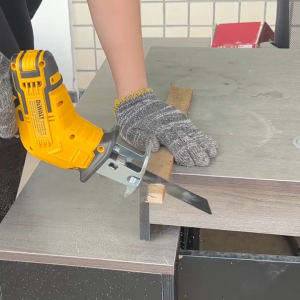
Cordless Reciprocating Saw Electric Cutting Saber Saw Mini Hand Chainsaw Cutting Power Tools with Saw Blades for Metal PVC Wood Pipe
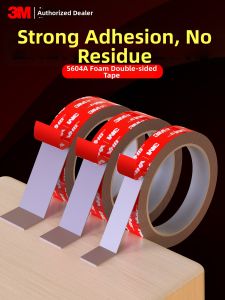
3M | High Adhesion Heavy Duty Double Sided Tape
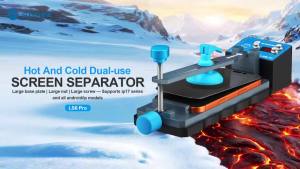
SUNSHINE LS6 Pro Dual-Use Heating Screen Separator Fixture For IP17 Series Android LCD Screen Back Cover Removal Repair Tools

Rubine Bathroom Ceramic Countertop 36cm Round Basin SPIN36BW (5yr warranty on Ceramic)
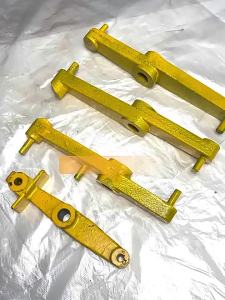
MEINWAY | Swivel Lever for Cylindrical Grinding Machine