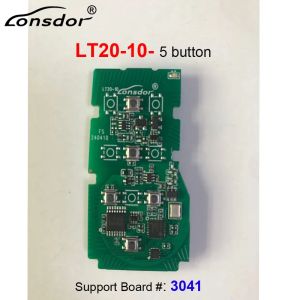
Lonsdor LT20 Smart Key LT20-01 LT20-02 LT20-03 LT20-04 LT20-05 LT20-06 LT20-07 LT20-08 LT20-10 8A+4D Support K518 K518ISE KH100+
Lonsdor LT20 Smart Key LT20-01 LT20-02 LT20-03 LT20-04 LT20-05 LT20-06 LT20-07 LT20-08 LT20-10 8A+4D Support K518 K518ISE KH100+ How to Generate Lonsdor LT20 smart key:Install a battery at the back of the Lonsdor LT20 8A+4D smart key, press the button and the indicator will flashTurn on Your Lonsdor K518ISE programmer.Tap Push function>> Special functions>> Key settings>> LT smart keySelect "Get version info" and place the smart key horizontally on the card slot of the K518ISE Key ProgrammerWait a moment, and it reads out the product ID, PSN, model number, status, version, and frequency.Press Convert Smart key type. (This function requires an internet connection)Choose the chip and frequency you would like to usepress confirmthe key is ready to program to the vehicleNote:You can not use the Lonsdor LT20 smart key without generating using the Lonsdor K518ISE key programmer or Lonsdor KH100+ key programmerNormally, we will ship out the order within 1-2 business days after the payment cleared. Please make sure that your address is correct before payment. Please don't give us 1-3 low score on shipping, as we shipped the item quickly but the overseas shipping depend on many factors, such as logistic, weather, country policies, any problems, please contact us first. Each country has different tariff rules, which we cannot control.Any import charges or fees are the buyer's responsibility.Reminder:All photoes are for reference only, Specifications are subject to the phisycal product.If you want to purchase more, please contact us. Please contact us before leaving any negative or neutral feedback or opening disputes, we will work with you to solve any problems. All emails will be replyed within 1 day, If you don't receive our reply, please kindly re-sent your email, we will reply ASAP.

Prime Supply_Play Life
Review

You May Also Like
2026 ZJ55 Powerful Magnetic Car Phone Holder Auto-Tightening Design Anti-Slip & Secure Hold Magnetic Phone Mount Accessory

Sonax Tar Remover for Exterior 300ml
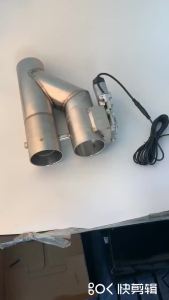
Universal 2" 2.5" 3" Stainless Steel Double Valve Electric Exhaust Cut Out Valve Exhaust Pipe Muffler Kit Y Shape Exhaust Pipe
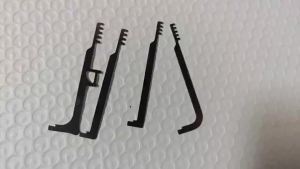
Professional Locksmith Kit - Multi-Functional Tension Wrench & Comb Lockpicks Stainless Steel Lockpick Tools Set

酒店摄像头检测仪防偷拍防窃听防窥查找汽车GPS定位信号探测器

Android 14 9Inch For Fiat Ducato Peugeot Boxer Citroen Jumper 2 2006-2016 Car Radio Stereo Multimedia Player GPS BT FM Autoradio
Hydraulic Crimping Tool YQK-70 Cable Lug Crimper Plier 4-70mm² Compression Tool Pressure 8T Pressure Home Hydraulic Tools

CAFELE | Long-lasting Male Use Car Fragrance
7 Inch Carplay Android Auto Car Multimedia Player For Toyota MR 2 RAV 4 Prado Terios Corolla Hilux Vitz Camry Support SWC FM RDS

T2P Helmet 25L Backpack Bag Large Capacity Waterproof Motorcycle Daypack School Rucksack
Zippo Playboy Bunny Logo Design Multi Color Windproof Pocket Lighter |Zippo 49344 (Lighter Without Fuel Inside)