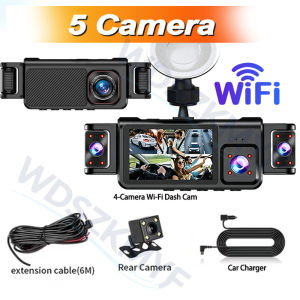
5CH 360 Degree Car Dvr 1080P Video Recorder WiFi APP Dashcam 24h Parking Monitor Front and Rear View Camera Car Recorder
Newly Upgraded 5-Lens Wi-Fi Dash Cam—Excellent Value for the Price● Display size: 3 '' IPS screen● Video compression format: AVI/MOV● Resolution: FHD 1080P @30fps● 170 degree Ultra High-definition wide angle lens● Loop recording: Supports seamless loop recordingFunction:Real 5 Channels Front & Rear & Inside & Left & Right CameraAfter connecting the rear camera, all 5 camera feeds can be previewed simultaneously.*The display shows a preview and does not reflect the actual file size; the actual recorded footage can be viewed by accessing the files. All camera feeds have the same aspect ratio.Super Night VisionBuilt-in Wi-Fi & APP ControlBUILT-IN WIFIFUNCTION : Smart dash cam built-in WiFi module, support APP control (Work with Android and iOS devices)Reverse imageWhen hanging in the "R" gear, the screen will automatically switch Reverse image, and the accurate inverted auxiliary line provides you with better parking prediction.24-Hour Parking MonitoringBuilt-in G-sensor activates automatic recording when a sudden shake or collision is detected. When emergency video is recorded, a voice will alert you when you return to the car. In addition,supports time-lapse recording, which maximizes storage usage and ensures that no moments of evidence are missed.Friendly reminder: parking monitoring needs to be configured with a special buck cable for use, otherwise 24-hour monitoring is not possibleBuilt-in G-sensorWhen your car is subjected to an impact or other emergency,the G sensor is triggered, so that the recorder immediately records and locks the video.Loop- Cycle RecordingWhen the TF card is full,it will automatically delete former video and keep recording all the timeInstallation Diagram1.Secure the recorder to the windshield of the vehicle , recommended near the rearview mirror area2.Hide the power cord in the window gap along the red line in the figure above 3.Insert the car charge wire into the cigarette lighter, connect the power supply, and complete the installation3.Rear camera if you need reverse camera function please connect the red wire, the red wire connects to the power supply of the reverse light behind the car.4.All car recorders need to be connected to the power supply to use, please understand the small battery safety design of the recorder. The battery of electrical appliances in the car is not allowed to be installed too large.To protect your privacy, the TF card needs to be formatted for the first time. There are two solutions:1. Insert the TF card correctly into the dash cam, open the camera settings, find the storage card format, confirm that the formatting is complete, and then restart the camera to use.2.Connect to the mobile application, search for settings in the mobile application, format the memory card, confirm formatting is complete, and then restart the camera to use it. Sincere wishes to you and your family.

Prime Supply_Play Life
Review

You May Also Like
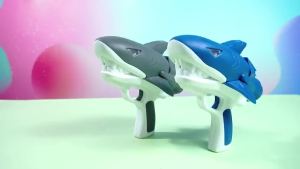
BONINGYU | Waterproof Outdoor Glowing Automatic Water Gun

Baseus Gravity Car Phone Holder Auto Restorable in Car Air Vent Silicone Stand For iPhone 14 13 Xiaomi Samsung Car Mobile Holder
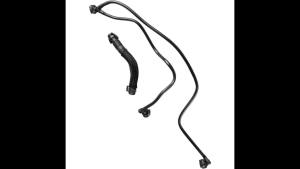
Coolant Water Pipe 2465010325 2702031882 Fit for Mercedes Benz A B CLA GLA Level W176 W246 C117 X156 2012 2013 2014-2019
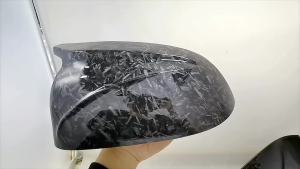
M style black rearview mirror cover X3M Look rearview mirror cover For BMW X3 G01 X4 G02 X5 G05 X6 G06 X7 G07 2018 2019 2020
PINMOAP Car Rear Wiper Is Suitable For FIAT 500 2007-2019 Car Tailgate Window Wiper Blades Automotive Parts 2008 2010 2013 2016

Activated Charcoal Bag Activated Charcoal Bamboo Charcoal Odor Absorber Moisture Absorbing Deodorizer Bags Car Deodorizer

CHEYI | Luxury Car Headrest & Lumbar Support Pillow
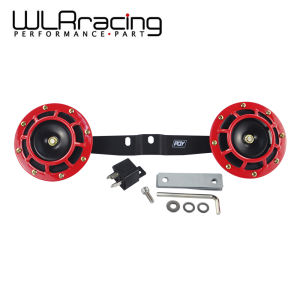
WLR - 2pcs 12v 115DB Super Loud Compact Electric Blast Tone Air Horn Kit with Horn bracket For 2002-2007 SUBARU WRX/STI
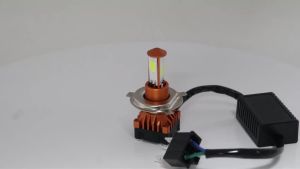
KEVANLY | 1PCS Motorcycle H4 LED Bulbs 75W White Yellow High Bright Lights High Low Beam LED Headlight with Cooling Fan Headlamps
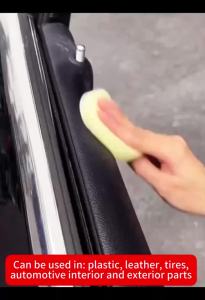
Car Plastic Restorer Back To Black Gloss Car Cleaning Products Plastic Leather Restore Auto Polish And Repair Coating Renovator
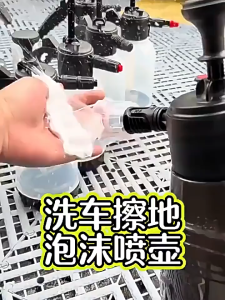
🇸🇬SG Ready Stock🇸🇬 High Pressure Foam Gun Car Wash Bottle Cleaning