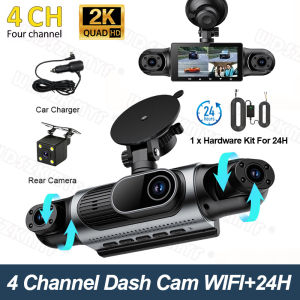
4Lens 360° Car Camera 2K Dash Cam Auto Car Recording Camera Car DVR Front Left right Rear View Camera car accessorie For SUV
Two Installation MethodsWe offer two installation options. The first involves using a vacuum suction cup to attach the device directly to the car window; this method ensures that no residue is left behind. If you are concerned that this method may not be secure enough, we have also included two round pieces of double-sided tape that you can use as an alternative.Multi-Camera Coverage:We have three options for you to choose from: 1. Three cameras, no rear camera, with Wi-Fi2. Four cameras, with Wi-Fi3. Four cameras, with Wi-Fi and a 24-hour power supply cableHigh Definition Recording:Capture every detail with 2K HD video quality, ensuring clear footage for any incident.Resolution: Front 2K+Left 1080P+Right 1080P+Rear 1080PLarge Storage Capacity:Supports up to 64G memory, allowing ample space for storing numerous recordings.(Must be purchased separately)Portable & Easy Setup:Compact design with built-in screen and easy-to-use interface make installation a breeze.Advanced Night Vision:NightShot function provides superior visibility in low-light conditions, enhancing safety after dark.4 Channels 2K 360° All-round Recording4-lens all-in-one dash cam mounted on windshield.Super Night VisionBuilt-in IR fill lights for night vision.Compare with ordinary dash cams: our camera delivers bright, noise-free footage in tunnels & dark roads, recognize plates clearly at night.Wireless WiFi Connection & Easy OperationNo cumbersome data cables or computer transmission is required. You can check driving records with one click for a more efficient user experience.About WIFI Connection:Before connecting to the DVR on the phone, it is necessary to install the WIFI connection app "Viidure APP" in advance.You can search for "Viidure" installation in the Apple App Store or Google App Market.Steps:(1) In standby mode, long press the "M" key to enter the DVR menu and enter the WIFl setting menu;(2)In the wifi menu of the DVR, check to obtain the wifi SSID name and password;(3)Open the "Viidure" APP on your phone, enter the configuration mode, turn on the wifi function of the phone, follow the prompts to find the SSID wifi signal of the DVR and enter the password to connect;(4)After successful configuration, you can connect and operate the DVR through the "Viidure" APP.24H Parking Monitor(Requires Fuse Box kit)Monitor your vehicle 24/7 with the built-in parking surveillance, deterring potential thieves.Loop Recording Function&Gravity Sensor1.Lock video to prevent overwriting whendetecting a serious collision.2.Loop recording auto overwrites oldest videos when memory full.No manual deletion needed, never miss important driving records.REARVIEW DISPLAY(Optional)When parking, the rearview image will automatically display on the dashcam and begin recording.Must be connected to the rear taillights to function.Cabin Safety MonitoringProtect Every Passenger.Perfect for rideshare drivers, family cars, and taxi safety.Easy InstallationSimply connect the car charger to the power supply, attach the suction cupmount to the windshield, and recording wil or step)Note: Please Always use the original car charger included in the box.. The Mobile phonecharger or USB cable are not supported, as they may cause the rear/cabin camera from activating or cause the dash cam to fail to power on etc.

Prime Supply_Play Life
Review

You May Also Like

150g Car Plastic Restorer Back To Black Gloss Car Cleaning Products Plastic Leather Restore Auto Polish Repair Coating Renovator
MUNCHX 4Pcs Silicone Car Door Lock Sound Deadener Buffer Soundproofing Seal Car Door Lock Protectors Durable Shock Absorber Sound Damper Door Lock Buffer for Quieter Closing
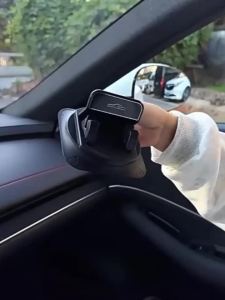
Car Dashboard Phone Holder 360° Rotation Self-Adhesive Anti-Slip Automotive Mount Vibration-Free & One-Handed Operation

Bosch | Bosch Activated Cabin Filter AF4024 for Ford Fusion Mondeo Edge Kuga Galaxy S-Max Bronco Escape EXPLORER【OE:DG9H18D483BA】

3M Reflective Sew-On Safety Tape | High Visibility Fabric Strip | 3 Meter Length | 2.5cm & 5cm Wide
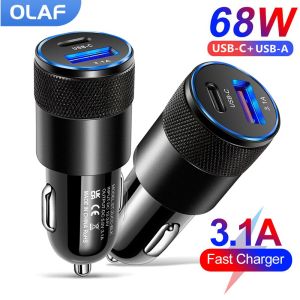
Olaf 68W PD Car Charger USB Type C Fast Charging Car Phone Adapter for iPhone 13 12 Xiaomi Huawei Samsung S21 Quick Charge 3.0

USAMS 165W 2C+3U PPS 5 Ports Digital Display Car Charger Quick Charger QC PD 3.0 Type C USB Charger With 1.5M Extension
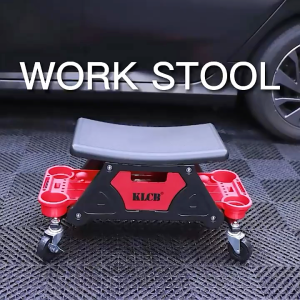
KLCB G069 High Quality Plastic Stool Car Wash Detailing Storage Stool
【24 hours delivery】car scratch repair scratch repair agent car scratch remover car paint repair scratch remover car scratch remover

Carbon Fiber Car Rear View Door Wing Side Mirror Cover Caps Shell Case for BMW X3 F25 X1 E84 Pre-LCI 2010 2011 2012 2013 Case

YOULE | Breathable Pressure-relieving Cool Gel Cushion Seat Pad