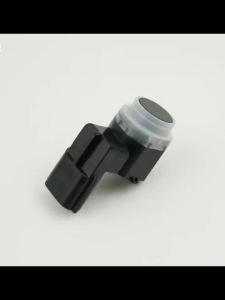
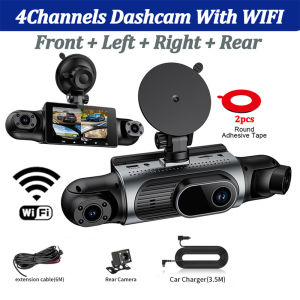
3/4 Channel 360° Dash Cam Black Box for Car Video Recorder DVR Camera FHD 1080P Night Vision Front Rear cam 24H Parking Monitor
Please note when placing your order: This product has 3 options. Please select the configuration you prefer;1. The 3-lens set does not include the rear camera.2. The 4-lens set includes the rear camera.3. The 4-lens set includes the rear camera + a 24-hour step-down cable.❤ Dear customers, this product features a vacuum suction cup mount. However, since some customers find the suction cup method difficult to use, we’ve included 2 3M adhesive rings as a bonus. If you prefer not to use the vacuum suction method, you can use one of the adhesive rings for a stick-on installation. With two rings included, you’ll have enough for a replacement as well. Of course, if you prefer the vacuum suction method, you’re welcome to skip the 3M adhesive rings. The choice is entirely yours.new square lens four channels 2K cameras WIFI high-end recorder● Display size: 3.16 '' IPS screen● Video compression format: AVI/MOV● 170 degree Ultra High-definition wide angle lens● Loop recording: Supports seamless loop recording● Front camera 2K ,rear camera 1080P,right/left cam 1080P2K High Definition Recording:Capture every detail with 2K HD video quality, ensuring clear footage for any incident.Resolution: Front 2K+Left 1080P+Right 1080P+Rear 1080P4 Channels 2K 360° All-round Recording4-lens all-in-one dash cam mounted on windshield.Super Night VisionBuilt-in IR fill lights for night vision.Compare with ordinary dash cams: our camera delivers bright, noise-free footage in tunnels & dark roads, recognize plates clearly at night.Wireless WiFi Connection & Easy OperationNo cumbersome data cables or computer transmission is required. You can check driving records with one click for a more efficient user experience.About WIFI Connection:Before connecting to the DVR on the phone, it is necessary to install the WIFI connection app "Viidure APP" in advance.You can search for "Viidure" installation in the Apple App Store or Google App Market.Steps:(1) In standby mode, long press the "M" key to enter the DVR menu and enter the WIFl setting menu;(2)In the wifi menu of the DVR, check to obtain the wifi SSID name and password;(3)Open the "Viidure" APP on your phone, enter the configuration mode, turn on the wifi function of the phone, follow the prompts to find the SSID wifi signal of the DVR and enter the password to connect;(4)After successful configuration, you can connect and operate the DVR through the "Viidure" APP.24-Hour Parking MonitoringBuilt-in G-sensor activates automatic recording when a sudden shake or collision is detected. When emergency video is recorded, a voice will alert you when you return to the car. In addition,supports time-lapse recording, which maximizes storage usage and ensures that no moments of evidence are missed.Friendly reminder: parking monitoring needs to be configured with a special buck cable for use, otherwise 24-hour monitoring is not possibleLoop- Cycle RecordingWhen the TF card is full,it will automatically delete former video and keep recording all the timeBuilt-in G-sensorWhen your car is subjected to an impact or other emergency,the G sensor is triggered, so that the recorder immediately records and locks the video.Reverse image(need to purchase a rear camera and install the red wire.)When hanging in the "R" gear, the screen will automatically switch Reverse image, and the accurate inverted auxiliary line provides you with better parking prediction.Safe Battery & Safe Driving ExperienceThis product features a built-in 150mAh high-temperature-resistant, non-rechargeable button-cell lithium battery, eliminating the risk of explosion during high summer temperatures for safe driving!Installation Diagram1.Secure the recorder to the windshield of the vehicle , recommended near the rearview mirror area2.Hide the power cord in the window gap along the red line in the figure above 3.Insert the car charge wire into the cigarette lighter, connect the power supply, and complete the installation3.Rear camera if you need reverse camera function please connect the red wire, the red wire connects to the power supply of the reverse light behind the car.4.All car recorders need to be connected to the power supply to use, please understand the small battery safety design of the recorder. The battery of electrical appliances in the car is not allowed to be installed too large.General Precautions for Dashcams:1. To avoid damage from high summer temperatures, this dashcam does not contain a high-capacity rechargeable lithium battery. It is a USB-direct-connect device; please keep it connected to the car charger at all times;2. The dashcam is designed to operate within the voltage range of in-vehicle devices. Please do not use a cell phone charger to charge the dashcam at home, as the voltage is incompatible.3. Please format any memory card the first time you insert it into the device. If you do not format it, you may receive a “not recognized” error. This is because new memory cards need to be formatted to the forma

Prime Supply_Play Life
Review

You May Also Like
15239247 Parking Assist Sensor PDC For Buick Enclave Lucerne Cadillac Escalade EXT Chevy Suburban GMC Yukon

Android GPS Screen 9inch For Toyota Vios Yaris 2007 2008 2009 2010 2011 2012 Car Radio Multimedia Player Carplay Auto Car Stereo

For Audi Q5 A4 B8 S4 A4 Allroad 2008 2009 2010 2011 2012 Car Fog Lamps DRL Daytime Running Lights Halogen 8KD941699A 8KD941700A
Fit For FIAT Ducato II 230/244/Ducato III 250/Ducato IV X290/e-Ducato (1995-2026) Wiper Boneless Silent Windshields Front Wiper

PINMOAP Car Windshield Washer Bottle Cap Lid Cover Fit For Renault Captur Clio Megane Scenic Talisman 289135972R 289130004R

Car Backseat Bag with Tissue Bag Drink Holder Auto Storage Pockets Cover Car Seat Back Protectors for Car Accessories
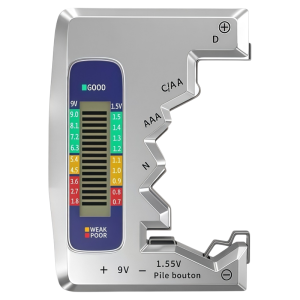
Battery Capacity and Charge Monitor Display Instrument
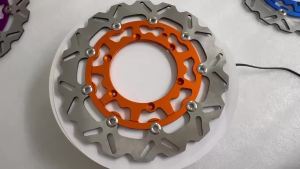
Motorcycle 320MM 260MM Front Brake Discs Rotors Brake Caliper Adaptor Bracket For KTM XC XCF XCW SX SXF EXC EXCF TPI Six Days
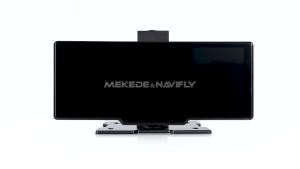
10.26-inch Touch Screen 1600*600 Universal Car Radio Wireless CarPlay Android AUTO Navigation GPS Multimedia Video Player

ZHINANCHE | Oil Film Removal Car Glass Water Summer Use

HUAYUQIANYU | Rear Seat Back Protection Pad For Kick Prevention Compatible With BYD Models