


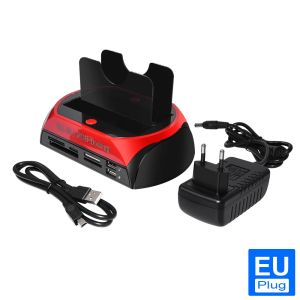
USB 2.0 to IDE SATA Hard Disk OTB Cloning Dock All in One HDD Docking Station Dual Bay 2.5 Inch 3.5 Inch ESATA With Card Reader
Hard Drive Docking Station, USB 2.0 to 2.5 3.5 Inch SATA IDE Dual Slots External HDD Enclosure, for 2.5" 3.5" IDE SATA I/II/III HDD SSD875 : About this item·Universal compatibility: 1 IDE port + 1 SATA port, With adjustable IDE connectors, Supports all 2.5 "/ 3.5" IDE / SATA I / II / III hard disk and SSD, Maximum support 8TB SATA interface Hard disk, IDE interfaces maximum support 1TB hard drive. Please select the right model to avoid your order error. (Note: Please do not replace the hard drive when the product is working.)·Data transfer: Easy transfer of data from your 2.5 "/ 3.5" IDE or SATA hard disk to your computer via USB 2.0 port, USB 2.0 data transfer rate up to 480MB / s. Integrated all-in-1 card reader (XD card / TF card / MS (Duo / Pro) card / CF card / SD card), at the same time card reader can read only one memory card, up to 64GB.One-Touch Backup: OneTouch functionality makes it easy to copy data and documents from your computer to an external hard drive. For information on using the OTB feature and downloading the OTB software, please refer to the product guide. Note: OTB software cannot be installed on macOS and IOS systems.·Operating System: Compatible with Windows XP / Vista / 7/8 / 8.1 / 10 (32/64 Bit), Mac OS 10.10 or later. Please format the disk according to your operating system (Linux and Mac OS are compatible with FAT32 and exFAT, Windows is compatible with FAT32, exFAT and NTFS).First, show the 875 image:Report an issue with this product or sellerNote:1.Please do not replace the hard drive when the product is working.2.Products with electrical plugs are designed for use in the US/EU. Outlets and voltage differ internationally and this product may require an adapter or converter for use in your destination. Please check compatibility before purchasing.3.One-Touch Backup: One-Touch functionality makes it easy to copy data and documents from your computer to an external hard drive. For information on using the OTB feature and downloading the OTB software, please refer to the product guide.Note: OTB software cannot be installed

GlobalTechMart
Review

You May Also Like

Lenovo High Speed Memory Card 2TB 1TB 512GB Micro TF SD Card 128GB 256GB TF Card For Camera Surveillance Devices For Sony

SanDisk High Endurance Micro SD Card 128GB 256GB 512GB Memory Card Up to 100MB/s Flash Card TF Card for Monitoring Dashcam

Lenovo | High Capacity Type C Dual Interface USB Drive

Acasis 4-Bay 32TB 40gbs SSD Enclosure | 40Gbps Speed Turbo Cooling Fan | 4x8TB RAID Storage for Video Editing/Gaming | Plug & Play Windows/Mac | EC-3901

Hagibis 2230 M.2 NVMe SSD Enclosure with Cooling Fan USB 3.2 Gen 2 10Gbps to NVMe PCI-E M.2 SSD Case for Laptop iPhone 16 15 Pro iPad Macbook HUAWEI Samsung Android

Sandisk E61 Extreme Portable SSD Up to 1050MB/s Type-C USB 3.2 Gen 2 IP65 Water Solid State Drive 500G 1TB 2TB 4TB Hard Disk

SanDisk Extreme Pro MicroSD Card 4K U3 V30 100MB/s 32GB 200mb/s 64GB 128GB 256GB 512GB 1TB QXCG QXCD QXCU 12BUY Official Store
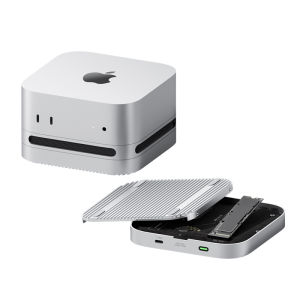
Hagibis | USB4 Thunderbolt 5 SSD Enclosure
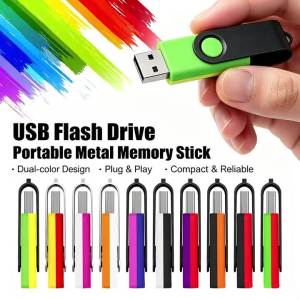
Jaster | USB Flash Drives Small capacity Pen Drive 512MB 1GB 2GB 4GB 8GB 16GB Pendrive High Speed Memory Stick 32GB 64GB 128GB USB Stick
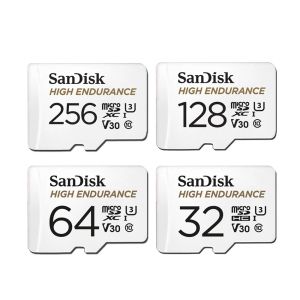
SanDisk High Endurance Micro SD Card 1TB 2TB 128GB 256GB 512GB High-Speed Read Write Video Surveillance U3 V30 4K
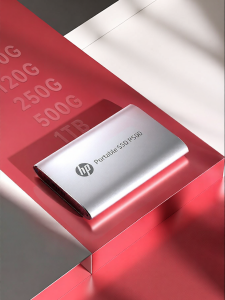
HP | SSD High-Speed Dual-Use Portable Hard Drive 1TB











