


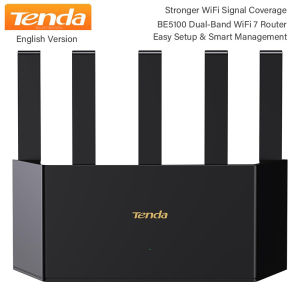
Tenda | Tenda BE5100 Wi-Fi 7 Router Dual Band Gigabit Router 1x2.5G + 3x1G Ports VPN NFC Easy Setup Parental Control Access Point Mode
About this item BE5100 Dual-Band Wifi7 Router for Home — Delivers 5,011Mbps combined dual-band speeds (5GHz: 4,323Mbps, 2.4GHz: 688Mbps) with 4K-QAM modulation and MLO dual-band aggregation. Perfect for 8K streaming, VR, and large file transfers.Stronger Wifi Signal Coverage — Features 5 high-gain antennas and 5 built-in FEM signal amplifiers for 360° extended coverage, capable of penetrating walls and reaching every corner of large homes.Efficient Cooling Design for Blazing - Fast Speed — Compared to traditional horizontal routers, the Vertical Wireless Router has a larger air contact area to improve heat dissipation efficiency and enable your network stability.2.5G Multi-Gig Port for Future-Proofing— Includes 1×2.5Gbps WAN/LAN port and 3×1Gbps ports, supporting up to 2,000M broadband for blazing-fast wired connections (e.g., NAS, gaming consoles).Advanced Security & Parental Controls— WPA3 encryption and firewall protection against DDoS attacks. Customizable parental controls (device filtering, time limits, URL blocking) ensure safe browsing for kids.Easy Setup & Smart Management— NFC one-tap connection for instant Wi-Fi access (no password sharing). Guided installation via Tenda App or web interface. Supports Mesh networking for seamless whole-home expansion.Note: Product specifications and performance claims are based on laboratory tests under ideal conditions. Actual performance may vary depending on environment and device compatibility. What's in the box BE5100 Smart Dual-band Wifi 7 Router Ethernet Cable1 Quick Installation Guide1 Power Adapter*1 NFC card *1Router setup stepsSupport PC settings and application settings, you can change the settings page to the language of your country1. Computer settings: please download Google Chrome in advance and open it http://192.168.0.1/ , this is the official setting page of Tenda router. You can translate it into the language of your country through Google Chrome, such as English, Russian, Spanish, etc., just follow the prompts to set it.2.Application settings: please download Tenda WiFi app in advance1.search for and download the app "Tenda Wi Fi" on Google play or app store.2.turn on the Tenda (WiFi) router and the phone connection1) Create a Tenda account and log in to your account;2) According to the operation, click "dial up access" to enter your network account and password; (the router supports PPPoE protocol)3) Click "WiFi password" and "new password" to complete.4)open the application and complete the WiFi settings.*If you are unable to connect, please do not worry, please contact us, we will provide the connection videoNote: this is Chinese retial box but English Firmware Tenda Wifi 7 Router.We will send the EU adapter cover if you choose EU plug, We do not accept any disputeoflanguage or a wrong purchasing that cannot be powered on due to the power voltage not being within the range (100V~240V-50/60Hz).More hot selling products:

Prime Supply_Play Life
Review

You May Also Like

evesigar | Sturdy Non-slip Aluminum Headphone Stand
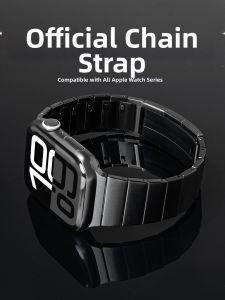
CRAFTSMAN DAI | Apple Watch Stainless Steel Bracelet Compatible

IN-BOX 4452/4455 Game controller for android /ios/ switch /pc
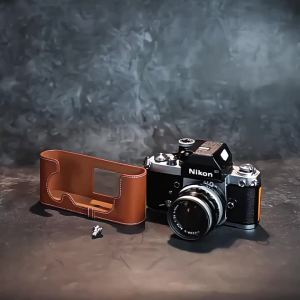
Roadfisher Genuine Real Leather Camera Bag Protect Case Cover Base Shoulder Belt Neck Strap For Nikon F2 F2A F2AS
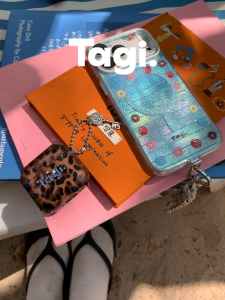
Tagi. Inspire Picnic Shining Rhinestone Earbuds Case

YINGYUE | Anti-lost Adjustable Phone Lanyard

Bandai | Anime Dragon Ball Goku with Tail Back View Sky Clouds Large Mousepad Rubber Non-Slip Gaming Desk Mat Keyboard Pad for Home Offic
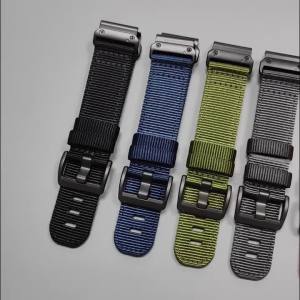
QuickFit Nylon Canvas Watch Strap For Garmin Forerunner 970 965 955 Solar/Instinct 2X 3/Fenix 8 E 7 7X Pro 22 26mm Bracelet Belt
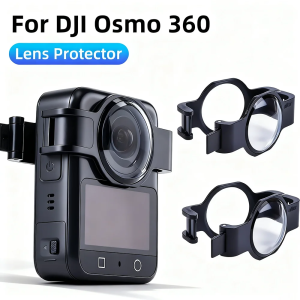
2026 New Sale For DJI OSMO360 Optical Plastic Lens Protector Anti Scratch Camera Lens Protection Cover

360° Full Coverage Ultra HD Screen Protect Case For Samsung S26 Ultra S25 S24 S23 Plus FE Metal Magnetic Adsorption Border Cover

[SG In stock]Remax 3C Power Bank 10000mAh 22.5W 20W Fast Charging Powerbank Dual-Cable Portable Charger (CCC Certified)











