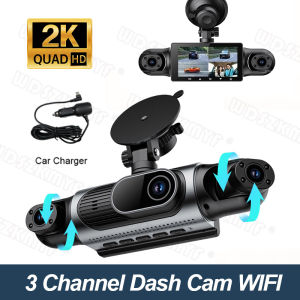
2K Dashcam for cars 360° 4 Channel Black Box WiFi Driving Camera Night Vision Loop Recording 24H Parking Mode car accessorie
Two Installation MethodsWe offer two installation options. The first involves using a vacuum suction cup to attach the device directly to the car window; this method ensures that no residue is left behind. If you are concerned that this method may not be secure enough, we have also included two round pieces of double-sided tape that you can use as an alternative.Multi-Camera Coverage:We have three options for you to choose from: 1. Three cameras, no rear camera, with Wi-Fi2. Four cameras, with Wi-Fi3. Four cameras, with Wi-Fi and a 24-hour power supply cableHigh Definition Recording:Capture every detail with 2K HD video quality, ensuring clear footage for any incident.Resolution: Front 2K+Left 1080P+Right 1080P+Rear 1080PLarge Storage Capacity:Supports up to 64G memory, allowing ample space for storing numerous recordings.(Must be purchased separately)Portable & Easy Setup:Compact design with built-in screen and easy-to-use interface make installation a breeze.Advanced Night Vision:NightShot function provides superior visibility in low-light conditions, enhancing safety after dark.4 Channels 2K 360° All-round Recording4-lens all-in-one dash cam mounted on windshield.Super Night VisionBuilt-in IR fill lights for night vision.Compare with ordinary dash cams: our camera delivers bright, noise-free footage in tunnels & dark roads, recognize plates clearly at night.Wireless WiFi Connection & Easy OperationNo cumbersome data cables or computer transmission is required. You can check driving records with one click for a more efficient user experience.About WIFI Connection:Before connecting to the DVR on the phone, it is necessary to install the WIFI connection app "Viidure APP" in advance.You can search for "Viidure" installation in the Apple App Store or Google App Market.Steps:(1) In standby mode, long press the "M" key to enter the DVR menu and enter the WIFl setting menu;(2)In the wifi menu of the DVR, check to obtain the wifi SSID name and password;(3)Open the "Viidure" APP on your phone, enter the configuration mode, turn on the wifi function of the phone, follow the prompts to find the SSID wifi signal of the DVR and enter the password to connect;(4)After successful configuration, you can connect and operate the DVR through the "Viidure" APP.24H Parking Monitor(Requires Fuse Box kit)Monitor your vehicle 24/7 with the built-in parking surveillance, deterring potential thieves.Loop Recording Function&Gravity Sensor1.Lock video to prevent overwriting whendetecting a serious collision.2.Loop recording auto overwrites oldest videos when memory full.No manual deletion needed, never miss important driving records.REARVIEW DISPLAY(Optional)When parking, the rearview image will automatically display on the dashcam and begin recording.Must be connected to the rear taillights to function.Cabin Safety MonitoringProtect Every Passenger.Perfect for rideshare drivers, family cars, and taxi safety.Easy InstallationSimply connect the car charger to the power supply, attach the suction cup mount to the windshield, and recording wil or step)Note: Please Always use the original car charger included in the box.. The Mobile phone charger or USB cable are not supported, as they may cause the rear/cabin camera from activating or cause the dash cam to fail to power on etc.Dash Cam Installation Instructions1. This product must be connected to a power source to operate and can only be powered by the car charger (5V-2A) included in the package; do not use a smartphone charger or power bank. Be sure to use a charger that meets the dashcam’s power specifications; otherwise, the device will not function properly.2. All newly inserted memory cards must be formatted; otherwise, the device will not recognize them.3. You must use a C10 high-speed memory card; a capacity of 32GB–64GB is recommended.4. Protective films are applied to the product’s lens and screen. For a better user experience, please remove them before use; this product is not a used item.5. The night vision lens uses infrared technology and automatically renders people and objects in front of the lens in a light purple hue in low-light conditions—this is a normal phenomenon resulting from how the night vision lens operates. If your footage appears light purple, please check whether the night vision feature is enabled. If you do not wish to use this feature, please disable it in the mobile app.6.The Wi-Fi function is only used to connect to the dashcam’s dedicated app via your phone to view or download videos; it is not intended for internet access.

Prime Supply_Play Life
Review

You May Also Like
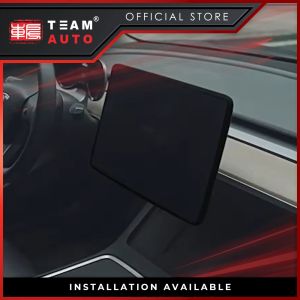
TeamAutoCare TAC40393 Tesla Model 3/Y Central Control Navigation Screen + Rearview Mirror Silicone Protective Cover
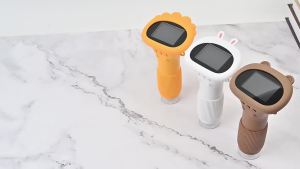
2.0 Inch Mini Pocket Microscope 1000X Kids Science Experiment Utensils Handheld Laboratory Microscope Outdoor Children Stem Toy
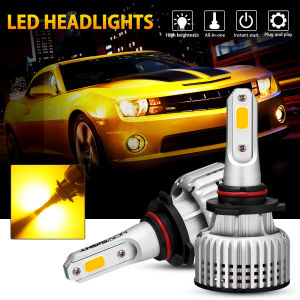
2pcs Novsight N12Y H11 H8 H9 LED Headlight Bulb 72W 10000LM 3000K Yellow Light LED Light for Car High Beam/Low Beam Fog Light Plug and Play In Stock 2 Years Warranty Free Shipping
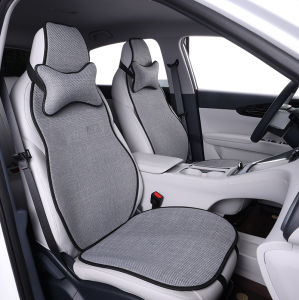
LOUGOU | All-seasons Breathable Non-slip Car Seat Cover
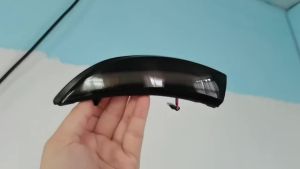
Dynamic Blinker Mirror Light LED Turn Signal Side Indicator for Ford Fiesta Mk7 2008-2017 for Ford B-Max 2012-2017
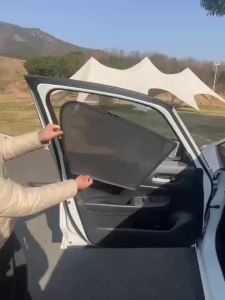
Suitable for TOYOTA BZ3X car window sunshade front and side door sun baffle sunscreen insulating visor curtain mesh curtain front block glass sunshade.
GB160 Automatic Voltage Regulator for Single phase generator and GB170 AVR Stabilizer for three phase generator 30 40 50KW
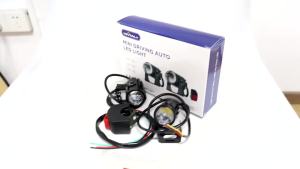
KEVANLY | 1Set Motorcycle Auxiliary Spot Driving Light Laser Front Fog Spotlights Super for BMW Honda Yamaha Suzuki 4x4 ATV Truck Bike SUV

GUOQI | Decal Adhesive Remover
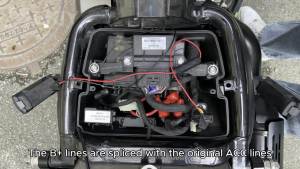
EKIY 6.25" GPS Motorcycle Navigation Portable Digital Dashboard Anti Theft Removable Screen Wireless CarPlay Moto Android Auto
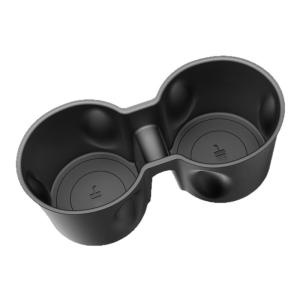
DIBOCHEPIN | Refresh Interior Cup Holder 3L