AJIUYU | Backlight Magic Keyboard For iPad 10.2 7th 8th 9th Gen Pro 10.5 2017 Air 3 10.5 2019 Case Smart Trackpad Cover with Pen Holder
This is an detachable keyboard case, TPU soft shell protective case, which can effectively protect your tablet. The keyboard and protective case can be separated .Keyboard with Backlight and TouchPad.Bluetooth connection, with touch pad, with backlight.,Horizontal and vertical support.How To Verify Your Tablet Model1.Turn iPad tablet to the back find your specific model,Par exemple: A****2.Find the "Settings"--Click the "About"--Find the "Model"3.Please select the correct model number for your tablet purchase after viewing it.Compatible models and codes:For iPad 7th generation 10.2 inch 2019 (A2197 /A2198 /A2200 /A2232)For iPad 8th generation 10.2 inch 2020 ( 8th Gen ) (A2270 /A2428 /A2429 /A2430)For iPad 9th generation 10.2 Inch 2021 (A2602 /A2603 /A2604 /A2605)For iPad Air3 10.5 inch 2019(A2152、A2153、A2154、A2123)For iPad Pro 10.5 inch 2017(A1709、A1701、A1852)The above five models of keyboard covers are universal.Other models cannot be used.Please confirm your machine model before purchasing~Attention PleaseEnglish versionkeyboard : There are English letters on the keyboard only.Multi-language versionkeyboard : English letters and carved language letters together .【For example, if you choose French, the keyboard will display English and French letters. Please note that the same letters will not be engraved repeatedly】(Due to the difference in the number of keyboard keys compared to a normal office keyboard, some special character engraving positions are the same, which is a normal phenomenon)(The keyboard Core defaults to English, and the characters engraved on the keyboard are only a Surface display.so in some countries, even if the input method is switched, the special symbols do not necessarily match the keyboard function layout.If you mind, please do not purchase)Note: You need to upgrade your tablet to version 15.0 or higher to use the touchpad.【1】 Method of connecting Bluetooth: Turn on the keyboard switch, press the Fn+C button, and then search for your iPad Bluetooth connection keyboard.【2】 Please keep your For iPad up to date with the latest system upgrades, and the mouse function is turned on. Please open the following steps: Settings - Accessibility - Touch - Accessibility Touch【3】Switch language: Open Settings - Language and Input Method - Physical Keyboard - Add Language Layout..【4】Input method switching: control+spacebar.(Choose the language you need)【5】Type-C charging interface, with switch button, 【6】For detailed instructions, please read the user manual. If you have any questions, you can contact "Online Services" for consultation .Note: Tablets and pens are not included in the packaging .

Prime Supply_Play Life
Review

You May Also Like
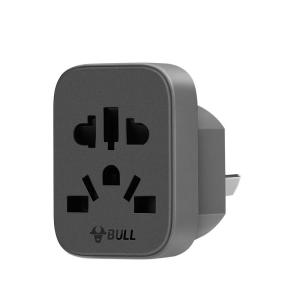
Bull | Universal Standard Converter for EU
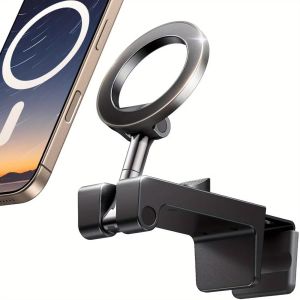
NJJU Foldable Phone Stand 360° Rotating Metal Travel Phone Holder High Quality Adjustable Airplane Phone Stand Travel
【✅SG Seller✅】RICHMENT Ultra Krypton transparent Stylus Pen Compatible with iPadAir 6/5/4/3 Gen iPad10 10th ipadPro 11 Pro 12.9 M2 M4 i~Pad Pencil with Palm Rejection Painting Sketching Doodling Touch Capacitive Pen 2018-2024
New 5th Gen Vertical Ergonomic Mouse for Right Hand Wireless Wired Optical Upright Mouse In Stock
TMR Electromagnetic Joystick For PS5 Gamepad 3D Analog Stick Sensor Module For PS5 Controller with Joystick Caps Game Accessory
Luxury for Magsafe Transparent Hard Case for iPhone 14 15 16 17 Pro Max Air Magnetic Double Color Clear Ultra Slim Thin PC Cover

Kebidumei | KEBIDUMEI 300Mbps WiFi Signal Amplifier 2.4G WiFi Repeater AP Mode RJ45 Router USB Power Supply LAN Port Extender NFC Function
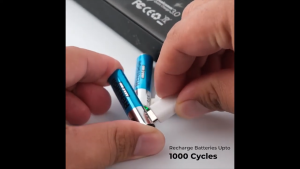
Alcatroz Renergii Li-onRechargeable 1.5V Battery AA-C 1450mAh / AAA-C 400mAh
![[NC]3.5mm Short 20cm Jack To Jack Aux Cable Male To Male Stereo Audio Cables Cord[NC]](https://img.lazcdn.com/g/ff/kf/S5fde47fc5c5a4f64902f80b678673762h.jpg_300x300q80.jpg)
[NC]3.5mm Short 20cm Jack To Jack Aux Cable Male To Male Stereo Audio Cables Cord[NC]
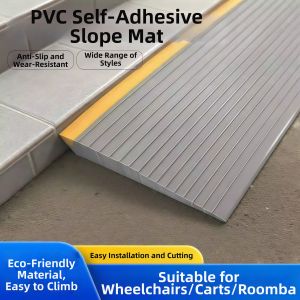
WEVOLA | 15 Degree Threshold Ramp Pad for Sweeping Robots 15deg
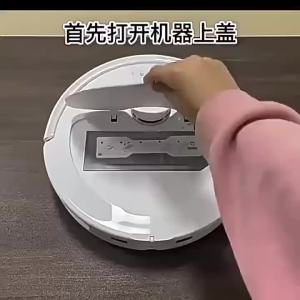
Replacement Main Brush Mop Cloth Hepa Filter Dust Bag Compatible With Roborock Qrevo L / QV 35A / QR 598 Robot Vacuum Cleaner Accessories Spare Parts