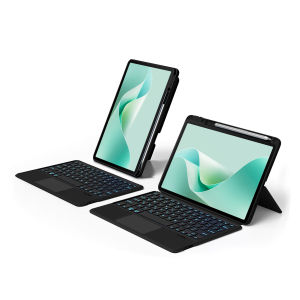
AJIUYU | Touchpad Keyboard For HUAWEI MatePad 11.5 S 2026 SLG-W09 11.5" Case MatePad 11.5"S 2024 11.5Inch Detachable Magic Keyboard Cover
This is an detachable keyboard case, TPU soft shell protective case, which can effectively protect your tablet. The keyboard and protective case can be separated .Keyboard with Backlight and TouchPad.How To Verify Your Tablet Model1.Turn iPad tablet to the back find your specific model,Par exemple: ****2.Find the "Settings"--Click the "About"--Find the "Model"3.Please select the correct model number for your tablet purchase after viewing it.Compatible models and codes:For HUAWEI MatePad 11.5 S 2026 11.5-inch (Model Codes:SLG-W09、 SLG-W50)For HUAWEI MatePad 11.5"S 2024 11.5-inch (Model Codes:TGR-W09、 TGR-W10 )Note:The keyboard covers of these 2 machine models are universal, and regardless of how you choose SKU, they are compatible !!Note: Tablet and stylus are not included in the packaging!!Please confirm your machine model before purchasing~Bluetooth connection, with touch pad, with backlight.,Horizontal and vertical support.Attention PleaseEnglish versionkeyboard : There are English letters on the keyboard only.Multi-language versionkeyboard : English letters and carved language letters together .【For example, if you choose French, there will be English and French letters on the keyboard. You only need to switch to the French input method to use it normally. Note that the same letters will not be engraved repeatedly】(Due to the difference in the number of keyboard keys compared to a normal office keyboard, some special character engraving positions are the same, which is a normal phenomenon)(The keyboard Core defaults to English, and the characters engraved on the keyboard are only a Surface display.so in some countries, even if the input method is switched, the special symbols do not necessarily match the keyboard function layout.If you mind, please do not purchase)【1】Bluetooth connection method: Turn on the keyboard switch, then press and hold Fn+C for about 2-3 seconds to start Bluetooth. The indicator light turns blue, and then turn on your tablet Bluetooth. Search for "Wireless Keyboard" and click connect to pair. After receiving the keyboard, fully charge it (about 4 hours).【2】After connecting Bluetooth,Take the samsung tablet as example,open Settings--ystem--Language & input--Add New Keyboard. (For other systems, please set them in the system settings according to the tips of the iPad example.)【3】Input method switching: control+spacebar.(Choose the language you need)【4】Type-C charging interface,Bluetooth connection【5】For detailed instructions, please read the user manual. If you have any questions, you can contact "Online Services" for consultation .The resolution of the machine is different, and there may be color differences in the images, which is a normal phenomenon. The actual product received shall prevailThe back bracket needs to be manually opened~~

Prime Supply_Play Life
Review

You May Also Like

Ulanzi HMN1 Casual Lunar Sling Bag Shoulder Strap Crossbody Carry for Smartphone Camera
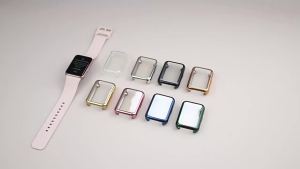
Screen Protector Case For Samsung Galaxy Fit 3 Accessory Soft TPU All-around Bumper Protective Cover For Samsung Galaxy Fit3
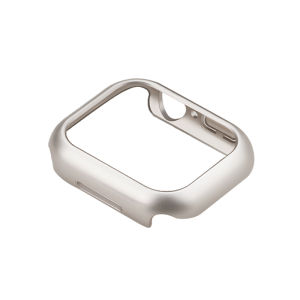
CRAFTSMAN DAI | Shatterproof Half-Wrap Protective Case
【SKIT SG】Electric High Pressure Air Conditioner Cleaner Household Car Washing Water Pump Aircon Cleaning Machine Jet Water Gun Power Pump System Aircon Cleaning Kit Jet Pump Sprayer Washer Jet Gun Washer Waterjet for Car Wash Windows Floor Cleaning
ATTACK SHARK | ATTACK SHARK X87 ULTRA Wireless Gaming Keyboard Up to 8000Hz Wired/2.4GHz Matrix Display
1-5Pc For RedMagic Red Magic 11S 11 10S 10 9S 9 8 8S Pro Plus Air 5G Screen Protector AG Matte Tempered Glass Ultrasonic Frosted
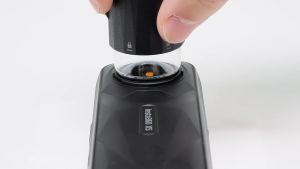
Insta360 X5 Replacement Lens Kit
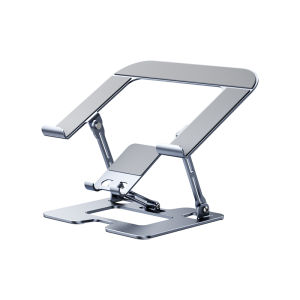
Carkoci | Height Adjustable Foldable Laptop Stand with Heat Dissipation Aluminium Alloy

Potdemiel | Lace Roses Case for Samsung Galaxy S26 S25 S24 S23 Ultra Drop Resistant Glossy Dual-Layer Cover CaseChic
ATTACK SHARK | Attack Shark X85PRO 75% Tri Mode Mechanical Keyboard Smart Color Screen 4000mAh Large Battery Gasket Mount Full Key HotSwap RGB
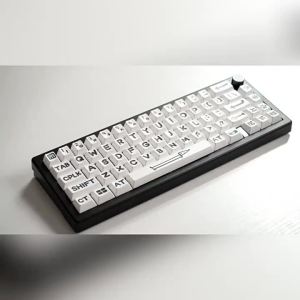
White Party Animals Keycaps Cherry Profile Dye-Sublimation PBT Keycaps Big Font For MX Mechanical Keyboard Made68