Case for Samsung Galaxy Tab S10 FE Plus 13.1 inch Detachable Keyboard for Tab S10 FE+ 13.1 inch with Pen Holder
The tablet case in this link is only compatible with models:Samsung Galaxy Tab S10 FE Plus 13.1-inch(SM-X620/X626B)How to verify tablet model1. Go to the back and find your specific model.2. Find "Settings" - Click "About" - Find "Model"3. Please purchase the correct compatible model case according to the tablet after viewing.Note:The digital tablet and stylus are not included in the package. The detailed description is for reference only. Please refer to the actual product for the color of the product.How to connect keyboard and mouse?1. Connect the mouse first, then the keyboard.2. Mouse: Push the switch to the "Bluetooth" icon and find the Bluetooth connection with the "mouse" in the device Bluetooth list.3. Keyboard: Push the switch in the upper right corner to "ON", press "Connect", and find the Bluetooth connection with "Keyboard" in the device Bluetooth list.4. Touchpad keyboard: Open the keyboard, press Fn+C, and then find the Bluetooth connection with "Keyboard" in the device Bluetooth list.FAQQ:What should I pay attention to when connecting the mouse for the first time?A:When the mouse is connected for the first time, you need to press the left button, the right button and the scroll wheel at the same time for about 3-5 seconds.Q: Is the scroll direction of the mouse USB connector and Bluetooth connection the same?A: No, they are different. When using the USB connector, the scroll wheel slides in the same direction as the computer mouse. Bluetooth connection is the opposite.Q: How to switch between different systems?A: Fn+Q=Android, Fn+W=Windows, Fn+E=IOS.Please note that please switch the system before connecting the tablet.Q:The bluetooth keyboard letters are messy?A: Please check the settings according to the prompts,a. Check whether the keyboard language set on the device is English.b. Disconnect the keyboard Bluetooth, click Ignore the connected device, reopen the Bluetooth keyboard, select system, Fn+E (IOS system).Note: Fn+Q=Android, Fn+W=Windows, Fn+E=IOSc. Press the L S Z buttons at the same time to reset the keyboardQ:How to configure the input method for different languages keyboard?A:Take the samsung tablet as example,open "Settings--"ystem"--"Language & input"--"Add New Keyboard". (For other systems, please set them in the system settings according to the tips of the iPad example.)Q:How does the mouse change teh scroll wheel sliding direction on the device?A: The mouse is connected, open "General" - "Trackpad & Mouse" - close "Natural Scrolling".

GlobalTechMart

Review

You May Also Like
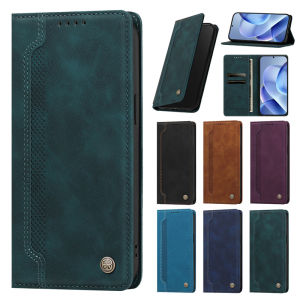
Luxury Business Cases for Samsung A54 A34 A24 A14 A04S A73 A53 A33 A23 A13 A52S 5G A72 A32 A22 A12 Stand Wallet Phone Cover Cases

Ulanzi MT-44B 2-in-1 Selfie Stick Tripod 150cm with Remote For Camera Phone

For Roborock Qrevo Curv 2 Pro Vacuum Cleaner Accessories Filter Side/Main Brush Mop Dust Bag & Main Brush Cover Optional

TEKANAI | Fading Fix Keyboard Stickers Individual English Letter For Laptop And Desktop
Dot Line Burn AMOLED LCD Screen LCD For Samsung S20 Plus S20+ G985 LCD Display Touch Screen Digitizer For Samsung S20 Plus Parts
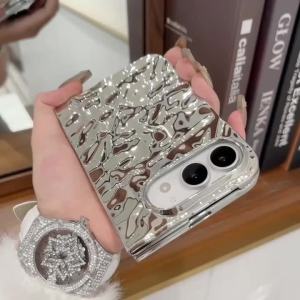
Creative Water Ripple Wrinkles Electroplating Case for iPhone Duo NEW 18 Fold DUO Slim Shockproor Bumper Front and Rear Cover
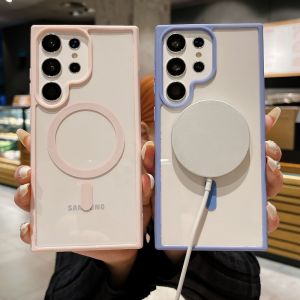
CrashStar MagSafe Clear Transparent Hard Shockproof Phone Case For Samsung Galaxy S25 S24 S23 S22 Ultra + S23 S22 Plus FE Wireless Charging Phone Casing Cover Shell
![0930[Local Stock] Christmas Halloween Luxury Glitter Diamond Rhinestone Phone Case for IPhone 17 Air 18 Pro Max 17 16 15 14 13Pro 2 in 1 Shockproof Back Cover Caque h261009](https://img.lazcdn.com/g/p/69849b09c36780151afe8fc4a8b979f5.jpg_300x300q80.jpg)
0930[Local Stock] Christmas Halloween Luxury Glitter Diamond Rhinestone Phone Case for IPhone 17 Air 18 Pro Max 17 16 15 14 13Pro 2 in 1 Shockproof Back Cover Caque h261009
![[SG] Insta360 Camera Lens Cap (Back + Front) Insta 360 X5 X4 Air X3 X2 Lens Screen Protector Guard](https://img.lazcdn.com/g/ff/kf/S33487d5ccf444b3d9216b87ea76d7eadd.png_300x300q80.png)
[SG] Insta360 Camera Lens Cap (Back + Front) Insta 360 X5 X4 Air X3 X2 Lens Screen Protector Guard
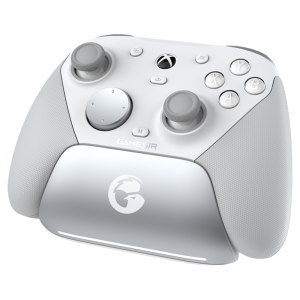
GameSir | Authorized XBOX Elite Wireless Game Controller
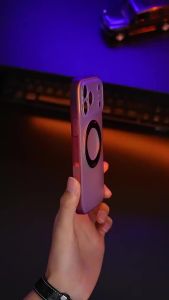
szhaiyu | Luxury Matte Magnetic For Wireless Stand Shockproof Phone Case For iPhone 18 17 16 Pro Max 18 17 16 With 360° Bracket Back Cover