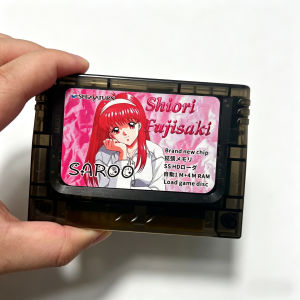
SEGA SATURN 0.9 Firmware Plug and Play DIY SAROO SS Fast Reading Card for Console ,with TF/SD Card Direct Reading Accelerato
User Notice:We have updated the latest version 0.9 on February 12, 2026, which supports reading pirated/burned discs, and RAM and memory cards can be used when playing with discsEvery SAROO unit undergoes rigorous testing before shipment. Rest assured.Prior to manufacturing, we received technical guidance from original developer tpunix and member TZMWX, resulting in superior compatibility compared to other SAROO carts.Quick Start Guide:For the latest firmware, please visit:https://github.com/tpunix/SAROO/releases/Introductory video for SAROO:https://www.youtube.com/watch?v=_AdgTLGDAn4&t=35sFor Saturn games all ROMs(CUE+BIN):https://archive.org/details/SSCUEBIN-ArquivistaSAROO Maintenance Instructions:--Prohibit hot-swapping when in use.--Avoid high or low temperatures and areas that may become wet with water.--Avoid gravitational impact or dropping the cartridge.--Please wipe the gold-plated contacts of PCB with alcohol or eraser before restarting after a long period of storage.This is a list of 32GB, 64GB, and 128GB games, all of which are Sega's top 200 most popular games:Common questions and answersQ: Will firmware updates posted by tpunix on GitHub be supported in the future?A: It is permanently supported.The latest firmware version is 0.9.Q: Why is the price of item more expensive than other stores?A: Insist on high quality manufacturing, brand new chips, stable and durable, sturdy yet smooth shell, beautiful design, excellent service.Q: Why the SAROO main interface is not displayed after inserting the cart?A: Elimination method.1.Firstly, make sure your Saturn console can work normally, make sure the card slot of the console is not damaged.2.Secondly, make sure the firmware file and folder hierarchy of the TF card are correct.3. Please re-insert the card and try to insert it at different depths, Saturn card slots are very sensitive. (You can insert it to the bottom first and then lift it up a bit)Q:Why does SAROO work for a few days and then never work again?A: Elimination method.1. Issues with the console, make sure the console works first, try to replace the electrolytic capacitors of the motherboard.2. TF card issue, please format and retest or replace the TF card.3. Console slot contact issue, re-insert the card and adjust the insertion depth.4. You play the game process hot plugging and thus damaged SAROO.Q:Why is it stuck at the startup game screen?A:Elimination method.1. Issue with game image format, The game image must be in BIN+CUE format and placed in the ISO folder as a folder, the name of the folder is the name displayed in the game directory.2.Console slot contact issue, re-insert the card and adjust the insertion depth.3.TF card issue, re-insert the SAROO after ejection, or replace the TF card.Q:Why there are problems of image mosaic and sound effect blasting in the game?A: Elimination method.1. Compatibility problem of motherboard model, please confirm your motherboard model.2.The electrolytic capacitor of motherboard is too low, please replace it.3. Issue with the game file, please replace the game version.4. Loading speed issue, please customise the loading speed of SAROO, for different games you can reduce the loading speed accordingly.5.SAROO firmware compatibility issues, wait for the firmware update.All the chips used are brand new. Version is V13.9. The interface is gold-plated with a 30 ° beveled edge design for better protectionIf you bring your own SD card, simply place the SAROO folder in the root directory of the SD card. The SD card supports FAT32 and exfat formats. The game image file needs to be in BIN/CUE format and needs to be placed in a folder format in an ISO file. It is recommended to use UltraISO software for image creation or format conversion.Features Of SAROO:High CompatibilitySupports over 95% of Sega Saturn games.Multi-Region SupportBuilt-in PSEUDO SATURN KAI, fully compatible with US/JP/EU versions of SS consoles.Fast ROM loadingThe fastest known optical drive model for the Saturn console.Emulated 1MB/4MB RAMEnables 1M or 4M RAM based on the game ROM.Supports firmware updatesThe latest 0.8 firmware is powerful.Multi-Disc Game SupportSupports multi-disc games and allows loading burned disc games.Support RAM card and memory card when loadering discs.Built-in Virtual Memory Card8MB virtual memory card with additional 1MB/4MB RAM acceleration card functionality.Customizable System MenuSupports 14 languages.Customize the system menu background and music, along with game cover display functionality.

Global Merch Park
Review

You May Also Like
IsoAcoustics GAIA Neo II / III (Set/4)
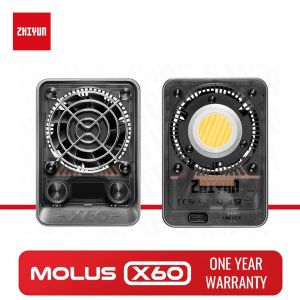
ZHIYUN MOLUS X60 60W Bi Color COB Light X60RGB RGB Video Lights LED Pocket Fill Lamp Portable Photography Lighting
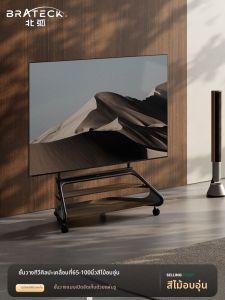
Brateck | Mobile Floor TV Stand
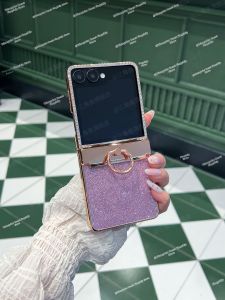
Thin Glitter Diamond Protective Case for Galaxy Z Flip7
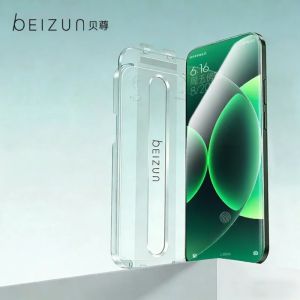
Beizun | Leica Edition Xiaomi 17 Series Dust-free Screen Protector
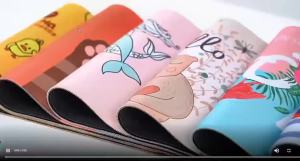
Bandai | Anime Computer New Mouse Pads Big One Piece Nami Gamer New Mouse Pads Bigs Gaming Mousepad Desk Mause Pad Keyboard Mouse Carpet

6Pcs/Replacement Earbud Tips Silicone Earbuds Cover Earphone Rubber Tips Suitable for Earphone Inner Holes 4.5mm to 6mm
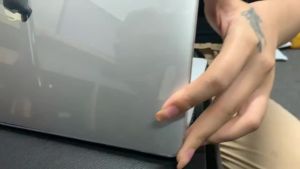
2026 Laptop Protective Case For Macbook Neo 13 Case New Color Crystal Indigo Blue Replacement Shell for A18 Pro Model A3404 Case
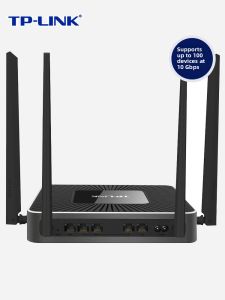
TP-Link | Enterprise 5G Dual Band High Penetration Router 8 Gigabit Ports
2026 New Multi-Touch Wireless Keyboard Mouse For Android iOS Windows Bluetooth Keyboard For iPad Xiaomi Samsung Tablet Phone
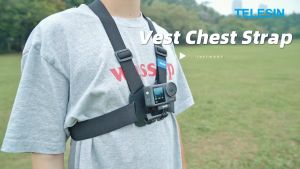
TELESIN Vest Chest Strap Mount for GoPro Insta360 DJI Action Camera