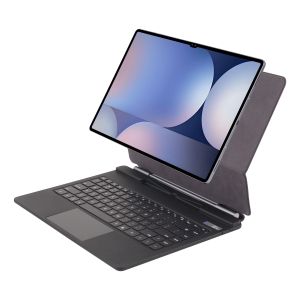
New S10Fe + Magic Keyboard Tablet Case for Samsung Galaxy Tab S10 FE Plus 13.1 Inch 2025 Official Smart Bluetooth Magnetic Cover
New S10Fe + Magic Keyboard Tablet Case for Samsung Galaxy Tab S10 FE Plus 13.1 Inch 2025 Official Smart Bluetooth Magnetic CoverNote 1:You need to upgrade the system to version 14.5 or higher to use the touchpad.Note 2:Please check in the size and detail model of your Tablet. it is very importtant ! ! ! Note 3:After Open the Power, Please Click "Fn" and "C" 【Fn+C】Button Together to Open the Keyboard's Bluetooth. It is Very Important.Product Details: 1. Number of buttons: 84 2. Battery: Lithium battery 500mAh 3. Stand-by time: 150 days 4. Working Time: 5 hours (with backlit on),350 hours (with backlit off) 5. Working Voltage: 3.0 - 4.2V 6. Charging current:<225 mA 7. Effective distance: 10 meters 8. Charge Port: Type-c 9. Material: Anti fouling and durable PU material 10. Key life:3 million 11. Charging times: 3 hours 12. Color: Black 13. Modulation system: GFSK How To Verify Your Tablet Model 1.Turn iPad tablet to the back find your specific model,Par exemple: SM-**** 2.Find the "Settings"--Click the "About"--Find the "Model"3.Please select the correct model number for your tablet purchase after viewing it. Applicable Models:Note:These models are all universal.Note: Tablet and stylus are not included in the packaging!!Attention PleaseEnglish versionkeyboard : There are English letters on the keyboard only.Multi-language versionkeyboard : English letters and carved language letters together ..(Due to the difference in the number of keyboard keys compared to a normal office keyboard, some special character engraving positions are the same, which is a normal phenomenon)The keyboard Core defaults to English, and the characters engraved on the keyboard are only a Surface display.so in some countries, even if the input method is switched, the special symbols do not necessarily match the keyboard function layout(You can hold down the Shift combination).If you mind, please do not purchase!!.【1】1. After connecting Bluetooth, open your iPad - Settings - Keyboard - Add New Keyboard【1-1】Input method switching: control+spacebar.(Choose the language you need)【3】For detailed instructions, please read the user manual. If you have any questions, you can contact "Online Services" for consultation .The resolution of the machine is different, and there may be color differences in the images, which is a normal phenomenon. The actual product received shall prevail(Pictures are for reference only)

Global Merch Park
Review

You May Also Like
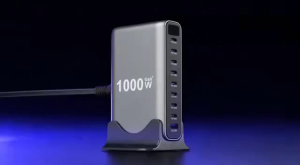
【NEW】1000W GaN Desktop Charger 10 Port USB 8C+2A Type C PD Charger Fast 3.0 USB Type C Fast Charger Suitable for Tablets

WONEW | Magnetic Selfie Phone Holder Travel Portable
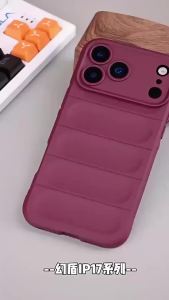
szhaiyu | Shockproof Soft Liquid Silicone Phone Case For OPPO Reno 14 15 16 F33 F31 K13 A5 A6 X C F S Pro K31 Turbo Max Protective Cover
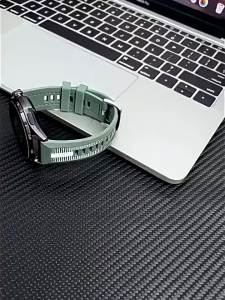
Strap For OnePlus Watch 3/2/2R//OPPO Watch X X2/4 Pro Composite Silicone Nylon Band 22mm Bracelet correa for HUAWEI watch bip 6
L 85W Charger for Pro 15 17 A1343 A1297 A1172 A1150 A1286 For Mag* 1 18.5V 4.6A Laptop Power Adapter Good Working Charger 2026
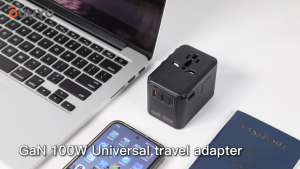
140W International Travel Adapter GaN Universal Travel Adapter with 1 USB-A & 3 Type C Power Adapter Fast Charger for Phone Laptops Worldwide Plug Adapter
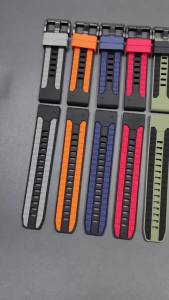
22/26MM Silicone Strap For Garmin Fenix 8 8Pro 47mm 51mm E/7/7X/6/6X Pro/5X Plus Watch Band For Epix/Enduro 3 QuickFit Bracelet

SG 20000mah Built-in 3 Cables Large-Capacity Transparent Cover Fast Charge
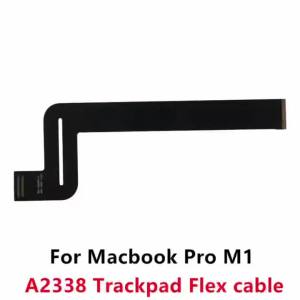
New for Macbook Pro M1 A2338 Trackpad Flex Cable Touchpad Cable 821-02853-A 2020 Year
Cabletimes | CABLETIME Aluminum Alloy Vertical Laptop Stand Desktop Gravity Holder Notebook Support For Surface HP Dell MacBook Pro Holder

Ulanzi MT86 Automatic Quick Release Mobile Phone Selfie Stick Tripod (S023)