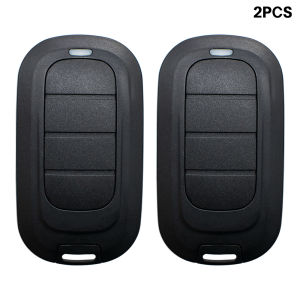
Alutech AT‑4L Remote Control 433.92MHz For AR‑1‑500N 500 AT‑4 AT‑4N AN‑MOTORS Garage Door Controller Gate Keyfob Transmitter
Alutech AT-4L Garage Door Remote Control 433.92MHzSpecification1. Specification Table| Product Model | AT-4L || Radio Frequency | 433.92 MHz (compatible with ALUTECH same-frequency automatic door/garage door control system) || Working Voltage | 3VDC || Compatible Batteries | CR2032 button batteries || Coding Method | Dynamic coding (prevents signal duplication, high security against theft) || Number of Channels | 4 independent control channels, capable of managing up to 4 rolling shutters, garage doors, and gate control devices || Transmission Distance | In open areas, the normal transmission distance can reach 50-100 meters (reduced when affected by obstacles and environmental interference) |2. Appearance dimensions and physical parametersBody design: A rounded, streamlined matte plastic body with silver-gray decorative strips on the sides. The standard configuration includes a suspension rope and a metal keychain.Reference for the standard size of the same series AT-4 model: Length 65mm × Width 35mm × Thickness 14mmShell material: Wear-resistant ABS matte engineering plastic, resistant to daily impacts and fingerprints.Main control layout: Four independent physical buttons are set on the top of the front panel, with a built-in transmission indicator light. The buttons adopt a pressing and rebounding structure.3. Packaging informationThe front and back of the packaging box are printed with complete brand information, parameters, and multilingual instructions (Russian + English).2. Complete operation method(1) Battery installation and replacementUse a small Phillips screwdriver to unscrew the 3 screws on the back of the remote control, then lift the rear cover.Insert the CR2032 button battery according to the positive and negative pole markings.Replace the rear cover, tighten the screws, and then gently press the button. The top indicator light turns on, indicating that the power is normal.(Remote Control Pairing Programming (New Pairing Operation))Receiver Learning Mode: Locate the "Learning" button on the main board of the garage door/gate controller. Press and hold it for 2 seconds. The indicator light on the main board will flash rapidly, entering the waiting pairing state (with a time limit of 5-10 seconds).New Remote Control: Immediately press the button of the remote control you want to bind to this device and hold it for 1-2 seconds. At this time, the indicator light on the main board will go out or flash again, indicating that the channel pairing is successful.Bind multiple channels separately: Repeat the above steps, and pair the remaining 3 keys to other gate control devices. Each key independently corresponds to a group of control devices.Verification Usage: Press the pairing button, and the corresponding device will perform the on/off operation, indicating that the programming is complete.(3) Daily usage operationShort press the corresponding channel button once: Control the corresponding door to open/close (some devices support point mode)The indicator light turns on = Wireless signal is being sent out; The indicator light flickers faintly = Battery is low, replace the CR2032 batteryThe dynamic scrolling code changes every time a signal is sent; Ordinary devices cannot copy it, ensuring security.(4) Troubleshooting tipsButton pressed but the light does not turn on: Replace the new CR2032 battery first, and check if the positive and negative poles are installed correctlyThe light is on but the door cannot be opened: ① Confirm that the remote control frequency is 433.92 MHz and matches the controller; ② Re-execute the pairing process; ③ Reduce the distance between the remote control and the door body to avoid walls or metal obstacles.The signal range becomes shorter: Mainly due to low battery voltage, replacing the battery can restore the transmission strengthFeaturesWhen your remote control is lost, you can buy our remote control and pair it with your receiver, after the remote control is programmed successfully, you will get a new remote controlNOTEAccess to receiver required. Please make sure you got access to your receiver/opener before purchase.Disclaimer: It is not compatible with other remotes, please check your remote carefully before you buy it, if you buy the wrong one, we will not be responsibleIncludeRemote ControlManualkeychain

Prime Supply_Play Life
Review

You May Also Like

Selleys No More Gaps / Multipurpose Gap Filler 320g /475g
Durable and fade-resistant for 100 years water based wood paint wood varnish matt paint for wood colour stain varnish for wood paint for wooden door paint Non-toxic and odorless 木器漆

00206 PRESSURE ENHANCER 3 FN SHOWER HD
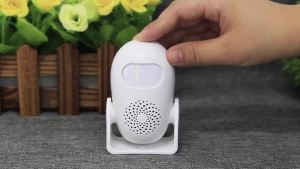
KERUI M120 Smart Motion Detector Alarm PIR Infrared Anti-Theft Burglar Welcome Chime Doorbell For Garage Shop Home Security
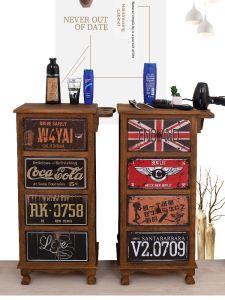
HENGDEMU | Vintage American Painted Metal & Wood Tool Trolley
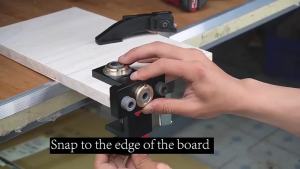
JIGHOLE | 3-in-1 Adjustable Mortise and Tenon Locator Aluminum Hole Drill Guide and Multifunctional Precision Woodworking Fixture

MEISITEKEKE | Foldable Invisible Retractable Mesh Screen Door

JINJUNTAI | Self Tapping Cross Slot Flat Head Coarse Thread Screw M5
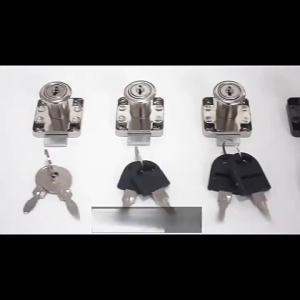
【X】Square Tongue Drawer Lock Drawer Locks with 2 Keys Cabinet Desk Drawer Lock Rolled Steel Furniture Hardware Cam Locks
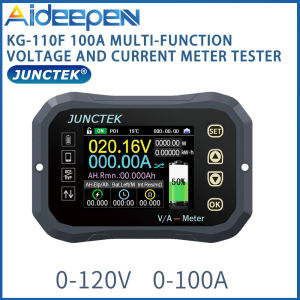
【Ready Stock】Original Aideepen KG-110F 100A Multi-function Battery Coulomb Meter Voltage and Current Meter Power Display
Handheld Leaf Computer Dust Collector Cleaner For Makita 18V Battery Cordless Electric Air Blower 2 In 1 Air Blower&Suction