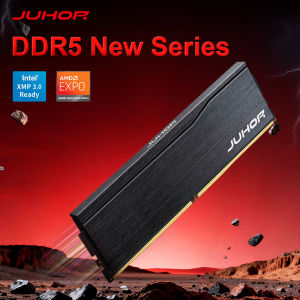
Juhor | JUHOR Ram DDR5 16GB 6000MHz CL38 High Performance Desktop Computer Memoria Ram
Note:Please ensure that your delivery address is correct and detailed before placing an order to avoid delivery failure.Note:Configurations vary among motherboards/CPUs of different brands. Pleaseconsult the supported frequencies of the motherboard/CPU, select appropriate hardware configurations, and update to the latest motherboard BIOS version;The quality of CPUs of the same model may vary, which could affect overclocking performance;To avoid losses to you,before placing an order, please ensure that the RAM is compatible with the motherboard/CPU. Thank you for your understanding!1.The nominal frequency of 4800 MHz is already the highest; do not overclock the memory. For frequencies of 5600 MHz or higher, overclock the memory to the nominal frequency and enable XMP 3.0 or EXPO functionality; otherwise, the system will run at the default frequency of 4800 MHz or 5600 MHz.2.Overclocking memory requires a matching motherboard and CPU, and the XMP/EXPO one-click overclocking function must be enabled to achieve the overclocking frequency.For motherboards with four memory slots, priority should be given to slots 2 and 4;1.Due to the fact that the memory controller of AMD platforms generally has weaker support for high-frequency memory, high-frequency memory will be more unstable when used on AMD platforms compared to Intel platforms.We recommend using DRAM with a frequency of 6000MHz or lower on the AMD AM5 platform to avoid the problem that EXPO cannot run normally.2.If you are using an AMD CPU, please choose DRAM with a frequency of 6000MHz or lower; otherwise, the product may not work properly and may need to have its frequency reduced.3.We recommend that you use 2 DRAMs first and insert them into the memory slots recommended by the motherboard; otherwise, the product may not reach the nominal frequency.4.If you want to use 4 DRAMs at the same time, their frequency may be reduced.5.Intel CPU: When you use four DDR5 memories at the same time, the default frequency of the system will become 4000MHz.6.AMD CPU: When you use four DDR5 memories at the same time, the default frequency of the system will become 3600MHz.7.We show the photo of the products, pictures for reference only, subject to our available products.Why is my BIOS or diagnostic program (CPU-Z) showing that my memory is running at half the frequency?The BIOS or diagnostic program usually reports the memory bus frequency, which is half of the frequency for DDR type memory.DDR (Double Data Rate) data rate provides twice the memory bus frequency.Therefore, if the memory bus speed is 3000MHz and you are using DDR5-6000 memory, the RAM is running at the correct speed.Please download the latest version of BIOS and other software. If you are using an older version, there may be data discrepancies.If you have any questions, please our online customer service promptly.After-sales service is not provided in the following cases:1. Product appearance damage caused by natural disasters, accidents, force majeure events, or poor storage conditions; 2. Malfunctions not attributable to the product itself due to improper human operation (e.g., use beyond the designed scope, use as fixtures, or for insertion/removal testing) or improper installation (e.g., plugging/unplugging while powered on, powering on without proper installation, or use on equipment incompatible with Jiuhe product specifications);3. IC chip damage, scratches, or detachment;4. PCB circuit board damage, scratches, or fractures;5. Damage or detachment of internal components such as capacitors, resistors, or resistance grids due to external forces; 6. Failure to power on caused by EPROM damage; 7. Damage or alteration of original labels or anti-counterfeiting labels, or unauthorized removal/damage of heat sinks; 8. Memory damage resulting from improper disassembly/assembly, unauthorized repairs, or unauthorized modification of memory SPD parameters.Memory Purchase Tip1. Due to varying factory batches, PCB boards of the same model may differ in color and width. However, all memory products maintain identical quality and compatibility—use them with confidence.2. The manufacturer of the JUHOR memory module does not produce memory chips itself. Depending on the production batch, different chip types (e.g., Samsung, Micron, Hynix, South Asia Yisheng, Elpida), chip counts (4P/8P/16P), or chip orientations (single-sided/double-sided) may be used. Each chip undergoes rigorous testing to ensure compatibility and stability—rest assured when making your purchase.3. After installing memory modules, use CPU-Z to check their actual operating frequency. If the computer fails to operate at the rated frequency, verify the following: whether other hardware supports the purchased frequency; whether multiple memory modules with different frequencies are used together (high-frequency modules automatically synchronize with low-frequency ones); and whether the memory XMP setting is enabled. For further assistance, contact your store's customer service.4. For desktop memory modules exceeding 3000 MHz, they require compatible motherboards and processors to fully utilize their overclocking potential. Before purchasing, verify whether your current motherboard and processor support the desired memory specifications. The BIOS interface displays "XMP" or "DOCP" as the overclocking designation; without XMP enabled, the system operates at the default frequency of 2666 MHz, while enabling XMP via a single click delivers the officially guaranteed overclock speed.5. The rated overclocking frequency is the maximum frequency; do not exceed the product's design limits.6. The transmission speed of dual-channel configuration is nearly twice that of single-channel, delivering significantly better performance. Dual-channel operation requires no additional setup; simply insert the memory modules into the designated slots to enable dual-channel functionality. Generally, a motherboard with two memory slots operates in dual-channel mode when both modules are installed; for motherboards with four or eight slots, dual-channel configuration requires placing both modules in slots of the same color. Specific requirements may vary depending on motherboard design by manufacturer; refer to the official documentation for details.7. For systems with a total installed memory capacity of ≥4 GB, use a 64-bit operating system.8. Regarding insertion marks: To ensure the performance and quality of JUHOR products, all items undergo comprehensive machine testing before shipment, resulting in slight insertion marks on each product's gold fingers. These marks do not affect functionality or after-sales service; please use them with confidence.

Prime Supply_Play Life
Review

You May Also Like
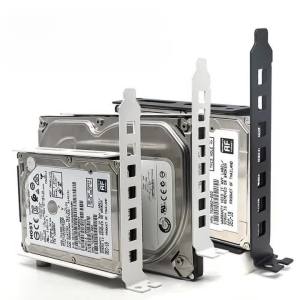
2.5" to 3.5" In Hard Drive Tray Holder for PCI SSD HDD Metal Mounting Bracket Adapter Hard Disk Tray Bracket Hard Drive Adapter
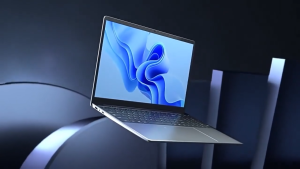
【Three-year warranty】2026 15.6" Ultra Slim Laptop intel Core i7-8500Y/ intel Core i9-8950HK 16GB RAM 1TB 2TB 512GB with Backlit Keyboard Windows 11 Pro Fingerprint Office Laptop Notebook Computer Gaming
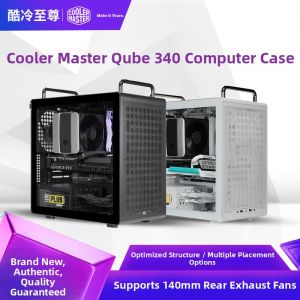
Cooler Master | Bidirectional Placement Portable Case MATX
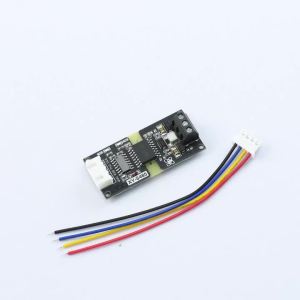
Aideepen | 3-5V Isolated TTL to RS485 Level Converter Module Signal Automatic Flow Control Module RXD TXD Transmit/Receive Indicator Lights
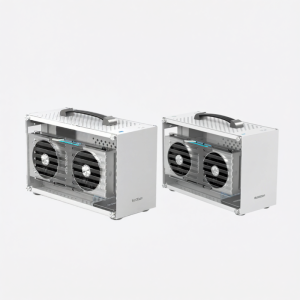
Pccooler | Mini Portable Desktop ITX Computer Case white
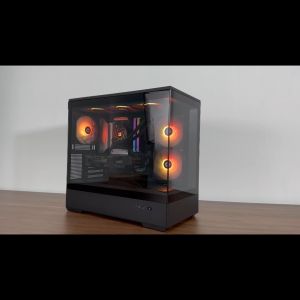
Gaming PC AMD RYZEN 7 5700X With RTX 5060TI Gaming Desktop
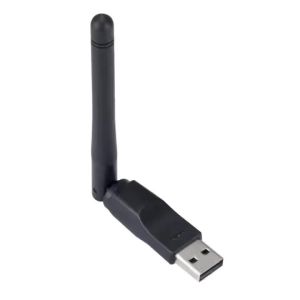
150Mbps WIFI Adapter Wireless Network Card MT7601 USB WiFi Adapter LAN Wi-Fi Receiver Dongle Antenna 802.11 B/g/n for PC Windows
![[New Portable Gaming Monitor] Acer PG1 Series Acer PG161W P 16 WUXGA IPS Type-C Portable Gaming Monitor](https://img.lazcdn.com/g/ff/kf/S853cac4643884a4789cbb355502b53e5e.png_300x300q80.png)
[New Portable Gaming Monitor] Acer PG1 Series Acer PG161W P 16 WUXGA IPS Type-C Portable Gaming Monitor
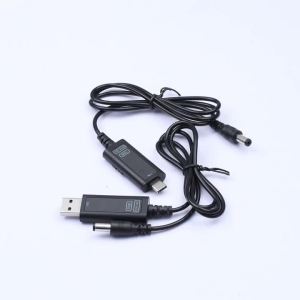
diymore | USB/Type C Boost Cable DC 5V to 12V 20V Adjustable Voltage Converter with Alloy Connectors for Router Laptop Fast Charging
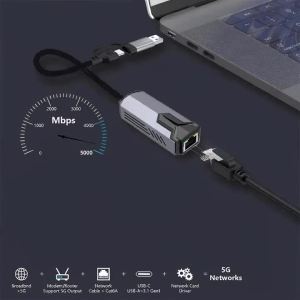
kebidumei | 5Gbps Wired USB Network Card Gigabit Adapter USB/Type-C to RJ45 LAN Ethernet Converter Hub for Laptops Win11 Supports 5G/2.5G/1G
【Lenovo Local Warranty】2025 Lenovo ThinkBook 16 Laptop/ThinkBook 14/Intel Core7 250H/Core5 220H/Snapdragon X Plus/16inch 2.5K 120Hz LCD Screen/联想ThinkBook16笔记本电脑/Lenovo Laptop