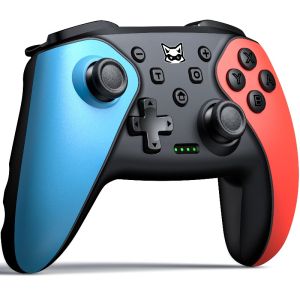
Dinofire Wireless Switch Controller for Nintendo Switch/Switch 2/Lite/OLED Gamepad with Wake-upProgrammable Turbo Function
Wireless Controller for Nintendo Switch 2 / Switch / Lite / OLEDOne Pad, All Platforms. Built for Switch 2 and every device you already own — console, phone, and PC.True Multi-Platform Freedomol]:my-1 [&>p]:mb-0 [&>ul]:my-1 text-[15px] font-normal leading-6">For Switch 2 / Switch / Lite / OLED — Pair once with Y + HOME; afterwards, a single press of HOME wakes the console and auto-reconnects. For switch 2 wake-up is supported via direct USB-C to USB-C connection, or through the dock with a USB-A to USB-C cable.ol]:my-1 [&>p]:mb-0 [&>ul]:my-1 text-[15px] font-normal leading-6">For Android — HID mode, pair with A + HOME (search "Gamepad").ol]:my-1 [&>p]:mb-0 [&>ul]:my-1 text-[15px] font-normal leading-6">For iOS 13.0+ (MFi) / Windows Bluetooth / receiver — Pair with B + HOME (search "Xbox wireless controller").ol]:my-1 [&>p]:mb-0 [&>ul]:my-1 text-[15px] font-normal leading-6">For Windows 7+ / Steam — Wired USB connection in X-Input mode.Dual-Motor Vibration with 4-Level AdjustDual motors deliver layered, directional feedback. Cycle through four intensity levels with the rear vibration button and tune the feel to your game. (Vibration is available on switch console and PC platforms.)Six-Axis Motion ControlFull six-axis gyro/accelerometer support for precise motion aiming on Switch family consoles.Turbo Fire — Manual, Auto & 3 SpeedsAssign turbo to A/B/X/Y/L/R/ZL/ZR in manual or auto mode. Cycle Manual → Auto → Off, and adjust fire rate in three steps with Turbo + ↑/↓ (confirmed by a single vibration pulse). Hold – + ↓ for a one-tap reset of all turbo settings.Two Programmable Back Keys (1–16 Actions Each)Map M1/M2 to any of A/B/X/Y/L/ZL/R/ZR/L3/R3/D-pad/+/-:ol]:my-1 [&>p]:mb-0 [&>ul]:my-1 text-[15px] font-normal leading-6">Single mapping: hold – + M1/M2 for ~2s → press the function key → press M1/M2 to save.ol]:my-1 [&>p]:mb-0 [&>ul]:my-1 text-[15px] font-normal leading-6">Macro mapping: hold + + M1/M2 for ~2s → press the keys in sequence → save.ol]:my-1 [&>p]:mb-0 [&>ul]:my-1 text-[15px] font-normal leading-6">Clear all: press Turbo + –. The pad vibrates once to confirm.Smart Layout SwapFor Android, iOS and Windows PC, hold Capture + R3 (~1s) to swap A/B and X/Y, or Capture + L3 (~1s) to swap the left stick and D-pad — instantly adapting to any game's control scheme. Each switch is confirmed with a haptic pulse.All-Day Battery1000mAh lithium battery charges in about 3 hours over USB-C and runs for roughly 14 hours. Auto power-off after 20 minutes of inactivity protects your charge.What's in the Boxol]:my-1 [&>p]:mb-0 [&>ul]:my-1 text-[15px] font-normal leading-6">Wireless controllerol]:my-1 [&>p]:mb-0 [&>ul]:my-1 text-[15px] font-normal leading-6">1.5m USB charging/data cableol]:my-1 [&>p]:mb-0 [&>ul]:my-1 text-[15px] font-normal leading-6">User manual

Prime Supply_Play Life
Review

You May Also Like
Stand Flip Wallet Case FOR OPPO A79 A78 A77 A76 A74 A73 A98 A96 A95 A94 93 A92s 4G 5G Flip Painted Pattern Wallet Case
LiitoKala Lii-D4XL Smart Charger 4 Slots LCD For 18650 21700 26650 32700 AA AAA C D 9V LiIon NiMH LiFePO4 Universal Fast Home
AULA-MOJING | Wireless Girls Theme Mechanical Keyboard 108 Keys
240W 2-in-1 USB C to Type C Fast Charging Foldable Bracket Data Cable for iPhone 17 OnePlus Detachable Cables Tipo C Adapter
szhaiyu | Fashion Liquid Silicone Water Ripple Pattern Big Window Magnetic Case For iPhone 18 Pro Max 17 16 15 Pro 13 12 Shockproof Cover
Magnetic Laptop Phone Holder Computer Monitor Side Cell Phone Slim& Foldable For iPhone 14/13/12 Series Case and All Phone
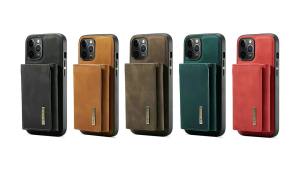
szhaiyu | Magnetic Leather Wallet Phone Case For Google Pixel 11 10 9 8 7 6 Pro XL 10A 9A 8A 7A 6A 2 in 1 Detachable Funda Cover Coque
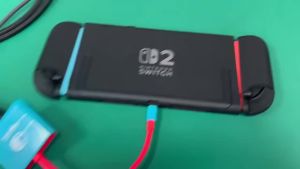
3 In 1 USB C HUB Type C to HDMI PD100W Charge Docking Station 4K 60Hz USB-C 3.0 for Switch 2/Switch/OLED MacBook Computer
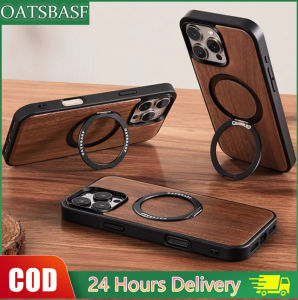
OATSBASF Wooden Backplane Phone Case For iPhone 16 Pro / 16 ProMax /15 Pro / 15 ProMax
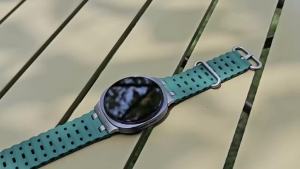
Silicone Sport Ocean Band for Samsung Galaxy Watch Ultra 2025/47mm Strap Replacement Bracelet with Metal Connector
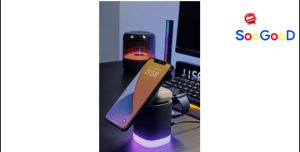
Portable 3 In 1 Wireless Charger Cubic LED Charger Fast Charging Station Portable Charger Magnetic