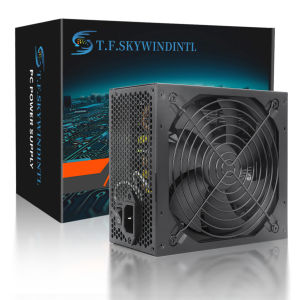
850w 80 Plus Gold Power Supply 110V/220V Full Modular Active PFC PC Source For Gaming Computer Power Supply Video Power Supply
ATX Power Supply Rear Switch: What It Actually DoesWhy can’t my ATX power supply start when I toggle the rear switch?Many users mistakenly regard the rear switch of the ATX power supply as the power-on button. In fact, its function and the correct startup method are as follows:Rear Switch Function: It only controls the connection/disconnection of AC mains power.When set to ON: The power supply is connected to the mains and enters a low-power standby state, waiting for the startup signal from the motherboard.When set to OFF: The power supply is completely disconnected from the mains, and no power is supplied to any component.Correct Startup Steps:Step 1: Flip the rear switch to ON and plug in the power cord.Step 2: Press the power button on the computer case.Step 3: The motherboard sends a startup signal to the power supply, which then starts to output power to all hardware (motherboard, CPU, etc.).Warning: Frequent toggling of the rear switch may cause power surges and damage the power supply or motherboard.ATX Power Supply DOA (Dead on Arrival) Troubleshooting GuideWhat should I do if my ATX power supply is dead on arrival and not working at all?If your ATX power supply is non-functional upon receipt, please follow these troubleshooting steps before contacting customer service:Check the Rear Switch FirstConfirm the rear AC switch is set to the ON position. The power supply cannot enter standby mode if the switch is OFF.Verify Power ConnectionPlug the power cord into a different wall outlet (avoid power strips with overload protection to rule out socket issues).Ensure the 24-pin motherboard power connector and 4/8-pin CPU power connector are fully inserted and locked.Check for Short CircuitsMake sure there are no loose screws or metal debris inside the case that could cause a short circuit (a short circuit may trigger the power supply’s protection mechanism and prevent it from starting).Provide Detailed Fault InformationIf the power supply still does not work, please record:A video showing the rear switch position, power cord connection, and the result of pressing the case power button.Photos of the power supply’s appearance and connector pins (to check for shipping damage).WarningWarning Instructions for Voltage Selector SwitchWARNING: This equipment is equipped with a 110V/220V voltage selector switch. The operation of voltage switching is directly related to the safety of the equipment and the personal safety of users. It is imperative to strictly follow the requirements of this instruction for operation; any unauthorized operation is strictly prohibited!When the equipment is connected to a 220V power supply, if the voltage selector switch is mistakenly toggled to the 110V position, the internal circuit of the equipment will bear a current far exceeding the rated value due to voltage mismatch. This will instantly cause a circuit overload, resulting in a sharp heating of components, which in turn will lead to the equipment smoking and, in severe cases, a direct explosion. This may cause major safety accidents such as fire and electric shock to the surrounding environment and personnel.To ensure the safe and stable operation of the equipment and avoid safety risks, please be sure to confirm that the input voltage of the power supply is consistent with the position of the voltage selector switch before connecting to the power supply: when connecting to a 220V power supply, the switch must be set to the 220V position; when connecting to a 110V power supply, the switch must be set to the 110V position. Please carefully check before operation and only turn on the power after confirmation.Any equipment damage, safety accidents and related losses caused by violating this warning instruction and incorrect operation of the voltage selector switch shall be borne entirely by the person who performed the unauthorized operation.Power Supply Explanation (20+4pin)Warning Instructions for Voltage Selector SwitchWARNING: This equipment is equipped with a 110V/220V voltage selector switch. The operation of voltage switching is directly related to the safety of the equipment and the personal safety of users. It is imperative to strictly follow the requirements of this instruction for operation; any unauthorized operation is strictly prohibited!When the equipment is connected to a 220V power supply, if the voltage selector switch is mistakenly toggled to the 110V position, the internal circuit of the equipment will bear a current far exceeding the rated value due to voltage mismatch. This will instantly cause a circuit overload, resulting in a sharp heating of components, which in turn will lead to the equipment smoking and, in severe cases, a direct explosion. This may cause major safety accidents such as fire and electric shock to the surrounding environment and personnel.To ensure the safe and stable operation of the equipment and avoid safety risks, please be sure to confirm that the input voltage of the power supply is consistent with the position of the voltage selector switch before connecting to the power supply: when connecting to a 220V power supply, the switch must be set to the 220V position; when connecting to a 110V power supply, the switch must be set to the 110V position. Please carefully check before operation and only turn on the power after confirmation.Any equipment damage, safety accidents and related losses caused by violating this warning instruction and incorrect operation of the voltage selector switch shall be borne entirely by the person who performed the unauthorized operation.specification1: Power supply size: 150mm * 160mm * 86mm2: Power standard: ATX 12V3: Applicable to CPU range: AMD, Intel4: PFC type: active PFC6: Maximum power: 1000W7: Efficiency: 89%8: Input voltage:90V-264V9:+ 3.3V output current 20A+ 5V output current 20A+ 12V1 output current 66A- 12V output current 0.5A+ 5Vsb output current 3A10: Support wide voltage: Yes11: Support temperature control PWM: Yes12: Certification: CB, CCC, FCC, Class, B, CE, ROHS13: Product weight: 2500g14: Support power: 20P / 24P motherboard

GlobalTechMart
Review

You May Also Like

AMD Ryzen7 7000 series CPU/RYZEN 7 7500F/7600/7600X/7700/7900X/7950X 3 Years Warranty
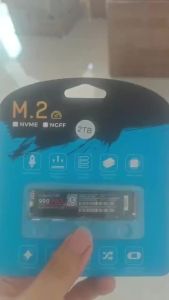
990 PRO M.2 NVMe SSD 2TB 4TB PCIe Gen4 High Performance Internal Solid State Drive M.2 2280 For PS5 Desktop Laptop PC

INGCO 20V LI-ION 300MM FAN CFALI2001 (BARE UNIT)
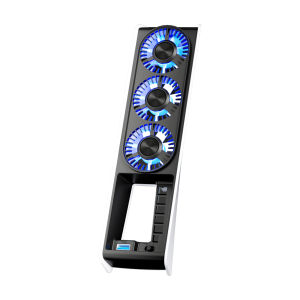
IINE PS5 Slim Intelligent Temperature-Controlled Cooling Fan Low-noice Working Compatible with PS5 Slim Disc & Digital Edition

KTC 27" 2K QHD 210Hz 1ms 2560×1440 Speaker Fast IPS Gaming Monitor|Adaptive-Sync|Low Blue Light H27T7P Monitor

Intel Xeon W9-3595X 3575X W7-3565X W5-3535X Server Workstation CPU Box Loose Chip
![[Refurbished] Toshiba Dynabook B55 / 15.6 Inch Laptop / Intel i7 /32GB RAM / 512GB SD / Windows 11 + Free MS Office / Local Seller / Fast Shipping!](https://img.lazcdn.com/g/ff/kf/S876d78d44a1f487d877fac79322756afl.png_300x300q80.png)
[Refurbished] Toshiba Dynabook B55 / 15.6 Inch Laptop / Intel i7 /32GB RAM / 512GB SD / Windows 11 + Free MS Office / Local Seller / Fast Shipping!

【Local Warehouse】ZOOMEDIN 15.6" 1080P FHD TouchScreen/Wireless/Classic Model Portable Monitor With Type-C HDMI/Mini DP/Dual Speaker/VESA for Phone Nintendo Xbox PS4 RPi Win PC Mac

Lenovo | Ultra-thin All-in-One PC for Commercial Use

UGREEN USB Sound Card External Audio Card 3.5mm USB Adapter USB to Earphone Headphone Audio Interface for Computer PS4 Sound Card-Intl
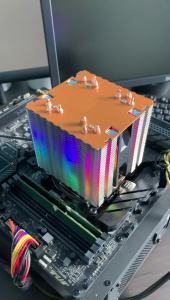
Efficient RGB CPU Cooler Fan 90mm 4pin/PWM PC Tower Radiator 6 Heat Pipe Install LGA2011 X79 X99 115x 1200 1700 AMD AM3 AM4 AM5