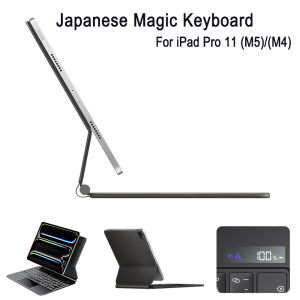
Japanese Magic Keyboard for iPad Pro 11-inch (M5) 2025 A3357 A3358 / (M4) 2024 A2836 A2837 with Battery Show High Quality
How should I input the desired language?Dear customer, upon receiving the product, please turn on the keyboard's power and Bluetooth according to the instruction manual, video, or product description.If you are unsure how to connect your keyboard via Bluetooth, please contact our support team for assistance.When connecting a keyboard to the tablet, please open the "Keyboard" settings option on the tablet.After that, you need to simultaneously set the language settings for the tablet's "Keyboard" and "Physical Keyboard" to English, AZERTY layout, Spanish, Portuguese, or other languages.Only after properly configuring the tablet settings can you correctly input the desired characters when switching the keyboard input language by pressing Shift+Space, Ctrl+Space, or the language toggle key.Compatible Models:Detail model for Apple iPad Pro 11 (2024) A2837 A3006 A2836Detail model for Apple iPad Pro 11 (2025) A3358 A3359 A3357Product Parameters:1. Bluetooth Stand: 5.0 version2. Battery: Lithium battery 420mAh3. Stand-by time: 180 days4. Working Time: 3 hours (with backlit on),100 hours (with backlit off)5. Working Voltage: 3.3 - 4.2V6. Charging current:7. Effective distance: 10 meters8. Backlit Light: 7 colors backlit9. Charge Port: Type-c10. Material: PU Leather11. Color: Black12. Indicator LCD: please open the keyboard power first. Then Press fn and C at the same time to open Bluetooth, keyboard with connect with ipad.13. Charging times: 2.5 hoursProduct features:1. Wireless connection without password, more convenient operation2. Ultra slim design concept, easy to carry.3. With energy saving sleep mode4. With touch pad function operation is more convenient5. Power indicator function

Prime Supply_Play Life
Review

You May Also Like
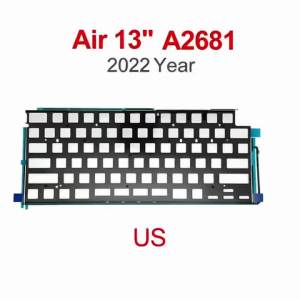
New Laptop Keyboard US Backlight For MacBook Air 13.6" A2681 M2 Keyboard Backlit Sheet 2022 Year

YOULE | Printed Non-woven Dust Cover for Appliances
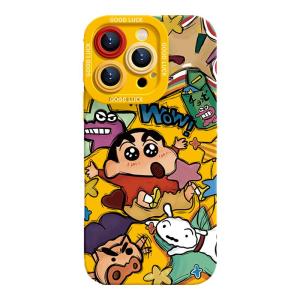
Orange shine | Shockproof Cartoon Crayon Shin Chan Drawing Phone Case
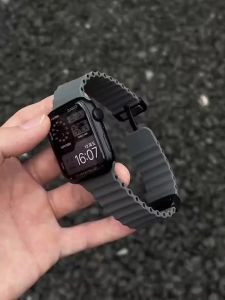
Ocean Strap for Apple Watch 10 9 8 7 Ultra Band 46mm 45mm 49mm 44mm 41/42mm Silicone Magnetic Sport Bracelet iWatch Series se 6
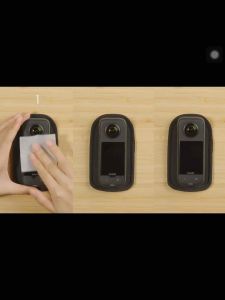
Insta360 X3 Screen Protector

Viltrox Vintage Z2 Mini TTL On-Camera Flash (Canon / Fujifilm / Nikon / Sony Mount)
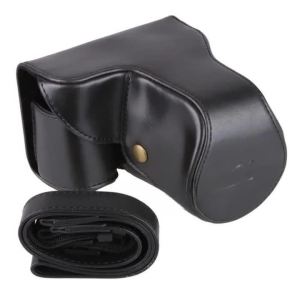
Camera Case Cover For Nikon COOLPIX P510 P520 P530 PU Leather Bag With Strap

【🔥SG SELLER🔥】RICHMENTGADGET High clear / Matte / Privacy Flexible Soft Anti-Spy Anti-Fingerprint Hydrogel Screen Protector Hydrogel Film For HUAWEI MATE 80 / 80RS /80 PRO MAX / 80PRO Mate 70 PRO + MATE70 PRO MATE 70 PRO+
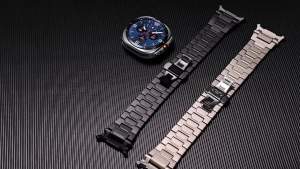
Luxury Metal Band for Samsung Galaxy Watch 9 8 44 40mm/8 Classic 46mm Titanium Alloy Strap for Galaxy Ultra 2 2025 47mm Bracelet

Mofii | Wireless Numeric Keyboard Mechanical Feel Financial Trading

B.O.W | Portable Foldable Bluetooth Wireless Keyboard Mouse Set For Office Mobile Phone Universal Use Womens BOW HB328 Kit