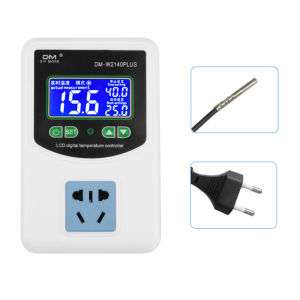
diymore | DM-W2140Plus High-Precision LCD Digital Temperature Controller AC 110–220 V 3500 W 16 A Smart Temperature-Controlled Outlet
Product Features:1. Intuitive interface, easy to operate2. High/low temperature alarms, one-touch calibration3. 16A high current capacity, smart temperature control for effortless management4. Three display modes on a single screen—no switching required for intuitive viewing5. Temperature unit switching: Celsius/Fahrenheit, tailored to your needs6. Wide range of applications: animal husbandry and incubation, aquarium temperature control, pump start/stop, etc.Product Specifications:Product Name: High-Precision Digital Temperature ControllerModel Number: DM-W2140PlusMeasurement Inputs: Clamp-on probe cable / Air-droplet cable / Magnet probe cable / Thin-film sensor cablePower Rating: 3500WOutput Capacity: 16ASensor Cable Length: 1.5 metersInput Plug: European Standard / U.S. StandardMeasurement Range: -50 to +110°CTemperature Control Range: -45 to +105°CTemperature Switching Function: Switch between Celsius (°C) and Fahrenheit (°F)1. Temperature Control InstructionsSelect the start and stop temperatures as needed; the temperature control system will automatically determine the operating mode based on the settings.If the start temperature > stop temperature, the system operates in cooling mode.For example, to control the temperature in a chicken coop so that the fan turns on when the temperature exceeds 30°C and turns off when it drops to 28°C, set the start temperature to 30°C and the stop temperature to 28°C.If the start temperature is lower than the stop temperature, the system operates in heating mode.For example, to start heating when the temperature drops below 36°C and stop when it reaches 37°C, set the start temperature to 36°C and the stop temperature to 37°C.2. Temperature CalibrationWhile the temperature is displayed normally, press the calibration button once. “ADJ” will appear in the upper-right corner, and the calibration value will appear in the lower-right corner. You can calibrate the actual measured temperature within a range of ±10°C.3. High-Temperature AlarmPress and hold the Set button until “FO” appears. Press the Set button once more to enter the high-temperature alarm settings. Use the Up and Down buttons to set the desired value.4. Low-Temperature AlarmPress and hold the Set button until “FO” appears. Use the Up and Down buttons to navigate to “F1,” then press the Set button once more to enter the low-temperature alarm settings. Use the Up andDown buttons to set the desired value.5. Celsius/Fahrenheit SwitchingPress and hold the Set button for 2 seconds until “FO” appears. Use the Up and Down buttons to navigate to “F2,” then press the Set button once to enter“C--F.” “C” stands for Celsius, and “F” stands for Fahrenheit; press the Up and Down buttons to switch between them.Contents:Main Unit *1User Manual *1

Prime Supply_Play Life
Review

You May Also Like
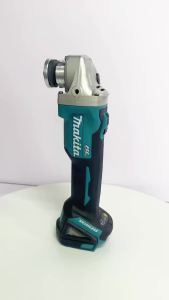
Makita | Makita DGA404 125mm Brushless Angle Grinder Metal Wood Cutter Cordless Grinding Polishing Cutting 18V Heavy‑Duty Power Tool
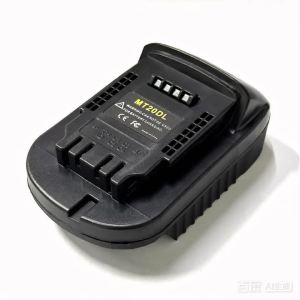
Battery Adapter MT20DL Converter for Makita 18V Li-ion Battery to Dewalt 18V/20V Li-ion Battery Adapter

FLOWYSPA Ultra-Slim Hygienic Bidet Attachment Easy Install Adjustable Fresh Water Pressure Dual Nozzle for Existing Toilets
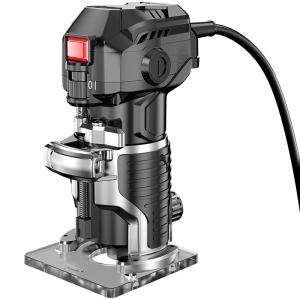
ZHI | Multifunctional Woodworking Milling and Grooving Machine
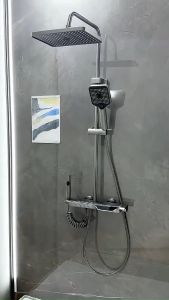
SG Ready Stock Thermostatic Shower Set Digital Display Premium Rain Shower System
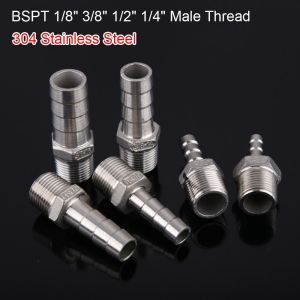
PLLEWY 1Pcs 304 Stainless Steel Pipe Joint Connector Adapter Male Thread Hose Connector 6mm To 12mm Pipe Fitting for PU PE Tube

Si Fang | 3Pcs/Set 3"Grinding Wheels 75mm Flat Flap Discs Metal Wood Polishing Discs For Mini Angle Grinder for Deburring Rust&Removal

Double-Sided Self Adhesive Wall Hooks for Hanging Traceless Waterproof Oilproof Kitchen Bedroom Wall Hook Storage Holder Storage
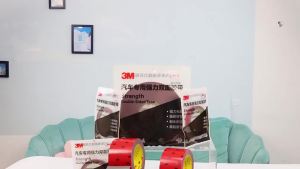
3M VHB Heavy Duty Mounting Strong Double Sided Tape Adhesive Acrylic Foam Anti-Temperature Waterproof Home For Car 0.8MM Office
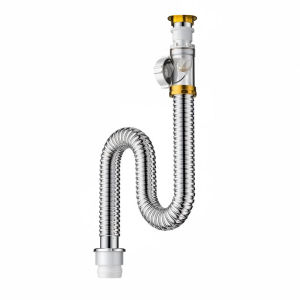
TAOSHI | Stainless Steel Odor-Preventing Drain Pipe for Sink 1
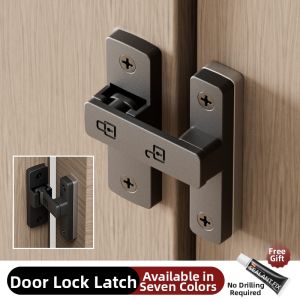
Yuanyi | Drill-Free Door Lock Security Latch