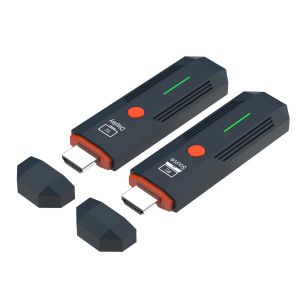
SIHAO HDMI-Compatible 1080P Wireless Transmission Transmitter Receiver Video TV Stick Display Extender For Camera Laptop PC TV
Connection instructions1. USB power cable, one end connected to the TYPE-C power port of the transmitter, and the other end connected to the signal sourceEquipped with USB port power supply2. USB power cable, one end connected to the TYPE-C power port of the receiver, and the other end connected to the display deviceComes with USB port power supply3. Transmitter HDMI port, insert signal source HDMI output port,4. Receiver HDMI port, insert into display device HDMI input port,5. After all display devices are connected, wait for 30 to 40 seconds for the image to appear, including the receiver and transmitterThe indicator light flashes rapidly;Matching method(1) One on one pairing method1. Long press the pairing button on the transmitter without releasing it, then connect the power supply port to the power supply and wait for the green indicator light to turn on quicklyFlash, the transmitter enters pairing mode and then releases the pairing button;2. Press and hold the pairing button on the receiver without releasing it, then connect the power supply port to the power supply and wait for the green indicator light to turn onFlash, the receiver enters pairing mode and then releases the pairing button;3. Wait for a few seconds, when the receiver's green light changes from flash to steady, it is considered a successful pairing.After pairing is completed, both the transmitter and receiver need to disconnect and reconnect the power supply;(2) One to two pairing method1. Use a one-to-one pairing method to pair the first transmitter and the first receiver;2. Pair the first transmitter with the second receiver;3. After all the receivers that need to be connected are paired with the same transmitter, the transmitter and the receiverAll receivers need to be disconnected from the power supply and reconnected;Precautions and common problem1. Connect the transmitter/receiver to the TYPE-C power supply and HDMI interface sequence: Connect the power supply first, then the HDMI interfaceHDMI;2. If an HDMI adapter is used for input/output, the maximum length is less than 1.5 meters3. Under what circumstances do we need to switch to using a power supply(1) When the receiver is connected to the display device and no signal appears on the display device, confirmAfter selecting a display device with no issues with the HDMI channel, switch to using a phone charger for receptionDevice power supply;(2) When the connection interface "Connecting..." is displayed for a long time on the TV or projector, the transmitterThe indicator light keeps flashing (slow flashing);(3) The transmitter and receiver are successfully connected but no image is displayed;4. What situations require re pairing(1) Within a close range of 1 meter, there is no image displayed on the TV or projector;(2) Within 1 meter of close range, the connection interface "Connecting..." is displayed for a long time on the TV or projectorThe transmitter indicator light keeps flashing (slow flashing);5. Under what circumstances is it necessary to move the distance between the transmitter and receiver closer(1) When the connection interface "Connecting..." does not display an image for a long time on the TV or projectorOr if the TV or projector display is not smooth or the sound is stuck;6. How to handle images without sound(1) Small speaker in the bottom right corner of the computer (Figure 1)(2) Move the mouse to the small speaker icon and right-click to "Open Sound Settings" (Figure 2)(3) Move the mouse to the "Sound Control Panel" (Figure 3) and open the Sound Control Panel.(4) Take it 1080@60 Change the option to default settings (Figure 4).(5) If there is still no sound, please restart the computer.SpecificationsWireless standard: 802.11a/nWorking frequency band: 2.4GHz/5.8GHz dual bandVideo encoding: H.264Transmission power: 13dBmSupporting resolutions: 640 * 480720 * 480800 * 6001024 * 7681152 * 864,1280600,1280720,1280768,1280600,1280960,12801024,13607681366768, 14001050,1440900,1600900,16801050,1920*1080;Function: Supports 1 transmitter to 1 receiver/1 transmitter to 2 receiversWireless transmission distance: open distance of 60m; indoor accessible distance of 50mPower supply: DC 5V/1APower: Receiver maximum 1.4W, transmitter maximum 1.7WWorking temperature: -5 ℃~70 ℃Working humidity: 5% to 90%Attachment List1. Transmitter: 1 unit2. Receiver: 1 unit3. USB to TYPE-C power cord -2 pieces4. Quick operation guide -1 book

Global Merch Park
Review

You May Also Like

AULA | Wireless 3-Mode Bluetooth Mouse Gaming & Office
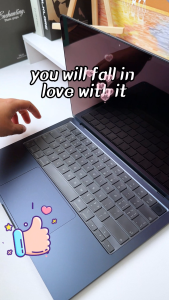
US enter Ultra thin Keyboard cover for macbook air M1 M2 M3 M4a pro 14 13 15 16 inch A2442 A2337 A2338 A2485 2020 Retina 12 13 Keyboard skin protector
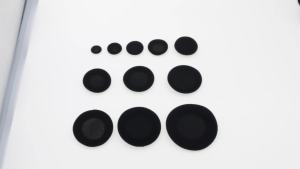
2Pcs Soft Foam Ear Pads Earphone Sponge Replacement Ear Cushions Multi Sizes 18mm 25mm 30mm 35mm 40mm 50mm 55mm 60mm 65mm 70mm
Potdemiel | Mickey Minnie Mouse Pattern Keyboard Mouse Pads Computer Gaming Small Desk Pad Lock Edge Desk Mats Office PC Gamer Rubber Carpet
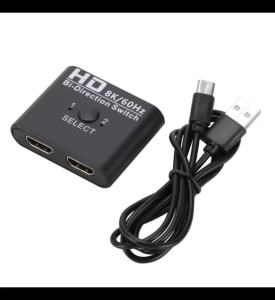
8K/60Hz HDMI-Compatible Switch 2 Ports Bi-Direction Video Splitter 4K HDTV Converter 1 In 2 Out Hub Adapter for PC to Monitor

CaseMe Flip Leather Case for Samsung M21 M31 M51 M32 M42 Magnetic Wallet Card Cover for Galaxy M23 M33 M53 M32 M10 M20 M30 Coque2026
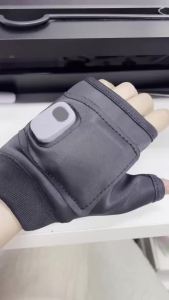
Afdeal | Fingerless Heated Gloves 3 Level Temp Display 1800mAh USB Rechargeable Winter Warm Gloves for Typing Cycling Outdoor Work
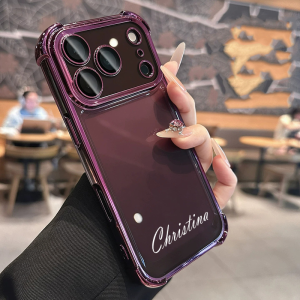
Custom Name Case for iPhone 18 Pro Max 17 Pro Max iPhone17 Air Cover Air Bag Protection Casing with Name
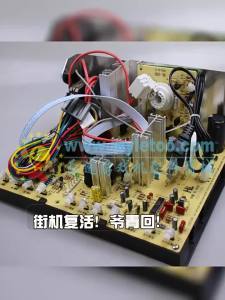
Arcade Game Machine Cabinet Parts Scan Base Board for Old Fighting Game Machine 25-29 Inch Universal Arcade CRT Tube
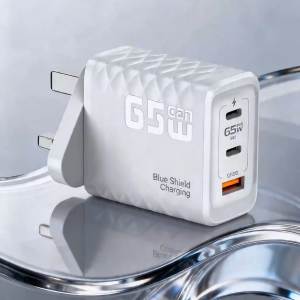
BlueShieldCharging 65W GaN 3‑Port Charger UK 3‑Pin Plug PD QC PPS Safe Anti‑Shock
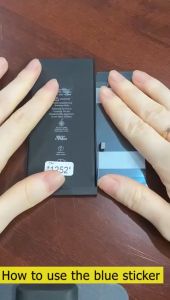
Huawei P8 Battery HB3447A9EBW Battery for Huawei Ascend P8 GRA L09 / GRA-L09 / UL00 / TL00 / TL10 / UL10 Battery