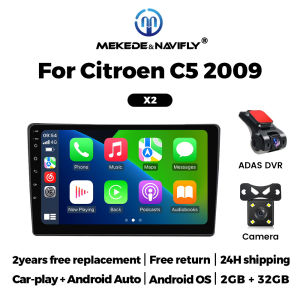
MEKEDE Carplay Android Screen Car Radio Multimedia Player For Citroen C5 2008 -2017 Autoradio Head Unit Intelligent Car System
Please note: Please check that your car matches the one in the picture before purchasing⚠️Support wireless carplay Wireless Android AutoUse your phone in a smarter, safer way while you drive. Get directions, make calls, send and receive messages, and enjoy your favorite music. Siri & Google Assistant can help you do all of these things. All you have to do is ask.Support Steering Wheel ControlYou can use the vehicle's steering wheel buttons to answer and end calls, play music, switch modes and much more, so that you can focus on your driving.Screen Resolution 1024*600the ultra-clear screen dispaly effect is greatly improved,the screen display is more delicate.Support 1080P Videosupport the perfect APE music 3D acceleration allows fluent playback at any section of your usb quaility video.Support BT Funcitonbuilt in smart BT system,can support mobile phone bt pairing,hands-free doaling support steering wheel control listening,accompanying chat to ensure your driving safety.Support FM Radiosupport outomatic search and manual search,you can drag the icon of target station and replace it into channel list.Support GPS NavigationBuilt-in global positioning system,omni-directional map display,synchronous display real-time traffic onditions,rapid and accurate positioning.Support Reversing camera(Attention! Rear view camera is optional, please choose the package with camera to buy)Support ADAS DVR(Attention! ADAS DVR is optional, please choose the package with DVR to buy)Support Multiple LangeuagesSupport Change theme UIFAQ:1.Please note!If the product contains CANBUS, if the steering wheel control does not work, please check whether the operations in the picture below have been performed. If you encounter any questions, please leave us a message in time.Thank you!If you have problems installing the rearview camera, please check the following picture, if you still can't solve the problem, please contact us through the message3. How to connect wireless Carplay and Android Auto?For the first connection, need to turn on the phone's Bluetooth to peer with the car's Bluetooth. After the pairing is successful, the car radio will automatically jump to the R link or AutoLink interface At this time, the phone pop up a prompting message "use CarPlay with ZLink or AutoLink ",click confirm it, Then the CarPlay will be connected

Prime Supply_Play Life
Review

You May Also Like

ZHENMIAO | Rain Protection Car Mirror 1
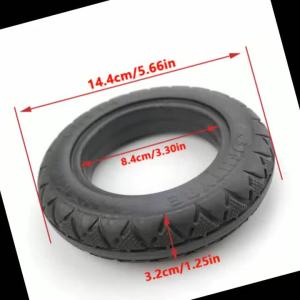
Hot Selling 6-inch 6x1 1/4 Solid Tire Suitable for Folding Bicycle Tires and Mini Surfing Electric Scooters
Clear Vision Rain or Shine 2Pcs Front Wiper Blades For Honda N-Box JF3 4 2017-2023 All-Weather Durability Safe Driving
BEAR FORCE | Pressure Washer Outlet Hose Connector Converter for Karcher Bosch AR Black Decker Bort Patriot Nilfisk STIHL Water Cleaning Hose
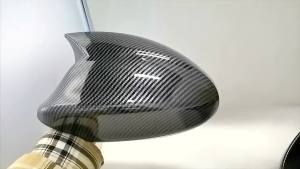
1pair For BMW E87 E81 E82 E90 E91 E92 E93 Rear View Side Case Trim ABS Carbon Fiber Style Car Rearview Mirror Cover

2pcs Novsight N12Y H11 H8 H9 LED Headlight Bulb 72W 10000LM 3000K Yellow Light LED Light for Car High Beam/Low Beam Fog Light Plug and Play In Stock 2 Years Warranty Free Shipping
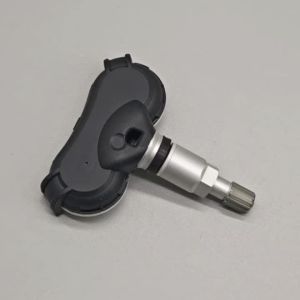
4pcs 52933-3M000 TPMS Tire Pressure Monitor System For Hyundai IX35 Genesis Tyre Pressure Sensor 434MHz 529333M000

SWISSVAX | Rain Repellent Glass Coating
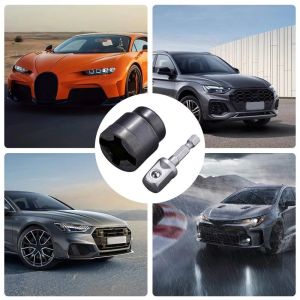
TUO29 Rust-Resistant Car Jack Adapter Heavy-Duty Tool Steel Ball Joint Rod Drill Adapter Anti-Corrosion Universal Jack Socket Car Repair
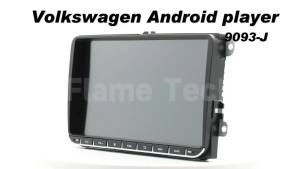
9" CarPlay Android Car 2 Din Stereo for Seat Altea XL 5P 2004-2015 Toledo 5P III 3 2004-2009- Head Unit BT Multimedia Radio
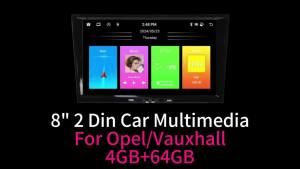
Carplay Autoradio 2 Din Android Radio GPS WIFI Auto Car Multimedia 8" Screen Stereo for Opel Vauxhall Corsa C MK2 2001-2006