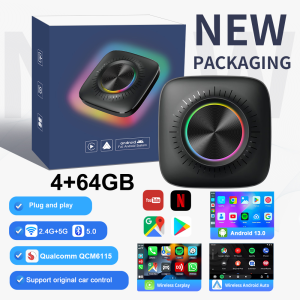
8+128G Android 13 Wireless Carplay AI Box KowanKit 2026 SIM Card Slot Android Auto 5in1 Plug Play Car TV Box For Netflix Youtube
2026 All-New KowanKit Wireless Carplay AI Box – the ultimate 5-in-1 car smart upgrade solution. Equipped with 8+128G large memory, Android 13 OS, built-in SIM card slot, dual support for Wireless Carplay & Android Auto, plug-and-play design, and full access to Netflix & Youtube for seamless in-car entertainment.✅ 2026 Upgraded 5-in-1 Smart Car Solution: KowanKit Wireless Carplay AI Box, the all-around upgrade for your factory car screen✅ Latest Android 13 Operating System: Wider app compatibility, faster system response, safer and more stable long-term use✅ Seamless Wireless Carplay & Android Auto: Automatic pairing on car startup, no tangled cables, hassle-free hands-free driving✅ High-Spec 8+128G Large Memory: Smooth multi-app operation, no lag or freezing, massive storage for apps, videos and music✅ Game-Changing Built-in SIM Card Slot: Independent 4G network access, no phone hotspot needed, buffer-free streaming anytime✅ Full In-Car Entertainment: Unlock native Netflix & Youtube streaming, turn your car into a mobile theater for road trips and daily commutes✅ Universal Compatibility: Fits most car models with factory wired Carplay, the perfect cost-effective car smart upgradeWarm reminder:1. It is normal that the color of the product display drawing is different from that of the real thing.2. Please make sure your original car has OEM CarPlay, This product is suitable for 98% of cars with original wired Carplay. BMW, Tesla and some models are not compatible. If you are not sure. You can contact customer service to inquire.3. For Carplay, it supports iPhone 6 and above models, and the software version is iOS 10 or above.4. For Android Auto, it supports Android 11 and above models. Note that Huawei mobile phones are special. Huawei's HarmonyOS system is not applicable5. The first time you connect your cell phone to WIFI and Bluetooth, it takes about 1 minute to read the data, which is a normal phenomenon.6.If you can not connect① please try to speak the car has been connected to the bluetooth list clear ② confirm the connection can read the data USB port, reconnect can be.Frequently Asked QuestionsQ1: Is it compatible with CarPlay and Android Auto?A: This CaPlay Ai Box use the Carplay protocol and only support for cars with touch screen and factory wired Carplay from 2016.Q2: Can this wireless adapter be paired with multiple phones?A: Yes, it can be paired with multiple phones, but only can connect one device at a time.Q3: If the Ai Box is not connected to Wifi or hotspot, can I watch online videos on Netflix?A: It needs to be connected to Wifi or hotspot to play online steaming videos from Youtube, Netflix. If not, you can insert a TF card to play videos and music offline.Q4. The device does not connect to the phone's Bluetooth (BT)?Method 1- Unplug the device and then reconnect.Method 2- Turn off the BT and forget the device, then reconnect it.Method 3- Delete connection history on car screen and then reconnect.Q5. BT/WiFi/Hotspot connection automatically turn on and off?Method 1- Turn off the "Do not disturb mode" of the phone and restart the phone.Method 2- Follow user manual to update the device.Q6. Have been connected to wifi but the screen shows "No Network"?Click "Setting" in the car screen homepage → "Date&time" → Turn on "Use network-provided time"

Global Merch Park
Review

You May Also Like
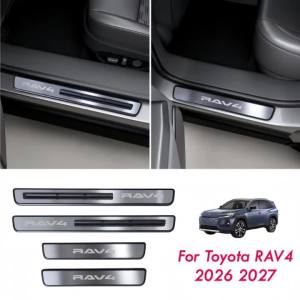
4PCS Car Door Sill Guards for Toyota RAV4 2026 2027 LE/SE/XLE/XSE/Woodland/Limited Stainless Steel Door Sill Protector Plate Ped
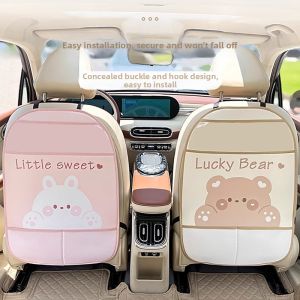
KAXINU | Cartoon Cute Rear Seat Protector Kick Mat
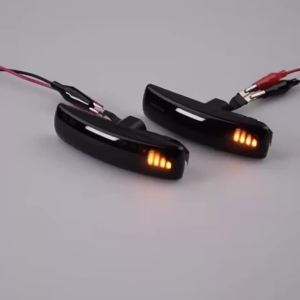
2x Amber Dynamic LED Front Side Marker Turn Signal Light Lamp For Land Rover Range Rover Sport L320 Discovery 3/4 Freelander 2

2Din 9 "Android 14 Car Radio CarPlay Auto Stereo Multimedia Player For OPEL Agila SUZUKI Splash Ritz 2008-2014 GPS WIFI BT SWC
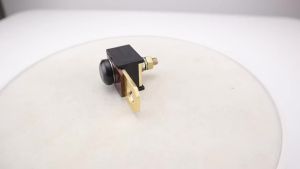
8879023A91 New 90 Amps Fuse Assembly Compatible With Mercruiser 3.0L 4.3L 5.0L 5.7L 6.2L 7.4L Engines 18-8220 188220 79023A91
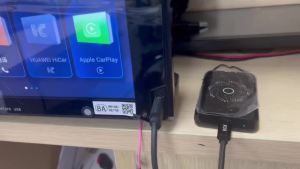
Ezonetronics | Ai Box 4 Core 4+32GB Android 14.0 Support Netflix YouTube Wireless Carplay Suitable for 99% of cars with wired Carplay
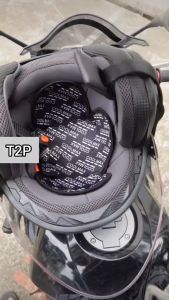
T2P Motorcycle Helmet Inner Pad Lining Coolmax Helmet Liner Motorcycle Helmet Padding Quick Drying Breathable Sweat Washable Motorcycle Gutter Liner

Chief | Silence Door Noise Car Window Track Lubricant
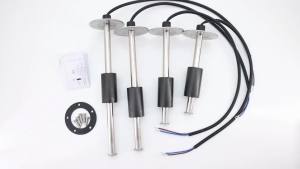
RYSJM | 1pc Fuel Level Sensor 275mm0-190 ohm Water Level Sensor Stainless Steel Empty 0ohm Full 190ohm Sensor for Car Boat Oil Liquid
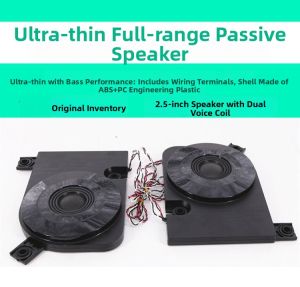
Slim Full-range Bass Speaker Dual Coil Seat Subwoofer
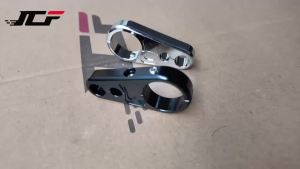
JNYD 25mm CNC Aluminum Brake Cable Clamp Dual Throttle Cable Holder Frame Bar for Harley Honda Yamaha Suzuki Cafe Racer