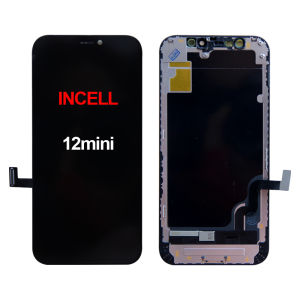
JCH | OLED Display for iPhone 12 MINI LCD Touch Screen Replacement 12mini Incell Face ID True Tone Factory Direct
100% Tested LCD Display for iPhone 12mini OLED Touch Screen Replacement Incell Face ID True Tone Factory DirectImportant Installation Notes:1. Power Off CompletelyAlways turn off your phone before starting any repair.2. Disconnect Battery FirstDisconnect the battery flex cable before handling any other components to avoid short circuits.3. Transfer Original Parts for Key FunctionsFace ID ( for iPhone X and later): You MUST transfer the original earpiece/sensor assembly from your old screen. Using the new screen’s pre-installed flex cable will disable Face ID.4. True ToneTrue Tone requires the original screen’s IC or reprogramming. It may not work after replacement (this is normal for third‑party screens).5. Post‑Installation Calibration (for iPhone 12–16, iOS 18+)After installation, go to Settings > General > About > Parts & Service History. If “Finish Repair” appears, tap it and follow the on‑screen instructions (Wi‑Fi required, battery >20%). This step is essential for full screen functionality.Why Choose Us?Quality Tested: Every screen is inspected before shipping.Clear Instructions: Detailed tutorials and responsive support.Customer First: We value your satisfaction and work hard to resolve any issues quickly.Thank you for choosing us – we deeply appreciate your trust!Main Features:1. 100% Brand new AAA+++ LCD Display for iPhone X Series Phone.2. Replacement part used to replace your wrong, damaged, cracked, not recognised LCD screen.3. Factory direct. Reduce the middleman's margin.4. Tested in factory and test before shipping to make sure zero defect, no spot, no dead pixel and no any function issues.5. Packed very well and safe. Bubble bag + foam box.6. Delivery your order within 24 working hours after payment confirmed.Screen installation tutorial:12mini: https://youtu.be/S0_y-9fF1BM?si=kVsLJfJekLckztei

Prime Supply_Play Life
You May Also Like
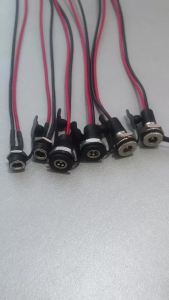
ChengHaoRan 1PC Waterproof DC-099/022B/022X Connecter With DC 5.5 * 2.1mm 5.5 * 2.5mm Power Interface Black Red 2 Wires
![[SG Local Stock]6/12Pcs Golden Nakamichi Speaker Banana 4MM Plug Connector Adapter Connectors](https://img.lazcdn.com/g/ff/kf/S8b2ca686e6814f158dfad45af431dec2R.png_300x300q80.png)
[SG Local Stock]6/12Pcs Golden Nakamichi Speaker Banana 4MM Plug Connector Adapter Connectors
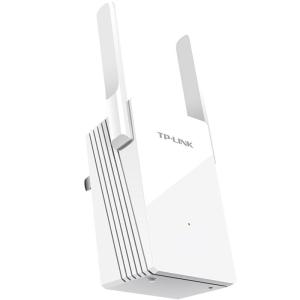
TP-Link | Home WiFi6 Signal Amplifier 5G Dual Band Repeater
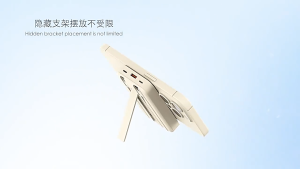
(CCC Certification)Mini Magnetic Wireless 20000mAh 22.5W Portable Fast Charging Power Bank Mini Portable With Built-in Cable Foldable Stand Powerbank
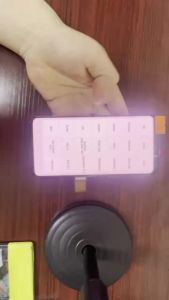
100% SUPER AMOLED VOOR For Samsung Galaxy Note 8 LCD Display Touch Screen No Frame Panel For Samsung Note 8
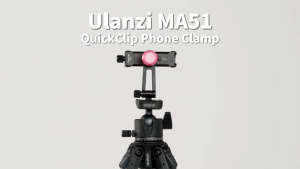
Ulanzi MA51 Metal Uka Quick Release Clip Phone Holder Clamp Tripod Vlog Mount for Mobile Smartphone
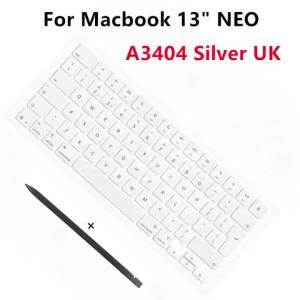
UK English Silver Keycap Set For Macbook Neo 13" A3404 Laptop Keyboard Full Keys Caps Replacement Repair Parts

AMPCOM Keystone Coupler Jack CAT6 /CAT6A RJ45 Inline Coupler Keystone Jack RJ45 CAT6 Straight-Through Keystone Module Adapter Couplers For Wall Plate
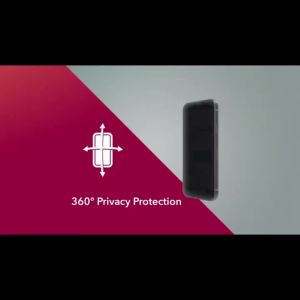
1-5PCS 360 Degree Privacy Screen Protector Tempered Glass For iPhone 17 18 Pro Max 16 15 14 13 Pro iPhone Ultra Protective Glass
Sanwa Supply | Large Anti-slip Cloth Gaming Mouse Pad

ATTACK SHARK X3/X3Pro Wireless Gaming Mouse | PAW3395 Sensor 26K DPI Tri-Mode (2.4G/BT/Wired) Ultra-Lightweight