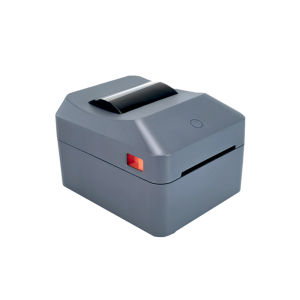
Netum | 4x6 Shipping Label Printer with Paper Roll Compartment USPS/FedEx/UPS Barcode Label 4 Inch Express Label Thermal Printer
T40 Thermal Label Printer–203 DPI resolution, No Ink, Supporting Android/Mac/iOS//Windows System。Compact Design with Paper Roll CompartmentOur compact printer features a dedicated paper roll compartment, ensuring smooth paper feed and easy label printing.Efficient Print SpeedBoost your productivity with a print speed of 16ppm, perfect for handling multiple labels quickly and efficiently.High CompatibilityDesigned for versatility, this printer supports USPS/FedEx/UPS barcode labels, making it ideal for various shipping needs.Q1: Which power plugs are included?A: We supply EU plug and US plug versions with this printer. Other plug types (e.g. UK, AU) are not included at this time.Q2: What size label paper does the printer support?A:Supports label widths from 1.18" to 4" (30–100mm), perfect for 4x6 shipping labels.Q3: Can this printer print in color?A: No. The printer only supports black and white printingQ4: The printer is making a beeping/alert noise. Is it broken?A: No. The beeping sound is a warning alert that occurs when the paper roll is running out or missing. Please load new label paper and the noise will stop.Q5: My device cannot detect the printer. How to fix it?A: Please download and install the correct printer driver first. The driver download link is provided in the user manual.Q6: The printed content is incomplete / cut off. Why?A: Please check whether the label paper size matches the print template size in your software. If the paper size and template size are different, the content may be missing or cut off. Please ensure they are the same size.Q7: I loaded the paper but nothing prints out. What's wrong?A: Please check whether the label paper is loaded with the printable/tearable side facing UP. If the paper is placed upside down, nothing will print. Please reload with the correct side facing up.Q8: The print quality is not clear / blurry. What should I do?A: Please adjust the print density/contrast in the Driver/APP. The Driver/APPdownload link is provided in the user manual.

Prime Supply_Play Life
Review

You May Also Like
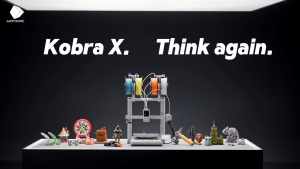
[SG Stock] Anycubic Kobra X 3D Printer | ACE GEN 2 | AI Camera Auto Leveling | 600mm/s High Speed Multi-Colour Printing
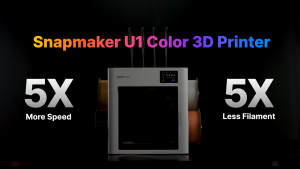
[SG Stock] Snapmaker U1 3D Printer High-Speed Multi-Color | 4 Toolheads | 5-Seconds Auto Tool Changer
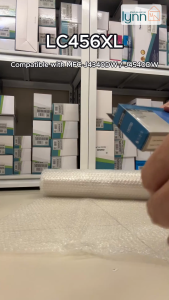
Compatible Brother LC456 LC456XL Ink Cartridge For MFC-J4340DW MFC-J4540DW SG Stock

Phomemo D30S Portable Thermal Label Printer Handheld Mini Bluetooth Sticker Maker Machine

Niimbot B2 Pro Adhesive Label Printer 300DPI Wireless Bluetooth Photos Printer Red Black Dual Color Printing For Barcode Tags

FAIRNESS | Xiaomi Printer Compatible Ink Cartridge
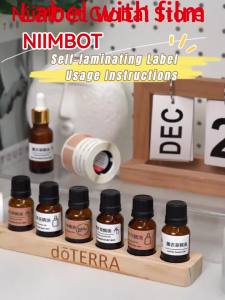
Niimbot M2/M3 Silver Label Heat Transfer Print Paper Fixed Asset Sticker Office Equipment Laser Silver Self-adhesive

[SG Stock] Bambu Lab PLA Basic Filament
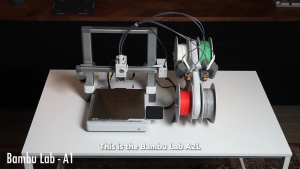
[NEW] Bambu Lab A2L Series 3D Printer with Multi Color System Global Version
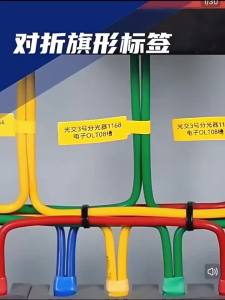
SUPVAN Heat Shrink Tubing Label Sleeve Heat Shrink Tubing Insulation Label SuitableFor G15/G11/G18/G12/G21/G28/G25 Label Machine

UNICO TN1000 DR1000 Compatible Brother Toner Cartridge/Drum HL-1110/1111/1112/1210W MFC-1810/1815/1900/1905/1910W/1915W DCP-1510/1511/1600/1610W/1615NW