


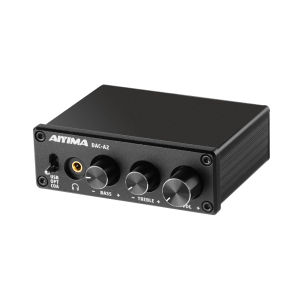
AIYIMA DAC-A2 Amplificador 2.0 Hifi Digital Decoder USB DAC Audio Headphone Amplifier 24Bit 96KHz Coaxial Optical Output RCA
Specifications: PC-USB supports input sampling rate: 96K/24BitHigh and low sound adjustment range: ±6dBFiber/coaxial support input sampling rate: 192K/24BitFrequency response: 20Hz-20kHz (±3dB)PC-USB support operating system: XP/W7/W8/W10/MAC/linuxDistortion: 0.01%Amp output maximum power: 100mW 32Ω loadSignal to noise ratio: ≥105dBHeadphone matching impedance: 16-200ΩWorking voltage: DC5VRCA output level: 2.3VSize (LWH): 73.59833MM (without knobs and terminals) PC-USB operating instructions: 1. Connect the PC-USB interface on the rear panel of the machine with the factory-configured USB cable (USB can support hot plugging) 2. Press the input signal selection button to select the USB input. 3. Find the icon with the horn symbol in the lower right corner of the PC 4. Click the right button to pop up the dialog box and click "Select Play Player" 5. Pop-up dialog box to select the playback device recognized by the PC (this machine USB is automatically recognized, free to install the driver manually) 6. Click to confirm the recognized digital output. Operation Steps: 1. Connect the rear-end device that needs an external connection to the audio output connector.2. Connect the audio source you want to use to the audio input connector.3. Connect the power supply.4. Turn the volume knob clockwise to turn it on and select the desired volume level.5. Select the desired EQ by rotating the bass treble knob.6. When the amp output is connected, the RCA analog output will be automatically disconnected. Common problem: Q: All the lines are connected, but there is no sound output? Answer: 1. Check if the POWER indicator is on. After the power button is pressed, the indicator still does not light. At this time, you can find an equivalent voltage output (must be 5V) in the test to judge the machine failure or power failure. If the POWER indicator is on, check if the corresponding input signal is selected correctly. 2. If the above two points are checked or no sound, check if the VOL knob is in the minimum state, such as clockwise rotation in the minimum state; 3. If both of the above are normal, check if the playback device of the input source is paused, muted, or the volume is at its minimum. Q: Why is the sound broken? A: Although this product is a DAC decoder, it can also be used as a pre-stage product. It has amplifying effect. If the volume of the rear-end device is adjusted to the maximum and the pre-stage is also adjusted to the maximum, it is easy to be distorted. You only need to turn down the volume of the front or back level. Q: Why does the speaker have a large current sound? A: If you are not using the original standard power supply, please replace the power supply before testing. A lot of power supply in the market has a large interference coefficient, which will cause a large current sound. Q: Why do I not play the sound source after I plug in the input cable, and the speaker will have a loud beep? Answer: When the unshielded signal line is used, the interference signal will enter the amplifier for amplification. If you hate this sound, you are advised to replace the shielded signal line or unplug the signal line. Q: Can the headphone output connector be connected to a microphone? A: No, the headphone jack is a signal output interface, not an input interface. Q: Why is the volume of the machine unchanged, and the sound source is different when accessing different audio sources (such as connecting the CD first and then changing to the mobile phone)? A: The amplitude of the output signal of different playback devices is different. For example, the mobile phone is usually 0.35MV, and the CD is 1V. The natural sound size is different. Q: Why is there no sound after the PC-USB is connected to the PC? A: First press the PC-USB operation to confirm whether the digital playback output is selected. If there is still no sound after selecting it, you can restart the computer and repeat the operation. Q: Why are lines plugged in, but there is no sound in the RCA analog output? A: At this time, you should check whether the headphone output is plugged into the earphone, or plug in the earphone adapter. If you plug it in, you need to unplug the earphone or adapter to simulate the RCA output. Package included:1Pcs Amplifier

U Enjoyment
Review

You May Also Like

NE71 Smart Translation Earphones Features LED screen Hi-Res audio ENC electronic noise cancellation IPX5 water resistance 2-year warranty Compatible with iOS Android and PC systems 135 language translation options

FEELWORLD LIVEPRO L1 V1 Multi Camera Video Mixer Switcher 2 Inch LCD Display 4 x HDMI Inputs USB 3.0 Output Format Real Time Production Live Streaming
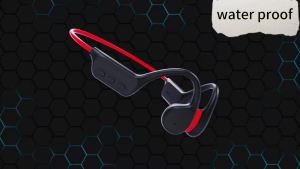
Wireless Earphones for shokz open Sports Bone Conduction Bluetooth IPX8 Waterproof Headphones With 32G RAM Mp3 Music Headset2026

Baseus Bass BP1 Ultra True Wireless Earbuds Bluetooth 5.4 ANC Noise Cancelling TWS 55dB Adaptive ANC LDAC Hi-Res Audio 6-Mic AI Calls USB-C
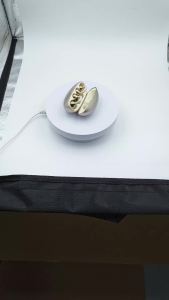
Portable Invisible Clip-On Bluetooth Headphones Pain-Free Wear Powerful Noise Cancelling Long-Lasting Battery Built-in Mic

EarFun OpenJump Open-Ear Comfort Hi-Res BassSurge™ Wireless Earbuds

Shanling | Portable HD Lossless Bluetooth CD Player

SG Fast Delivery Walkie talkie Motorola Upgraded Version 68W High Power 9800mAH 5km Hotel Restaurant

Original Lenovo LP5 Wireless Bluetooth Earbuds Stereo HiFi Music Earphones Headphones Sports Waterproof TWS Headset With Mic Earbuds New
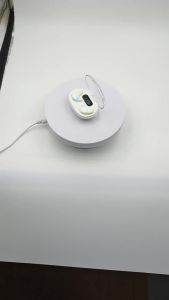
True Wireless Ultra-Mini Sleep Earbuds Ergonomic Design for Music Side Sleepy Small Ears Portable Bluetooth Headphones with Mic

Vention ECHO LITE 3.5MM USB C Earphone In-Ear Wired Headphones with MIC for Tablet Laptop Xiaomi Samsung Vivo Oppo Huawei iPhones Earphones Wired Earpiece In Ear Earbuds











