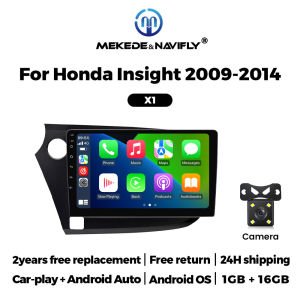
2 Din Android OS For Honda Insight 2 2009-2014 Wireless Carplay Android Auto GPS Navigation Car Radio Stereo Multimedia Player
2 Din Android OS For Honda Insight 2 2009-2014 Wireless Carplay Android Auto GPS Navigation Car Radio Stereo Multimedia Player Support wireless carplay Wireless Android AutoUse your phone in a smarter, safer way while you drive. Get directions, make calls, send and receive messages, and enjoy your favorite music. Siri & Google Assistant can help you do all of these things. All you have to do is ask. Support Steering Wheel ControlYou can use the vehicle's steering wheel buttons to answer and end calls, play music, switch modes and much more, so that you can focus on your driving. Screen Resolution 1024*600the ultra-clear screen dispaly effect is greatly improved,the screen display is more delicate. Support 1080P Videosupport the perfect APE music 3D acceleration allows fluent playback at any section of your usb quaility video. Support BT Funcitonbuilt in smart BT system,can support mobile phone bt pairing,hands-free doaling support steering wheel control listening,accompanying chat to ensure your driving safety. Support FM Radiosupport outomatic search and manual search,you can drag the icon of target station and replace it into channel list. Support GPS NavigationBuilt-in global positioning system,omni-directional map display,synchronous display real-time traffic onditions,rapid and accurate positioning. Support Reversing camera(Attention! Rear view camera is optional, please choose the package with camera to buy) Support ADAS DVR(Attention! ADAS DVR is optional, please choose the package with DVR to buy) Support Multiple Langeuages Support Change theme UI FAQ: 1.Please note!If the product contains CANBUS, if the steering wheel control does not work, please check whether the operations in the picture below have been performed. If you encounter any questions, please leave us a message in time.Thank you! If you have problems installing the rearview camera, please check the following picture, if you still can't solve the problem, please contact us through the message 3. How to connect wireless Carplay and Android Auto? For the first connection, need to turn on the phone's Bluetooth to peer with the car's Bluetooth. After the pairing is successful, the car radio will automatically jump to the R link or AutoLink interface At this time, the phone pop up a prompting message "use CarPlay with ZLink or AutoLink ",click confirm it, Then the CarPlay will be connected

Prime Supply_Play Life
Review

You May Also Like
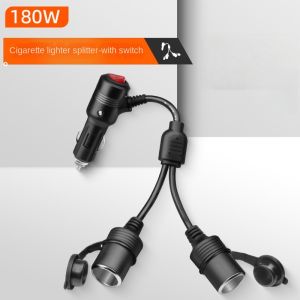
3 in 1 Socket 180W Car Cigarette Lighter Splitter 12V 24V Fast Charger Phone Power Adapter 2 in 1 for Car DVR GPS Dashcam
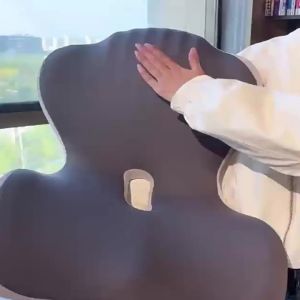
Ergonomic Memory Foam Seat Cushion For Office Car Home Back Support Pain Relief Breathable Design Desk Organizer Desktop
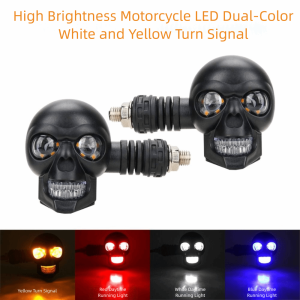
MARGETT 2Pcs Dual Color Light Motorcycle Turn Signal Lights DC 12V Universal Fit LED Motorcycle Lights Effective Easy Installation Motorcycle Indicator Lamp Motorcycle Use

DELIHUA | Custom Fit TPE Car Floor Mat
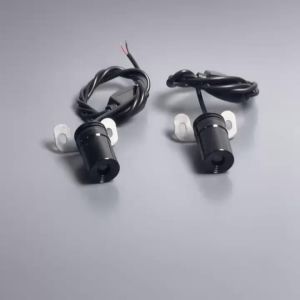
Motorcycle Universal LED Angel Wing Projection Lights 2PCS for Harley Honda Yamaha Decorative Lamp Modified Parts
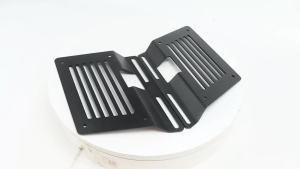
Motorcycle Saddlebag Support Brackets Universal Side Bag Mounts for Harley Honda Kawasaki Yamaha Suzuki Luggage Rack Holders

HELLOLEIBOO | Portable Car Tire Inflator With Emergency Power Starter

50Pcs 8mm Hole Universal Premium Plastic Rivet Clips for Car Bumper Fender Door Panel Fit for Audi Toyota Kia Nissan Yamaha

XIAOSU | Anti-collision Mirror Protection Strip Rearview Mirror Protector
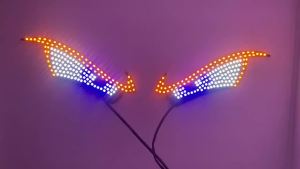
Dynamic Devils Eye LED Car Interior Rear Window Ambient Light USB Auto Decoration Atmosphere Lamp For Board Windshield
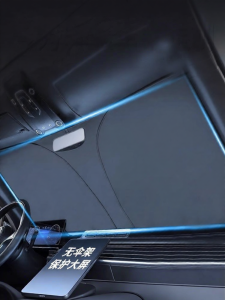
KVS | Mercedes Benz Sunshade Car Visor