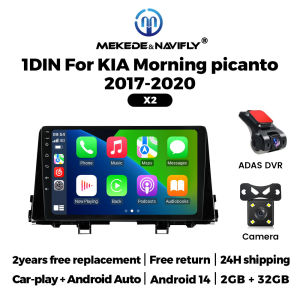
NaviFly 1Din 9 inch Android 14 Car Radio Wireless Carplay For KIA Morning picanto 2017-2020 Multimedia Player GPS Navigaiton FM
1.How to connect wireless Carplay and Android Auto?For the first connection, need to turn on the phone's Bluetooth to peer with the car's Bluetooth.After the pairing is successful, the car radio will automatically jump to the R link or AutoLink interfaceAt this time, the phone pop up a prompting message "use CarPlay with ZLink or AutoLink ",click confirm it,Then the CarPlay will be connectedResolution 1024*600The ultra-clear screen display effect is greatly improved, the screen display is more delicate.1080P Video1080P video decoder, True Color 24 HD- Display. Support perfect APE music 3D acceleration allows fluent playback at any section of yourUSB SD quality video.Support BT FunctionBuilt-in smart BT system, can support mobile phone BT pairing. hands-free doaling support steering wheel button street listening, accompanying chat to ensure your driving safety.Steering wheel controlTake control of the music or use hands-free calling function for safety to and concerntrate on the road ahead. This head units steering which control(SWC) works with a digital SWC.FM RadioIt supports outomatic search and manual search, you can drag the icon of target station and replace it into channel list.GPS NavigationBuilt-in global positioning system, omni-directional map display, synchronous display real-time traffic conditions, rapid and accurate positioning.Reversing VideoThe picture quality of rear-view video is clearer than that of ordinaty camera.Note:Rear view Camera is not included (please click to purchase) BUY NOWADAS DVRAnti-collision warning driving recorderFront vehicle distance prediction, front vehicle anti-collision warning and lane departure warning make driving safer.Note: DVR is not inclouded.(please click to purchase) BUY NOWMultiple langeuagesEnglish, German, French, Spanish, ltalian, Portugese, Rusian, Dutch,Polish, Japanese, Simplified and Traditional Chinese, Arabic, etc.How to set steering wheel controls?1. if you buy the unit with canbus box:A: Before starting the setup, please confirm the canbus box and 8pin serial cable are connected to the multimedia.B: Then please refer to the picture to set your car model.2. lf your buy the unit haven't the canbus box, setting the steering wheel control please refer photo go do it.1.How to connect the rear view camera?1) Red cable ② is connected to the back light "+"2)Black cable ① is connected to the“GND”3) The reverse detection cable ④(Brown color) is connected to the red cable ③ which extending from thr vedio output cable, please follow the picture below to connect.

Prime Supply_Play Life
Review

You May Also Like
MEKEDE 1din Android Auto Car Radio Multimedia For Fiat Grande Punto Linea 2007-2012 GPS Navigation Wireless Carplay Head Unit
RYSJM | 0~100% Digital Battery Charge Level Indicator LED Red Backlight 52mm Universal Car Boat Battery Capacity Meter with Alarm Light
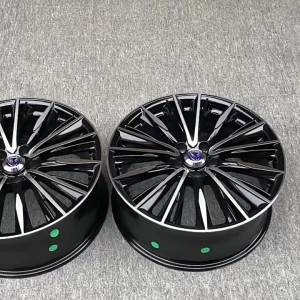
Plated Modified Rims for Various Car Models
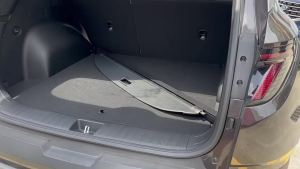
MLZH | Universal Car Trunk Cover for JAC Refine S3 JS3 JAC Jiayue X4 JAC JS4 Sihao QX JS6 JAC X8 JS8
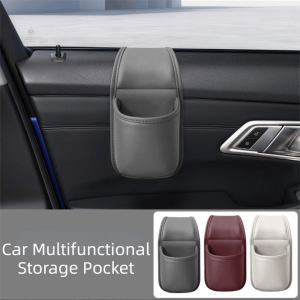
DFVDSPW Waterproof Car Cup Holder PU Leather Multifunctional Car Drink Rack Portable Space Saving Car Storage Box Driver Seat
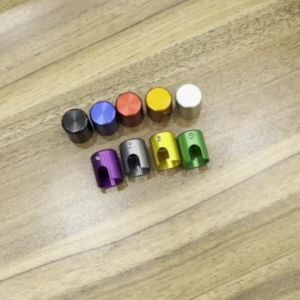
For ZONTES ZT 368G 368-G 368 G G368 2024 2025 2026 2027 Motorcycle Brake Line Screw Protectors Aesthetics Decorative Cover
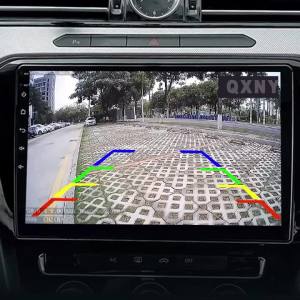
QXNY HD Backup Camera Reverse AHD or CVBS License Plate Fits Honda City Civic Crider Accord Spirior Greiz Ciimo FIT RDX..
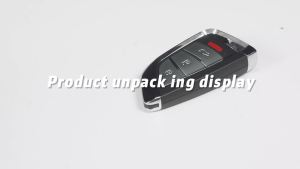
XHORSE | 5 Piece XHORSE XSNIS2EN for Nissan XS Series Universal Smart Remote Key
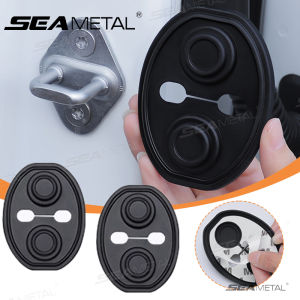
SEAMETAL Upgraded Car Door Lock Buckle Mute Shock Absorbing Cushion 4pcs Silicone Car Door Latch Anti-Collision Protection Cover

PHMAX | PHMAX Bike Motorcycle Balaklava Mask Summer Breathable Cycling Face Mask Scarf Fishing Hiking MTB Road Bike UV Protection Mask

WOSAWE | WOSAWE Women Winter Motorcycle Jacket Slim Fit Thermal Fleece Lined Riding Jacket Long Sleeve Motocross Base Layer Shirt