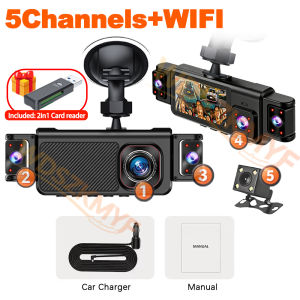
2026New 360° 5ch Dash cam1080P Video Recorder WIFI APP Car DVR Auto Recording Camera Front left right Rear View Camera
This product comes with a complimentary card reader, which supports both SD cards and micro-TF cards.Essential Reading Before Purchase Please be sure to check the instructions regarding power supply and memory card requirements for all dashcams.1. The device must be connected to the vehicle’s power supply for use. As the dashcam is designed for in-car use, it is not equipped with a high-capacity rechargeable lithium battery.2. The device supports C10/U3 memory cards. A minimum capacity of 8GB–64GB is recommended; a 32GB card is sufficient when the loop recording function is enabled.3. Both the lens and screen are covered with protective films. Please ensure you remove these upon receipt; do not mistake this for a second-hand product.4. The night vision illuminator can be switched off in the settings. If left on, the colour of the illuminator may appear in the footage when lighting conditions are poor.Newly Upgraded 5-Lens Wi-Fi Dash Cam—Excellent Value for the Price● Display size: 3 '' IPS screen● Video compression format: AVI/MOV● Resolution: FHD 1080P @30fps● 170 degree Ultra High-definition wide angle lens● Loop recording: Supports seamless loop recordingFunction:Real 5 Channels Front & Rear & Inside & Left & Right CameraAfter connecting the rear camera, all 5 camera feeds can be previewed simultaneously.*The display shows a preview and does not reflect the actual file size; the actual recorded footage can be viewed by accessing the files. All camera feeds have the same aspect ratio.Super Night VisionBuilt-in Wi-Fi & APP ControlBUILT-IN WIFIFUNCTION : Smart dash cam built-in WiFi module, support APP control (Work with Android and iOS devices)Connecting to Wi-Fi is required to use the corresponding app, which can be downloaded by scanning the QR code in the user manual. Once connected to Wi-Fi, please open the app to connect to the device; once connected, you can download videos directly from your mobile phone. Tip: You must connect to Wi-Fi and open the app each time you wish to use this feature.Reverse imageWhen hanging in the "R" gear, the screen will automatically switch Reverse image, and the accurate inverted auxiliary line provides you with better parking prediction.24-Hour Parking MonitoringBuilt-in G-sensor activates automatic recording when a sudden shake or collision is detected. When emergency video is recorded, a voice will alert you when you return to the car. In addition,supports time-lapse recording, which maximizes storage usage and ensures that no moments of evidence are missed.Friendly reminder: parking monitoring needs to be configured with a special buck cable for use, otherwise 24-hour monitoring is not possibleBuilt-in G-sensorWhen your car is subjected to an impact or other emergency,the G sensor is triggered, so that the recorder immediately records and locks the video.Loop- Cycle RecordingWhen the TF card is full,it will automatically delete former video and keep recording all the timeInstallation Diagram1.Secure the recorder to the windshield of the vehicle , recommended near the rearview mirror area2.Hide the power cord in the window gap along the red line in the figure above 3.Insert the car charge wire into the cigarette lighter, connect the power supply, and complete the installation3.Rear camera if you need reverse camera function please connect the red wire, the red wire connects to the power supply of the reverse light behind the car.4.All car recorders need to be connected to the power supply to use, please understand the small battery safety design of the recorder. The battery of electrical appliances in the car is not allowed to be installed too large.To protect your privacy, the TF card needs to be formatted for the first time. There are two solutions:1. Insert the TF card correctly into the dash cam, open the camera settings, find the storage card format, confirm that the formatting is complete, and then restart the camera to use.2.Connect to the mobile application, search for settings in the mobile application, format the memory card, confirm formatting is complete, and then restart the camera to use it. Sincere wishes to you and your family.

Prime Supply_Play Life
Review

You May Also Like
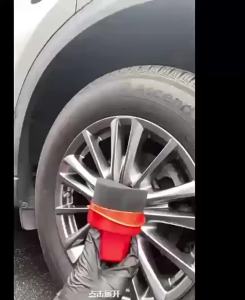
Reusable Tire Wax Applicator Sponge with Lid Curved Car Cleaning Pad for Tire Dressing Detailing Kit Car Waxing Tools

For Honda CR-V CRV 2017-2020 Horn Shape ABS Carbon Fiber Style Rear View Side Mirror Cover Rearview Caps Car exterior parts
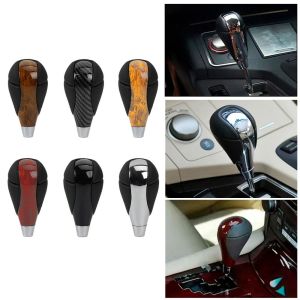
MODERNLUX Automotive Replacement Gear Shift Knob Microfiber Leather Screw Thread Mount Shifter Lever Handle Wear Resistant Automatic Transmission Knob Car Interior

For Honda Civic Type R 2018 2019 2020 2021 10th Generation Car LED DRL Daytime Running Lights Dynamic Turn Signal Night Lamps
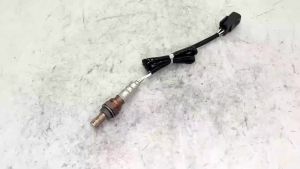
Oxygen Sensor 39210-2G170 for Hyundai Sonata Kia Cerato Car Auto Part 392102G170 392102C110 EOS-3062
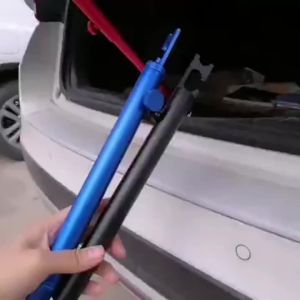
Support Rod Car Dent Repair Polishing Retractable Aluminum Holding Vehicle Trunk Lid Door Fixing Tools Support
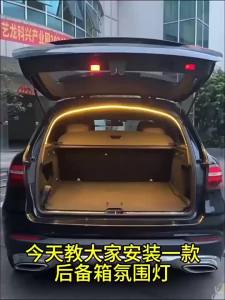
Car Trunk Led Light 200cm/400cm Hidden Flexible Light Strip Automatic On/Off Non-Destructive Installation Universal for 12V/24V
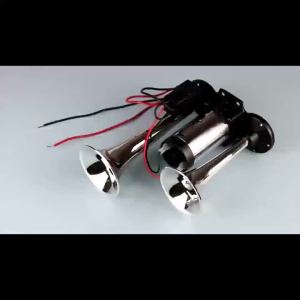
Super Loud 600DB Dual Trumpet Train Horns for Trucks 12V Stainless Steel Electric High Decibel Chrome Finished Car Speaker with

GYEON Q2M APC 1000ml - Versatile Powerful Automotive Car Care Interior Exterior All Purpose Cleaner
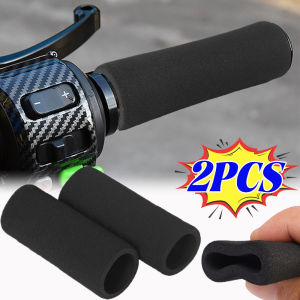
2PCS Universal Bicycle Motorcycle Handlebar Foam Sponge Grip Cover Anti-slip Soft Handlebar Modification Accessories Bicycle Part
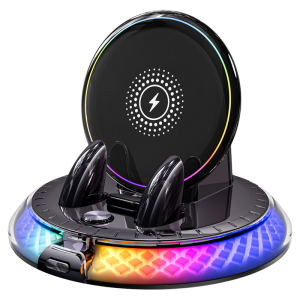
FLAME LIGHT | Wireless Charging RGB Car Phone Mount