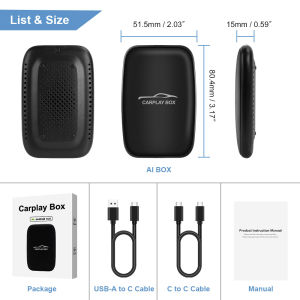
3-in-1 Car Video Box Wireless CarPlay Android Automatic Adapter Android TV Box on Youtube Nexflit Intelligent Car Intelligent Sy
The function of this product is to convert the original wired Carplay/Android Auto into wireless Carplay/Android Auto.Please read before buying!1. Please make sure your original car has OEM CarPlay.This product is suitable for 98% of cars with original wired Carplay. BMW, Tesla and some models are not compatible. If you are not sure. You can contact customer service to inquire.2. For Carplay, it supports iPhone 6 and above models, and the software version is iOS 10 or above.3. For Android Auto, it supports Android 11 and above models. Note that Huawei mobile phones are special. Huawei devices have their own mobile operating system - EMUI. Unfortunately, Android auto wireless does not support EMUI.Features:1. Wired to wireless CarPlay adapter, say Goodbye to wires. USB plug-and-play installation, stable and fast, No need to remove OEM radio.2. Certified 5Ghz WiFi module, providing a faster and better wireless experience.3. It can be connected automatically after the first successful connection.OTA online software update.4. OTA online software update.1. How to confirm whether my car is compatible?The following requirements must be met to use this product:✅ Your car radio is original.✅ Your car has wired Carplay or wired Android auto.✅ BMW, Tesla and other models are not compatible. If you are not sure, you can ask customer service before purchasing.2. Why can't my Android phone connect to Carplay?Android phones support Android auto, and only iPhone can use Carplay. Note that if you have a Huawei phone, you cannot use Android auto either. (Huawei has its own operating system).3. Why is there a slight delay in the sound during use of the product?Any product connected via Bluetooth will have lags. This is a normal phenomenon. You can also improve it in the following aspects:✅Turn off redundant Bluetooth devices, because unnecessary Bluetooth signals will interfere with the product connection.✅Disconnect and reconnect Bluetooth.4. Why can't my wireless Android auto connect properly?✅ For Android system phones with lower versions of Android 9 or Android 10, if you cannot find Android auto in Google services, you can download an Android auto software.✅ Please confirm that the Bluetooth and WiFi of your phone are turned on. Android auto needs to use Bluetooth connection and WiFi to transfer data.✅ Please confirm that the original car Bluetooth has been ignored on the mobile phone. If there are other Bluetooth connections, they need to be disconnected first.✅ Please confirm that the product's Bluetooth is not occupied by other devices. If you have used other devices to connect to the product's Bluetooth, please disconnect first and try again.✅ Huawei phones and Honor phones cannot use Android auto.

Global Merch Park
Review

You May Also Like
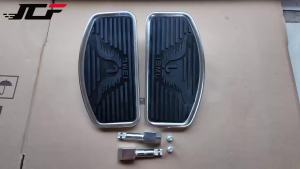
JNYD Motorcycle Front Driver Foot Pegs Floorboards Footboard For Yamaha Honda Kawasaki Universal Foot Pedal Accessory
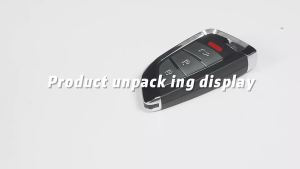
1/3/5PCS Xhorse XSKFF1EN /XSKFF0EN Mart Remote Key Knife Style 3 /4Buttons
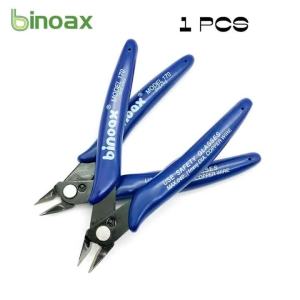
Practical Electrical Wire Cable Cutters Cutting Side Snips Flush Pliers Hand Tools for DIY Craft And Home Improvement

Smart Remote Control LCD Touch Car Key For BMW Toyota Audi Mercedes Benz Hyundai Mazda Nissan Ford KIA Honda Volvo Lexus Jaguar
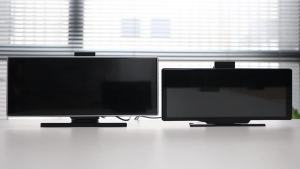
Portable 11.26" Dash Cam 4K Camera Wireless Carplay & Android Auto Video Recorder Monitor Car DVR GPS Navigation 5G Wifi FM AUX
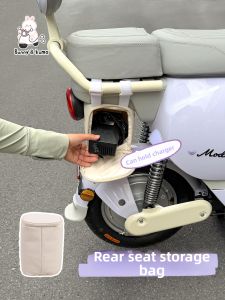
XUANPAI | Electric Bike Rear Seat Organizer Bag

AKS | Bamboo Cooling Seat Pad
KEVANLY | Motorcycle Led Turn Signals Transformers Style Directional Flowing Indicators Rear Tail Brake Signal Light Motorcycle DRL Lamp
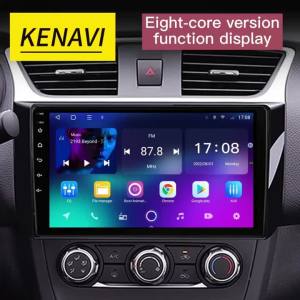
2 Din Car Stereo Radio For Nissan Serena 4 C26 2010-2016 Lntelligent Center Multimedia Player GPS Carplay Android Auto Head Unit
Vonixx V40 4 in 1 Compound 500ml

BONINGYU | Storage Box for Scooters Motorbikes and Bicycles Detachable