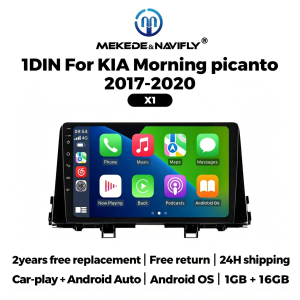
NAVIFLY 9 Inch Car FM Radio Multimedia Player Wireless Carplay For KIA Morning picanto 2017-2020 Android Auto BT WIFI SWC 4 Core
Suitable car models:For KIA Morning picanto 2017-2020Car-play + Android AutoCar dvd player comes with car- play function, no neet purchase additional accessories.(Both X1 and X2 support wireless connection between Carplay and Android Auto, and can also be connected to Carplay and Android Auto via USB)Resolution 1024* 600The ultra-clear screen display effect is greatly improved, the screen display is more delicate.Support 1080P Video1080P video decoder, True Color 24 HD- Display, Support perfect APE music 3D acceleration allows fluent playback at any section of yourUSB/ SD quality video.Support BT FunctionBuilt-in smart BT system, can support mobile phone BT pairing,hands-free doaling support steering wheel button street listening,accompanying chat to ensure your driving safety.Support steering Wheel ControlTake control of the music or use hands-free calling function for safety to and concerntrate on the road ahead. This head units steering which control(SWC) works with a digital SWC.Support FM RadioIt supports outomatic search and manual search, you can drag the icon of target station and replace it into channel list.Support GPS NavigationBuilt in global positioning system, omni- directional map display,synchronous display real- time traffic conditions, rapid and accurate positioning.Support reversing VideoThe picture quality of rear -view video is clearer than that of ordinaty camera.(We have now launched a package with a rearview camera at a discounted price. This package is limited in quantity, first come, first served)ADAS DVRAnti-collision warning driving recorderFront vehicle distance prediction, front vehicle anti- collision warning and lane departure warning make driving safer.(Now we have launched a package with ADAS DVR at a discounted price. This package is limited in quantity and available on a first come, first served basis)Support multiple LangeuagesEnglish, German, French, Spanish, Italian, Portugese, Rusian, Dutch,Polish, Japanese, Simplified and Traditional Chinese, Arabic, etc.FAQQ: How to connect the view camera?A: 1) Red cable ② is connected to the backup light "+"2) Black cable ① is connected to the “GND”3)The reverse detection cable ④(Brown color) is connected to the red cable ③ which extending from the video input cable, please follow the picture below to connect.Q: How to set steering wheel controls?1. if you buy the unit with canbus box:A. Before starting the setup, please confirm the canbus box and 8pin serial cable are connected to the multimedia.B. Then please refer to the picture to set your car model.2. If your buy the unit haven't the canbus box, setting the steering wheel control please refer photo go do it.Q. How to connect wireless Carplay and Android Auto?For the first connection, need to turn on the phone's Bluetooth to peer with the car's Bluetooth.After the pairing is successful, the car radio will automatically jump to the ZLink or AutoLink interface,At this time, the phone pop up a prompting message "use CarPlay with Zlink or AutoLink,Then turn on the WiFi of the mobile phone, and the CarPlay will be connected.

Prime Supply_Play Life
Review

You May Also Like

West Biking | Cleanable Protective Plate for MTB Road Bike Drivetrain

BONINGYU | Car Front Lip Spoiler
XHORSE | XHORSE XSSBR0EN SU.BR Style 4 Buttons XM38 Smart Car Keys used with VVDI2 VVDI Key Programmer

Rhinowalk Motorcycle Side Box Bag 100% Waterproof Quick Release 16L Large Capacity Anti-Drop Shock Absorption Compartment Storage Design Flexible Partitioning Keep Warm And Cold Cycling Storage Rear Seat Bag Motorcycle Accessories
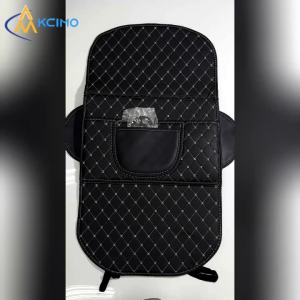
Seat Back Kick Protector Mat For Audi A3 8P Sportback 2005-2012 Anti-Scratch PU Leather Rear Seat Guard Pad Car Interior

Spray Paint - AutoGard Automotive Grade Premium Spray Paint (Performance Grade Resin for Outstanding Abrasion Resistance and Excellent Weathering Properties)

BONINGYU | Waterproof Quick-install Large Capacity Motorcycle Trunk

Stator Gaskets Compatible with Yamaha Xvs650 V-Star 650 Models

SEAMETAL Motorcycle Storage Net Bag High Elastic Double Layer Cargo Net Luggage Multifunction Motor Helmet Organizer Bag
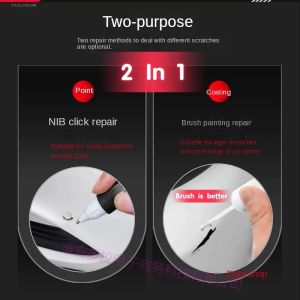
Paint pen suitable for geely gx3 pro GX6 GX7 paint pen ice crystal white Han jade white repair color tool for car touch up pen
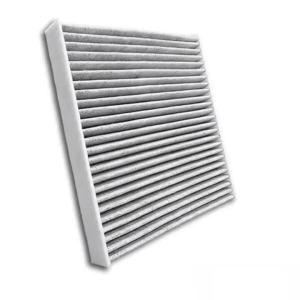
PINMOAP 880292-SDA-407 Automotive Air Conditioning Filter For Honda Accord Civic Crosstour Cr-V Odyssey Passport Pilot Ridgeline