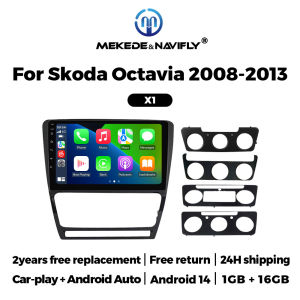
Car Radio Stereo For Volkswagen SKODA Octavia 2 A5 2008-2013 Android Auto Multimedia Video Player BT GPS Navigation FM Autoradio
WiFi FunctionalityStay connected with WiFi for internet access, updates, and entertainment on the go.Android Auto & Carplay CompatibilitySeamlessly integrate your smartphone with the vehicle's system for hands-free calls, music, and navigation.High-Quality DisplayExperience clear visuals on the 10-inch colored display for an enhanced viewing experience.Touch Screen InterfaceEnjoy a responsive and intuitive touch screen for easy operation and menu navigation.Support multiple 10+ main menu switching, the latest main menu will make driving easier and cars cooler.Both X1 and X2 models support wireless and wired CarPlay and Android Auto functions.FM radio, need to connect to the original car radio antenna. Support automatic search and manual search.Support steering wheel controls, control music or use the hands-free calling function to ensure safety and focus on the road ahead.The resolution is 1024*600, the ultra-clear screen display effect is greatly improved, and the screen display is more delicate.1080P video decoder, True Color 24 HD- Display.Support perfect APE music 3D acceleration allows fluent playback at any section of your USB/SD quality video.Built-in smart Bluetooth system, supports mobile phone Bluetooth pairing.GPS Navigation,Built-in global positioning system, omni-directional map display,synchronous display real-time traffic conditions, rapid and accurate positioning.The reversing image and rear view image quality are clearer than ordinary cameras. (Note: If the rear view camera is not included, please click on the package that includes the camera to purchase)ADAS DVR, anti-collision warning driving recorder, front vehicle distance prediction, front vehicle anti-collision warning, lane departure warning, make driving safer. (Note: DVR is not included, please click to purchase)Multiple languages: English, German, French, Spanish, Italian, Portuguese, Russian, Dutch, Polish, Japanese, Simplified Chinese, Traditional Chinese, Arabic, Korean, Vietnamese, Ukrainian, Brazilian Portuguese, Greek, Android system language, etc.1. How to connect the rear view camera?1) Red cable 2 connects to backlight "+"2) Black cable connects to "GND"3) Reverse detection cable 4 (brown) connects to red cable 3 extending from the video output cable, please connect as shown below.How to set up the steering wheel control?A. If you buy a unit with a CanBus Box:Before starting the setup, please confirm that the CAN Bus box and the 8-pin serial cable are connected to the multimedia.B. Then please refer to the pictures to set up your model.2. if your buy the unit haven't the canbus box, setting the steering wheelcontrol please refer photo go do it.

Prime Supply_Play Life
Review

You May Also Like

MLZH | Privacy and Cargo Cover for 2021-2025 Ford Mustang Mach-E Trunk
Yitong Suitable For Toyota Land Cruiser 200 J200 300 J300 2007-2025 All-Weather Silent Rubber Strip Car Rear Window Wiper Blade

MLZH | Trunk Cover For Toyota Land Cruiser And Prado
RYSJM | 300A 12V 24V Vehicle Cut Off Battery Main Kill Switch with Red 2Key Modify Isolator Disconnector for Truck Boat car Power Switch

Trim Kit Car Push Pin Rivet Bumper Door Panel Retainer Assortment 6 Sizes 100 Pcs
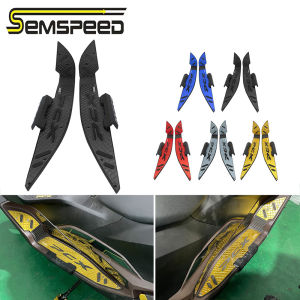
SEMSPEED CNC Front Footrest Footpegs Foot Rest Pegs Step For Honda PCX 160 125 PCX160 2021-2022 2023 2024
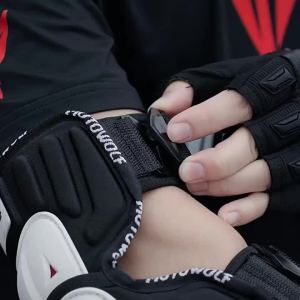
Motorcycle Protection Knee Shockproof Racing Knee Pads Motocross Knee Pads Adjustable Off-Road Knee Protector for Cycling Racing
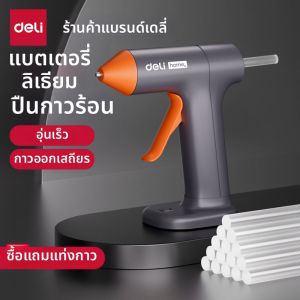
deli | Wireless Portable Mini Hot Glue Gun 7mm Glue Sticks
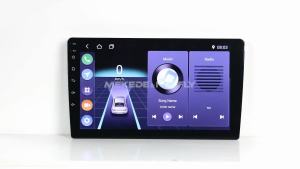
For Mercedes Sprinter Benz B200 Vito W639 Viano B Class W169 W245 W209 IPS Screen Car radio Carplay Autoradio Stereo Head Unit
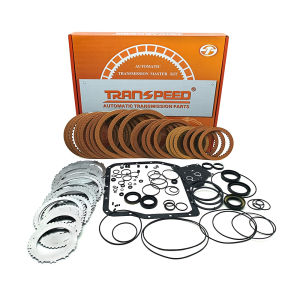
TRANSPEED U240E U241E Automatic Transmission Parts Motor Gearbox Rebuild Overhaul Master Repair Kits Car Accessories For TOYOTA Camry RAV4
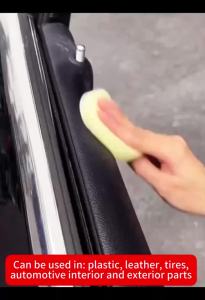
Car Plastic Restorer Back To Black Gloss Auto Interior Leather & Panel Renewal Wax Coating Agent Auto Polish And Repair Coating