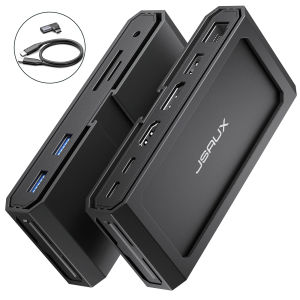
JSAUX 11-IN-1 Multi-Functional Hub USB-C Docking Station for Steam Deck OLED ROG Ally X Legion Go S
11-in-1 Multi-Functional Hub for Steam Deck OLED, ROG Ally X & more.This USB-C Docking Station supports Gigabit Ethernet network, up to 100w USB-C PD charging, 8K HDMI, 8K DisplayPort, 2USB 3.0 (5 Gbps data transmission), 1USB2.0(480Mbps data transmission), SD and TF card readers up to 104MB/s fast transmission, 3.5mm Mic/Audio(2 in 1) ports.This docking station works with most systems and supports Windows/Android/macOS/Linux systems, ensuring compatibility with a wide range of devices.NOTE: • If you face operational issues, ensure your USB-C cable is correctly connected to the 'IN-USB-C' port. We recommend using the provided USB-C cable for best results. If you choose to use an alternative USB-C cable, please ensure that it adheres to the USB-C 3.2 standard.• Recommend to use a 100W Charger to enjoy the full performance of the hub.Product Specifications:Input: USB-C Female ×1,USB-C PD ×1Output: USB-A3.0 ×2,USB-A2.0 ×1,HDMI ×1,DP ×1,RJ45×1,SD×1,TF×1,3.5mm Female Audio×1USB-C Female: Compatible with 3.2 standard and thunderbolt 3 interfacesPD: Supports PD 100W chargeHDMI: Supports up to 8K@30Hz, Backward compatible with 4K@120Hz, 4K@60Hz, 2K@144Hz,2K@120HzDP: Supports up to 8K@30Hz, Backward compatible with 4K@120Hz, 4K@60Hz, 2K@165Hz, 2K@144Hz, 2K@120HzUSB-A: USB3.0 standard, Supports 5Gbps, 5V/1A power supplyUSB-A: USB2.0 standard, Supports 480Mbps, 5V/1A power supplyRJ45: Adaptive 10/100/1000M EthernetSD/TF: Maximum read and write speed 104MB/S, support simultaneous read and write3.5mm Female Audio: 3.5mm Mic/Audio(2-in-1) portUSB-C to USB-C cable: USB 3.2 Standard, Supports 10Gbps Max transmission speed, Supports 100W charge, 5A electricityAdapter: Side Right Angle USB-C Female to MaleNotes: HDMI+DP simultaneous output supports 4K@60Hz outputSize: 12061.823.5 mmWeight: about 130gMaterial: Aluminum Alloy + ABS + PCARC: Compatible with ARC, CEC audio back transmission functionWhat's in the?1x HB1101 11-IN-1 Hub1x USB-C to USB-C 3.2 Cable• Q1. What should I do if the product is connected to the monitor and the screen will flicker?A1. First of all, check the interface and plug to ensure neat and tidy, and re-establish the new production connection, PD charging needs to be connected at the same time.Secondly, it is recommended to replace the cable of HDMI2.0 and DP1.2 or higher, and the cable length should not exceed 15Ft to connect again.Finally, adjust the external display device to the appropriate resolution/refresh rate inside the Steam Deck desktop mode settings (reduce the resolution & refresh rate).

Yc5lsAjS
Review

You May Also Like

123ZOUUI 3D Printing Side-lying Phone Holder Plastic No Arm Pressure Horizontal Phone Holder Practical Portable Lazy Phone Stand Bed Sofa

GameSir | GameSir Nova Lite Wireless Gamepad Game Controller for Switch Android iOS PC and Steam Games Hall Effect Joystick
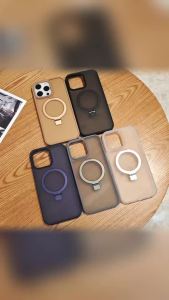
szhaiyu | Luxury Matte Magnetic With Holder Stand Phone Case for iPhone 18 17 16 Pro Max 15 Pro 14 Plus 13 12 11 Shockproof Protect Cover
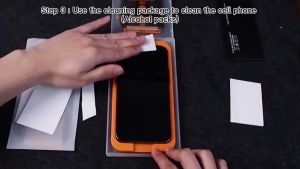
Veelax Easy Installation Screen Protector Full Coverage Tempered Glass Clear Privacy For iPhone 18 Pro Max/18 Pro/ 17

Razer Viper V3 Pro - Wireless Esports Gaming Mouse 雷蛇无线电竞鼠标
![✅[SG] Screen Protector For Samsung Tab S10/S9/S8/S7/+/Ultra/FE/FE+ Matte Tempered Glass HD Protector Tab](https://img.lazcdn.com/g/ff/kf/Sff25fd9d58404009bfae845bc3ce0806h.png_300x300q80.png)
✅[SG] Screen Protector For Samsung Tab S10/S9/S8/S7/+/Ultra/FE/FE+ Matte Tempered Glass HD Protector Tab
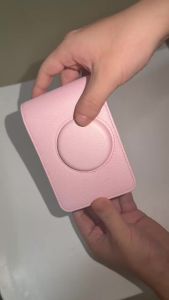
New Pink PU Leather Camera Case For Fujifilm InstaxEVO Camera Waterproof AntiShock Storage Bag With Adjustable Shoulder St2026
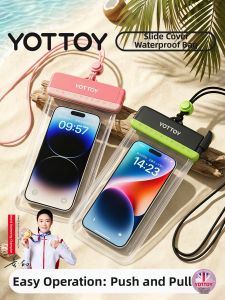
YOTTOY | Push-top Touchscreen Compatible Phone Waterproof Pouch for Underwater Swimming and Diving
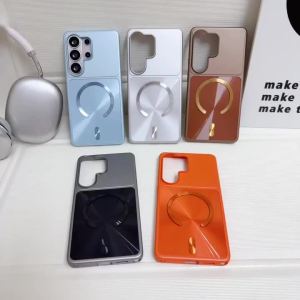
Luxury For MagSafe Aurora Phone Case for Samsung Galaxy S25 S26 Plus S24 FE S23 Ultra Metallic Color Protection Back Cover

Sanwa Supply | Visual Stream Deck Control Intelligent Keyboard
Haomuren | Streaming Dedicated USB Condenser Microphone