


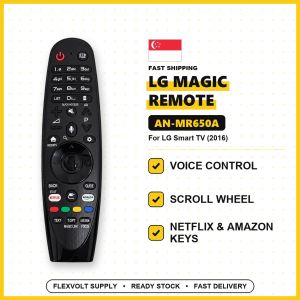
LG Magic Remote Control AN-MR650A | For LG Smart TV webOS | Voice and Scroll Wheel | Singapore Local Seller | 1-Month Warranty
LG MAGIC REMOTE AN-MR650A: replacement for LG Smart TV (2016 models)🤔 WHAT IS A MAGIC REMOTE?A Magic Remote works like a computer mouse for your LG Smart TV: point it at the screen and a pointer moves where you point. Use the scroll wheel to scroll, and talk to the TV with the voice button to search (where the model has voice). It also has all the normal TV buttons.📺 WHICH LG TVs DOES IT SUPPORT?✅ LG Smart TVs from 2016 that use a Magic Remote (webOS)✅ OLED: G6, E6, C6, B6 (models OLED65G6, OLED55B6)✅ Super UHD: UH9500, UH8500, UH7700 (models 65UH9500, 55UH8500)✅ UHD 4K: UH6550, UH6500, UH6350, UH6300, UH6150, UH6100 (models 55UH6500)✅ Full HD Smart: LH5700, LH5750⚠️ Magic Remotes are made for TVs of a certain year. Please check your TV model before you buy.🔎 HOW TO CHECK IN 10 SECONDS1. Look at the sticker at the back of your TV for the model number (for example 55UM7300PTA).2. Match the series letters with the list above.3. Not sure? Chat us a photo of the TV sticker. We check for you before you buy.❌ NOT FOR• Older LG TVs without Magic Remote support• Other TV brands• Mouse pointer (this version has voice only, no on-screen pointer)⚙️ SPECS• Model: AN-MR650A• Type: Bluetooth (pairs with the TV) plus infrared• Functions: Voice control, scroll wheel, streaming app buttons (NO mouse pointer)• Power: 2 × AA batteries (not included). Note: AA, the bigger size• Colour: black• Condition: brand new replacement remote🎮 MAIN BUTTONS AND WHAT THEY DO• Power: TV on/off• Volume and Channel: louder/softer, next channel• Wheel (OK): press to select, roll to scroll• Home: opens the LG home screen with your apps• Back: go back one step• Mic: hold and speak to search (models with voice)• Netflix / Prime buttons: open the app in one press (models that have them)📖 HOW TO USE (ONE-TIME PAIRING, 5 SECONDS)1. Put in 2 × AA batteries (not included).2. Turn on the TV and point the remote at it.3. Press the Wheel (OK) button once. The TV shows "Pairing complete".4. If it doesn't pair, hold Home + Back together for 5 seconds, then press the Wheel again.🔋 BATTERIES2 × AA batteries (not included)📦 IN THE BOX1 × LG Magic Remote (AN-MR650A) only (batteries not included)✅ FlexVolt Supply Singapore: local ready stock, fast delivery, 1-month warranty📷 PRODUCT PHOTOS

FlexVolt Supply
Review

You May Also Like

Rainbow Sport Silicone Bands Compatible with Apple Watch Band 45mm 44mm 42mm 41mm 40mm 38mm 49mm for Women Men Soft Breathable Strap Replacement Wristbands for iWatch SE Series 8 7 6 5 4 3 2 1
Dust-proof Christmas Microwave Oven Cover 2D Flat Printing Reindeer Snowman Pattern Dust Protector Washable Oil-proof Appliance Cover Christmas
CRENOV | For Live Streaming & Selfie Beauty Ring Light
SmartDevil King Qilin HD Tempered Glass for iPhone 18 Pro Max 18 Pro 17 Pro 16 15 Screen Protector Anti-scratch SmartPull Box
Toocki | Toocki QI2.2 25W Wireless Charger for iPhone 17 16 15 14 Pro Max AirPods Pro Apple Watch for Magsafe Charger Qi2 Wireless 3 in 1
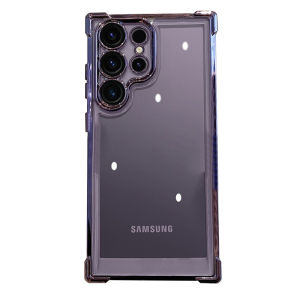
BOSKJUE | Anti-Shock Full-Coverage Phone Case for Samsung S24 Ultra S25 S24+ S23 Ultra S22

SIRUI | Safety Protection Expansion Accessory Cage 通用兔笼
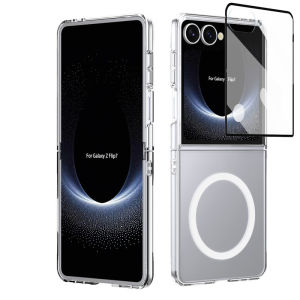
11.11 For Magsafe Magnetic Wireless Charge Case For Samsung Galaxy Z Flip 8 7 FE 6 5 4 3 Flip8 5G With Screen Film Hard PC Cover 261102

Ulanzi LM18 Mini LED Video Light for DJI Osmo Action 4/3 Camera

CO.SIX Korea Magic Plus 8 inch Water Filter For Dispenser Purifier Tap System / U type 8 inch / UF Membrane/ Alkaline Cartridge

YOUSIDUN | is suitable for Apple 18promax frosted mobile phone case iphone18pro transparent 15 ultra-thin 17pro cooling max all-inclusive large window 1416 soft CASE 17 sets











