Universal Remote Control for Aircon | IR Learning Remote Copy for TV Fan TV Box Soundbar Projector LED Light | 1-Touch Aircon Presets | Battery Included | Singapore Local Seller | 1-Month Warranty
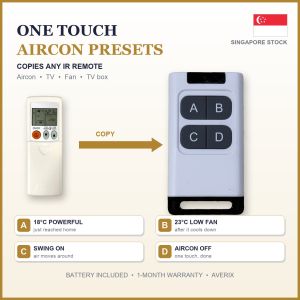
LEARNING REMOTE CONTROL - COPY YOUR AIRCON / TV / FAN REMOTE1-touch presets: save your favourite settings once, use them with one press.🔋 BATTERY INCLUDED: 27A 12V battery already inside. Ready stock in Singapore.🤔 WHAT IS IT?A small 4-button UNIVERSAL remote that COPIES (learns) buttons from the remote you already have.Works with most brands of aircon, TV and fan, as long as the old remote is infrared (IR).After copying, pressing its button does the same thing as the old remote.You can copy a whole aircon setting (temperature + mode + fan) into ONE button.💡 EXAMPLE: HOW PEOPLE USE IT (you choose your own settings)A = Just reached home: 18°C, Powerful, High fan (cools the room fast)B = Room is cool now: 23°C, Low fan (quiet, saves power)C = Swing on (cool air reaches the whole room)D = Aircon offNo more pressing many buttons every day. Also great for elderly parents.For TV: A = TV on/off, B = volume up, C = volume down, D = mute.✅ WORKS WITH (infrared / IR remotes, the kind you point at the machine)Aircon, TV, fan, TV box / set-top box, sound bar, projector, IR LED lights❌ DOES NOT WORK WITHGate / garage remotes, car keys, Bluetooth remotes, voice or pointer remotes,or any remote that works without pointing (RF)Not sure? Chat with us and send a photo of your remote.📖 EASY TUTORIAL: SAVE BUTTONS 1-4 (RED LIGHT)Before you start: put both remotes close together, front to front, as shown in the video.1. Press A two times fast. The light turns RED (red = buttons A to D).2. Press and HOLD the button you want to save into (e.g. A) for 3 seconds. The red light comes on.3. On your OLD remote, press the button you want to copy, once.(Aircon: first set the old remote to the setting you like, e.g. 18°C Powerful High fan,then press its ON or TEMP button to send that whole setting.)4. Press C to leave learning mode.5. Test: point at your aircon or TV and press A. Done!📖 SAVE 4 MORE (BUTTONS 5-8, GREEN LIGHT)1. Press B two times fast. The light turns GREEN.2. Hold the button (e.g. A) for 3 seconds.3. Green light on: press the button on your old remote once.4. Press C to finish. In green mode, A B C D are presets 5 to 8.📖 ERASE EVERYTHINGHold A for 8 seconds. All saved buttons are cleared.🎬 Watch the tutorial video in this listing for the full steps.📦 SPECS- 4 buttons x 2 modes = up to 8 presets- Range: 5 - 8 metres- Battery: 27A 12V (included, already inside)- Your old remote is needed once, to copy the buttons📦 IN THE BOX1 x 4-button learning remote1 x 27A 12V battery (included, already inside)✅ Averix Singapore: local ready stock, fast delivery, 1-month warranty

Averix Singapore
Review

You May Also Like
ZHENGEGE | Short Full-Crystal Decorative Chain Sparkly Bear Pendant

Kirilgu Applicable toMERKUR Juicer Accessories Stainless Steel Filter Combination Filter Ice Mesh Juicing Bucket Feed Cap Pusher 5B8Q6
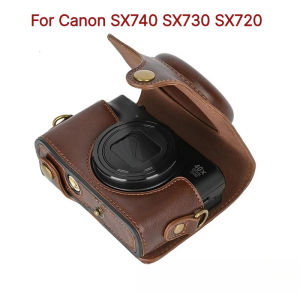
2026 New Sale For Canon SX740 SX730 SX720 Retro Camera Bag PU Leather Hard Case Half Body Cover Scratchproof Travel Storage Crossbody Bags
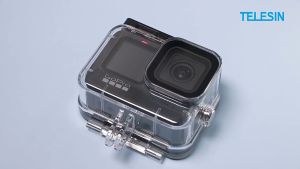
TELESIN 45M Waterproof Protective Housing Case for GoPro HERO 13 12 11 10 9 BLACK
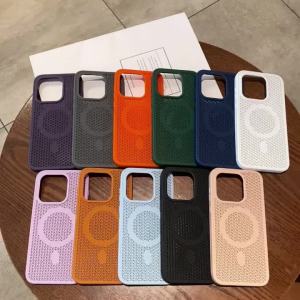
3D Honeycomb Magnetic Case For Oneplus 15 13 ACE 6 ACE6 One Plus15 Oneplus15 Wireless Cooling Heat Dissipation Shockproof Cover
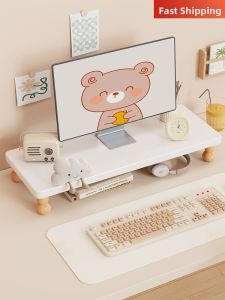
QINQI | Floating Storage Monitor Stand
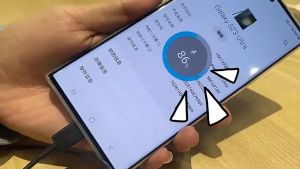
🇸🇬 [In Stock] Samsung 65W Super Fast Charger 2.0 Ultra Rapid Charging PD Power Travel Adapter For Samsung Galaxy
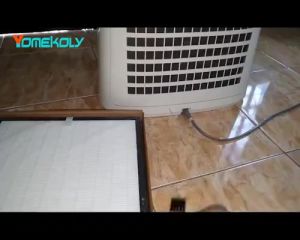
Replacement Compatible Sharp Filter FP-J30TA FP-J30LA FP-J30LB FP-J30 FP-F30 HEPA&Active CarbonFast shipping
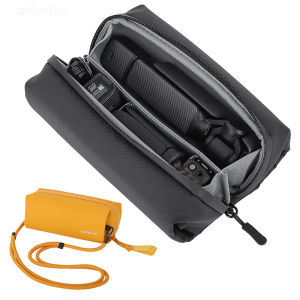
2026 New Sale Carrying Bag for DJI Osmo Pocket 3 4 Portable Storage Carry Case Protective for DJI GoPro Insta 360 Combo Accessories
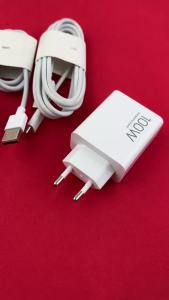
Original Xiaomi 100W Turbo Fast Charger Redmi Note 15 Pro+ 5G EU Fast Charge Adapter 6A USB Cable For Mi 17 15 15T Poco M7 F7 X52026
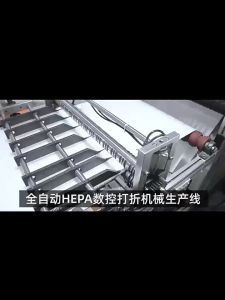
Hihoelar For Sterra Breeze/Cosmo Prime/Raslok A1 Pro/ EPU 5550z Air purifier Replacement H14 HEPA Filter-HihoelarFast shipping