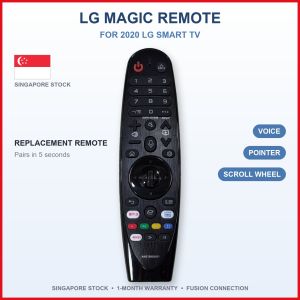
LG Magic Remote | AN-MR20GA 2020 LG TV webOS Voice Mouse Pointer Scroll Wheel OLED NanoCell UHD 4K Replacement | Singapore Local Seller | 1-Month Warranty
LG MAGIC REMOTE AN-MR20GA: replacement for LG Smart TV (2020 models)🤔 WHAT IS A MAGIC REMOTE?A Magic Remote works like a computer mouse for your LG Smart TV: point it at the screen and a pointer moves where you point. Use the scroll wheel to scroll, and talk to the TV with the voice button to search (where the model has voice). It also has all the normal TV buttons.📺 WHICH LG TVs DOES IT SUPPORT?✅ LG Smart TVs from 2020 that use a Magic Remote (webOS)✅ OLED: ZX, GX, CX, BX (models OLED55CX, OLED65BX)✅ NanoCell: NANO99, NANO95, NANO91, NANO86, NANO85, NANO80 (models 55NANO86, 65NANO80)✅ 4K UHD: UN81, UN73 (models 55UN8100, 65UN7300)⚠️ Magic Remotes are made for TVs of a certain year. Other years (2018, 2019): please chat us your TV model first.🔎 HOW TO CHECK IN 10 SECONDS1. Look at the sticker at the back of your TV for the model number (for example 55UM7300PTA).2. Match the series letters with the list above.3. Not sure? Chat us a photo of the TV sticker. We check for you before you buy.❌ NOT FOR• Older LG TVs without Magic Remote support• Other TV brands⚙️ SPECS• Model: AN-MR20GA• Type: Bluetooth (pairs with the TV) plus infrared• Functions: Voice, mouse pointer, scroll wheel, streaming app buttons• Power: 2 × AA batteries (not included). Note: AA, the bigger size• Colour: black• Condition: brand new replacement remote🎮 MAIN BUTTONS AND WHAT THEY DO• Power: TV on/off• Volume and Channel: louder/softer, next channel• Wheel (OK): press to select, roll to scroll• Home: opens the LG home screen with your apps• Back: go back one step• Mic: hold and speak to search (models with voice)• Netflix / Prime Video buttons: open the app in one press (models that have them)📖 HOW TO USE (ONE-TIME PAIRING, 5 SECONDS)1. Put in 2 × AA batteries (not included).2. Turn on the TV and point the remote at it.3. Press the Wheel (OK) button once. The TV shows "Pairing complete".4. If it doesn't pair, hold Home + Back together for 5 seconds, then press the Wheel again.🔋 BATTERIES2 × AA batteries (not included)📦 IN THE BOX1 × LG Magic Remote (AN-MR20GA) only (batteries not included)✅ Fusion Connection Singapore: local ready stock, fast delivery, 1-month warranty

Fusion Connection Singapore
Review

You May Also Like
PULUZ | Photography Camera Wear Resistant Self-adhesive Sticky Magic Cloth SLR Liner Lens Bag Thickening Wrapped Cloth Plus Velvet
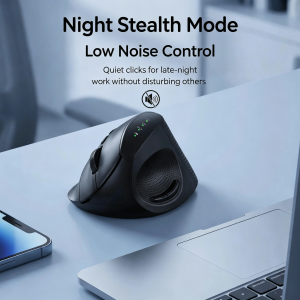
Wireless 2.4G Bluetooth Dual-Mode Ergonomic Vertical Mouse Anti-Slip Slient Click Design Office Mouse For PC Computer Laptop

B.O.W | Foldable Portable Wireless Bluetooth Mouse

800W-320000mAh Portable Solar Generator with LED Light for Outdoor Camping and Emergency Power Supply

Food Grade Nori Cutter for Onigiri Bento Decoration 3 Pack
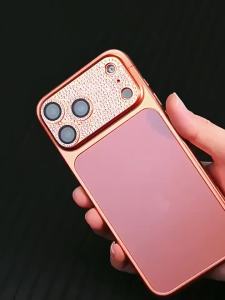
ZHUOHUAN | Glitter Diamond Protection Camera For iPhone 17 16 15 14 13 Pro Max Air Plus Glass Lens Protector Full Cover Scratch Resistant
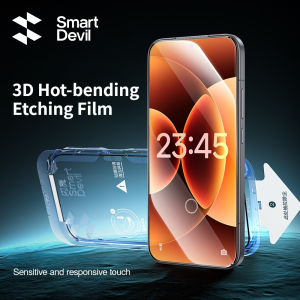
SmartDevil 2PCS 3D Hot-bending Screen Protector for Xiaomi 17 Ultra Mi 17 Tempered Glass for Mi 17Pro Max HD Anti-fingerprint
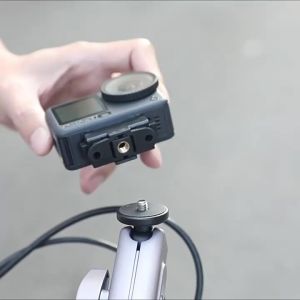
Magnetic Two Claw Adapter 1/4 Thread for DJI Action 6 Foldable Quick Release Mount Base for DJI Osmo Nano Camera Accessories

Kirilgu Suitable for Coffee Machine HD8750 8751 8752 Water Tank Plastic Accessories 7P3H9

Keychain Emergency Charging Provide Light Emergency Rescue Mini High Capacity Battery
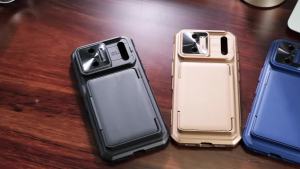
For iPhone 17 Pro Max Case with RFID Blocking Card Holder Military Grade Drop Protection Cover Phone Case-Titanium