EKLEVA G3 HUD Auto Speedometer Head Up Display Smart Digital Alarm Reminder Meter Car Electronics Accessories for All Car
HUD Drive: The best head-up display for any car
1:Head-up display (HUD) for everyday commute to stay focused and connected while driving


2:Installed on the dashboard at one time, the cables are concealed, and the appearance is the same as the original car, The machine does not damage the car, and is used safely.
(For all models, the connection is a USB interface.)
The original car is not damaged, the smart is started to stop with the car;
HUD works: Receive the data from the car and display it on the machine.
Have you had any of these problems while driving?
Alarm functions Improve driving safety
Overspeed alarm: Alarm when the vehicle speed reaches the set default value of 150KM/H
(30-250 setting)
Fatigued driving: Reminder after continuous driving exceeds the default value of 4.0 hours
(1-8h setting)
The machine can be placed anywhere
Can be placed in a position you find comfortable while driving.
Display of different functional interfaces
-
Speed+Time+Compass+ Number of G PS satellites+ Decorative atmosp
-
Speed+Driving time+ Decorative atmosphere lights
-
Driving direction angle speed+ Compass+Altitude
-
Speed+Driving distance
-
Speed+Compass+ Acceleration time per 100 kilometers+ Decorative
-
Speed+Decorative atmosphere lights
-
Speed+Compass+Number of G PS satellites
-
Simple speed
Multiple function display screen
It can only display the speed alone without decorative lights, or with decorative lights and a driving compass, etc.


Automatically turn on and off as the car starts and stops.
Automatic turn on/off
Automatically turn on and off as the car starts and stops.
G PS Version
(It is compatible with all cars! It supports an over-speed alarm!)
Decorative mood lighting


Multi-function display area: display the speed and driving direction angle, the dial can be switched left by dialing


DIR: Direction of travel, angular speed unit: MPE-mile, KW/km


Speed icon


Compass: stop flashing after the satellite is found, then you can use N North B East West S South normally


Satellite number icon


The number of G Ps satellites MTN driving time TRIP driving distance ASL altitude 8+100 km acceleration time


The multi-function display area, the number of time satellites, the driving distance, the driving time, and the acceleration time for 100 kilometers


Decorative mood lighting
Vehicle Satellite Altimeter
The altitude is collected by satellite and is not affected by natural factors such as weather. Very high positioning accuracy.
G PS Compass
Display the forward direction while driving, so that your journey is not yaw.
N-North, S-South, W-West, E-East
Travel time calculation
Keep track of how much time you drive from the start to the end.
Any car can be used
Can be used with USB (5v).One USB cable, plug, and play. Perfectly compatible with vans trucks, buses cars off-road vehicles SUVs and other vehicles
Car Performance Test
The time required to accelerate from 100 kilometers is an important reference data for vehicle dynamic performance and testing. The time and distance used by the car are from KM/h--100KMh
Non-destructive installation, Plug and play
1:Plug the USB cable into the cigarette lighter interface
2:The wire is inserted into the A-pillar seal
3:Connect the USB side to the UHD and put it in the right place
Product accessories:
1 * G3-Head-up display


1 * 1.8 m Micro USB


1 * Non-slip mat


1 * English manual
G PS Display FAQ
- There is no display on the screen, no power
Check whether the USB cable is damaged, replace the USB cable for testing, and prohibit using a voltage higher than 5V for the power supply.
- No speed
The power-on satellite icon flashes to indicate the satellite search state. Move the car to an open road, and when the satellite icon stops flashing, it can be used normally.
- Time calibration
After the satellite icon is flashing and the satellite is found, enter the sixth item of the setting item to adjust the calibration local time.
- The speed is not allowed
Check whether the unit is correct, km KM/mile MPH, (speed unit switching reference setting item)
When the car leaves the factory, the manufacturer increases the speed displayed on the dashboard by 5-7%, and the international calibration is based on satellite data.
Fine-tune the vehicle speed, such as the meter displays 100km/h, the machine displays 105Km/h, and adjust the parameter value to 102.
- The driving direction is displayed incorrectly
When there is no vehicle speed, the satellite cannot identify your driving direction, and it can be displayed normally only after the vehicle speed exceeds 5Km/h.
- Turn off the buzzer
Turn the scroll wheel to the left for 2 seconds to turn off the buzzer, and turn the wheel left again for 2 seconds to turn on the buzzer.

ekleva Official Store

You May Also Like
Rayhong New Solid Cleaner Car Windscreen Cleaner Effervescent Tablet Auto Wiper Glass Solid Cleaning Concentrated Tablets Detergent Car Windshield Cleaner Car Effervescent Tablet Glass Water Solid Cleaner Windshield Spray Cleaner Car Wash Accessories
TIANZHUOJINSHU | European Standard T-Slot Aluminum Profile Accessories Screw Bolt Nut Set
SHANEN | Adjustable Stable Phone Mount for Car
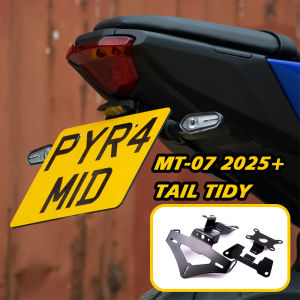
For YAMAHA MT-07 2025 Tail Tidy Plug and Play License Plate Holder MT07 2025 Accessories
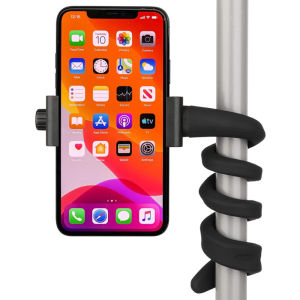
Portable Flexible Wrap Around Mobile Phone Holder for IPhone Samsung Adjustable Stand for Car Stroller Bike Boat Desk Bed Mount
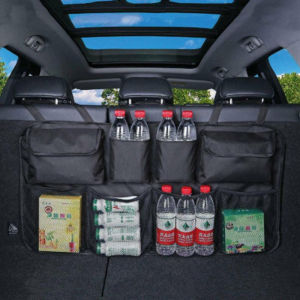
Car Trunk Organizer Universal Adjustable Backseat Storage Bag Net High Capacity Hanging Organizers for Jeeps SUVs Vans
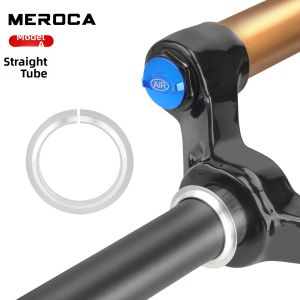
TNBROTHERS | Fork Repair Bottom Bracket Spacer
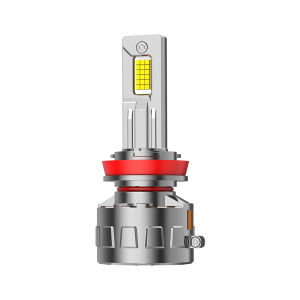
UNJOYLIOD | Super Bright LED Headlight Lamp

ZHENGYU | Separate Raincoat and Trousers Waterproof Motorcycle Suit
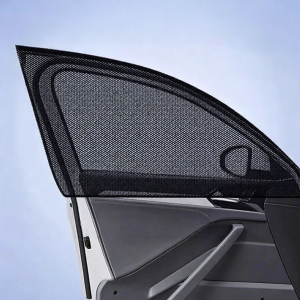
Car Sunshade & Mosquito Net Window Curtain
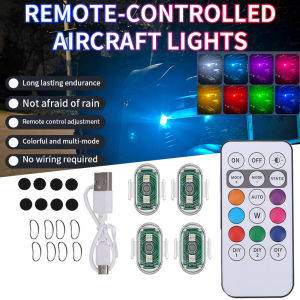
Wireless LED Flash Light Remote Control Waterproof Anti-collision For Motorcycle Car Scooter