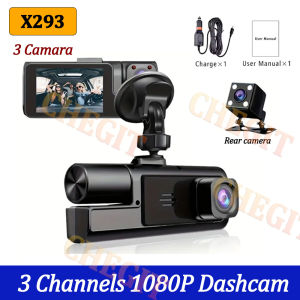
3 Channel 1080P Dash Cam for Cars Camera 2" IPS Car DVR Video Recorder Front inside Rear View Camera Black Box Car Assecories
Please note that this link offers two options: a 2-lens package and a 3-lens package. The 2-lens package does not include the rear camera. Thank you!3Lens 1080P Dash CamDash Cam for Cars 1080P Car Dvr 3Lens Front Inside Camera Recorder Video Camera for Vehicle Car Accsesories Black Box3CHANNEL RECORDINGOnly Front Camera: 1080PFront + Rear Camera:1080P+1080P;Front & Inside Camera:1080P+720P;Front & Inside & Rear Camera:1080P+720P+720PWarm tips: 3 cameras recording at the same time are 720PPowerful night vision shooting1080P full-HD spherical glass lenses F2.0 apertureReversing Camera Function(Optional)When hanging in the "R" gear, the screen will automatically switch Reverse image, and the accurate inverted auxiliary line provides you with better parking prediction.24H parking monitoring.Start the intelligent parking detection mode after the engine is off, support the three recording lens motion detection, abnormal collision automatic recording, one second one frame time lapse recording.(Friendly reminder: parking monitoring needs to be configured with a special buck cable for use, otherwise 24-hour monitoring is not possible)Built-in G-SensorBuilt-in 3Axis G-Sensor,dash cam automatically detects a sudden collision and lock the footage to ensure important footage is kept Protection.Loop- Cycle RecordingWhen the TF card is full,it will automatically delete former video and keep recording all the timeInstallation ImageA:Rear cameraB:Car recorderC:You need to link the red wire of the rear camera to the positive pole of the reversing light in order to realize the reversing image(Installation Note: Do not connect the cell phone data line for charging, the voltage does not meet the car electrical appliances, the wrong power supply can not be used properly.)To protect your privacy, the TF card needs to be formatted for the first time. There are two solutions:1. Insert the TF card correctly into the dash cam, open the camera settings, find the storage card format, confirm that the formatting is complete, and then restart the camera to use.2.Connect to the mobile application, search for settings in the mobile application, format the memory card, confirm formatting is complete, and then restart the camera to use it. Sincere wishes to you and your family.

Prime Supply_Play Life
Review

You May Also Like
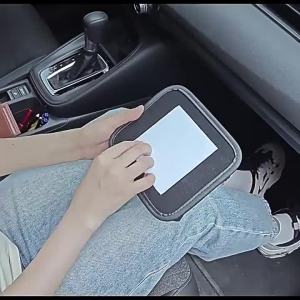
Stick-On In-Car Mini Storage Pouch Multi-Purpose Interior Sorting Bag Universal Vehicle Small Item Organizer

3D Black Knitted Mask Full-Face Design with Breathable Mesh Hood Suitable for Halloween Festival Sports Events Role-Playing
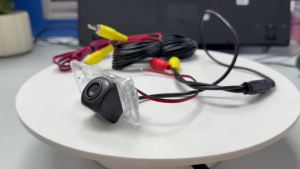
Wide-Angle Rear View Back-Up Reverse Parking Camera HD Car Camera License Plate Camera for Audi TT TTS Mk2 2006-2014-2020
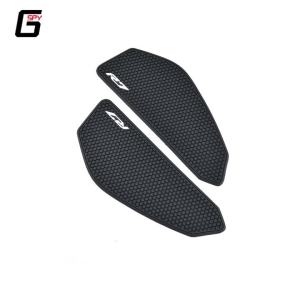
2025 New YZF R7 YZFR7 YZF-R7 2021 2022 2023 2024 Motorcycle Tank Pads Fuel Tank Stickers Protector Knee Non-slip Pad For YAMAHA
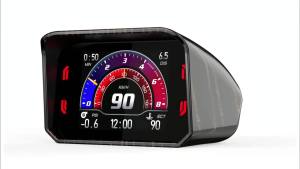
RYSJM | OBD HUD Water Temp Gauge Multi-Function Dashboard Smart Speedometer Auto Alarm System Car Computer Turbo Boost for Car Turck

OBDResource | ELM327 V1.5 OBD2 Car Code Reader Auto Fault Code Eraser DTC Cleaner OBDII Scanner Clear Code Car Diagnostic Scan Tool Repair

other | 2X D1S D2S D3S D4S HID Bulb Xenon Headlight 4300K 5000K 6000K 8000K 10000K 12000K Headlamp Light 35W 12V Car Lamp Super Bright

Flame Motorcycle Stickers Bike Car Helmets Fuel Tank Reflective Waterproof Vinyl Decal Accessories for QJMOTOR YAMAHA HONDA KTM
Glue Suitable for PLA/ABS/TPU/PETG Adhesive Quick-Dry Transparent Bonding Agent with Precision Tip Applic

Abu & Mifa | Suction Sun Shade For Car Side Windows
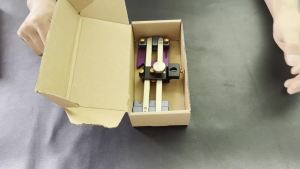
Precision Center Scriber: Accurate Hole & Line Marking for Woodworking