7RYMS Qshot V2 Pro Magnetic Phone Selfie Monitor Screen Support 4K 30fps Wireless and 4K 60fps Wired Recording Using Phone Rear Camera for Selfie Vlog Live Stream Compatible with Android iPhone HarmonyOS
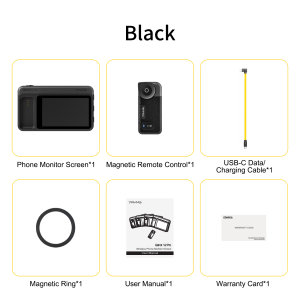
7RYMS Qshot V2 ProWireless Magnetic Phone Vlog Selfie Monitor ScreenQ&A1.Can all smartphones shoot 4K videos via this monitor?When using the native Apple Camera, this device only supports recording at 4K30fps or lower. To record smooth 4K60fps, please download the third-party app BlackMagic Camera. Android systems (wired/wireless mode) support 4K/60fps by default.2. Will it interfere with my live stream or network connection?Absolutely not. It uses direct P2P screen mirroring signals, so your phone can stay fully online for live streaming, posting, or browsing without any interference.3. Can I use the speaker to listen to audio while shooting videos?The speaker only works in wireless mode, and only when the phone is playing back videos.4. How long does a full charge last? What’s the transmission range?Wireless (full charge): Screen mirroring device: 5 hours; Remote control: 24 hours.Charging time: Screen mirroring device: 1.5 hours; Remote control: 1 hour.Transmission range: Screen mirroring device: 50 meters; Remote control: 35 meters.5. How to adjust full-screen mode?Use the screen adjustment button on the mirroring device: short-press to adjust the screen, with 1-5 magnification levels in a loop.6. Why does the device get hot?When the screen mirroring device and smartphone are connected for a long time, video stream transmission to the selfie screen consumes a lot of current and generates heat—but this does not affect the device’s usability.Packing ListPhone Monitor Screen1Magnetic Remote Control1USB-C Data/Charging Cable1Magnetic Ring1User Manual1Warranty Card1Product Usage NoticeWhen used with the iPhone camera, the device only supports recording at 4K30fps and below. To record at 4K60fps without stuttering, users need to download and use the APP "BlackMagic Camera".iPhone users need to enable the zoom function before using the focal adjustment function: select "Settings > Accessibility > Zoom > On". When users zoom on the phone screen will zoom in. To double-tap the phone screen to return to full screen.In wired mode, Android/HarmonyOS phone users need to download the APP "HCCast" to use the product.If the phone cannot connect with the monitor screen in wireless mode, please switch the monitor screen's signal channel (long press the monitor screen's signal channel button)

7Ryms
You May Also Like
WIFIT F16 Selfie Stick with Adjustable Tripod 360° Shooting Detachable Phone Holder Bluetooth1.7m TelescopicAndroid/iOS
GGUU | New Full-Enclosure Phone Case
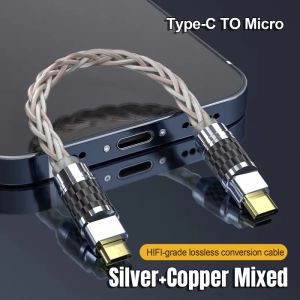
Hifi Type C Micro USB Headphone Adapter OTG Converter 4N Pure Silver Audio Amplifier Sound Card USB C Data Cable Earphone type-c
1-4PCS HD Dust Free Screen Protector For Samsung S26 Ultra S25 Ultra S26 S24 S23 Plus S22 S20 FE A73 S24 FE S23 Tempered Glass
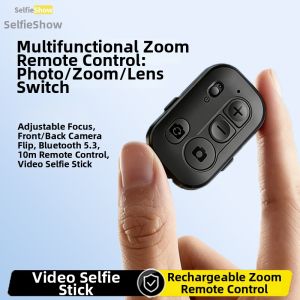
Selfieshow | Bluetooth Universal Remote Zoom Controller Multi-Function Flip Camera
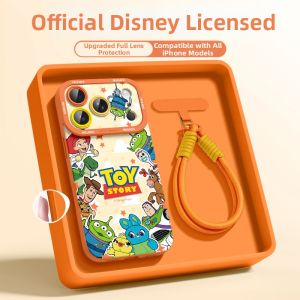
SUPER MOUSE | Fashionable Protective iPhone Case With Shoulder Strap Full Coverage Drop-Resistant

YYTCG | YYTCG One Pair HIFI Silver-plated Speaker Cable High-end 7N OCC Speaker Wire For Hi-fi Systems Y Plug Banana Plug Speaker Cable
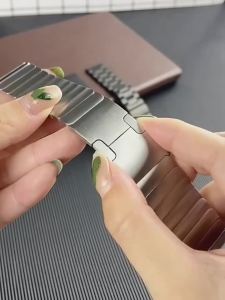
22mm Luxury Stainless Steel Band For Huawei Watch GT3 GT2 Pro/GT 2e/GT2 46mm Strap Metal Bracelet for Huawei Watch 4/4pro/3/3pro

KALLDUN | Cute Black Cat Shockproof Laptop Case
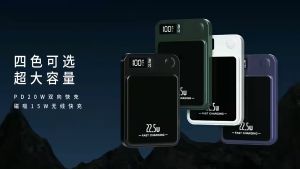
Magnetic Power Bank 7000mAh/15000mAh Wireless Powerbank Fast Charging Portable Charger Mini Powerbank with LED Display Screen
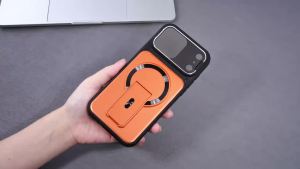
Luxury Lens Protector Invisible Kickstand Magnetic Case for iPhone 17 Air 16 15 14 Plus 13 12 11 Pro Max Armor Shockproof Cover